
 Carmen J. Moore

Smartphones have become an integral part of our daily lives, and the camera is one of the most used features on these devices. iPhone cameras, in particular, are known for their high quality and advanced technology. However, one common concern among iPhone users is whether exposure to bright light can damage the camera.
Many people believe that intense sunlight or bright artificial light can harm the camera sensor and affect the overall performance of the iPhone camera. This concern has led to various discussions and debates on the topic, with users looking for ways to protect their device from potential damage.
While it is true that prolonged exposure to bright light can have negative effects on electronic devices, including cameras, modern smartphones like the iPhone are designed to withstand a certain level of light intensity. However, it is still important to take precautions and avoid exposing your iPhone camera to extremely bright light for extended periods.

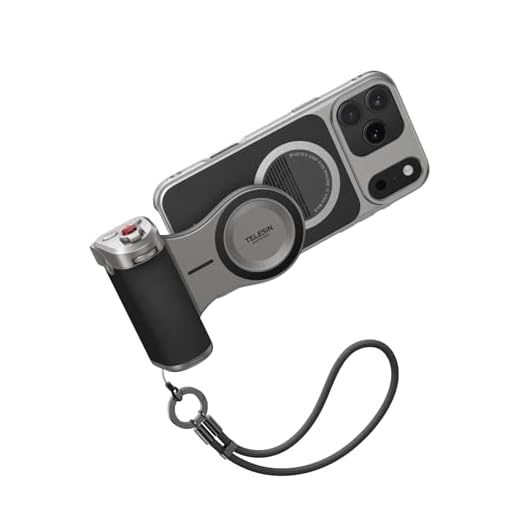

Can Bright Light Affect iPhone Camera
Bright light can potentially damage the iPhone camera if exposed to intense light for a prolonged period. The camera sensor in iPhones, like most digital cameras, can be sensitive to bright light sources such as direct sunlight or powerful artificial lighting.
Excessive exposure to bright light can lead to overexposure, lens flare, or even permanent damage to the camera sensor. It is advisable to avoid pointing the iPhone camera directly at the sun or other intense light sources to prevent potential harm to the camera.
To protect the iPhone camera from bright light, you can use a lens hood or shade to block excess light, adjust the exposure settings, or move to a shaded area when shooting in bright sunlight. Additionally, avoid leaving the iPhone exposed to direct sunlight for extended periods to prevent any potential damage to the camera.
Effects of Bright Light on Camera
Bright light can have both positive and negative effects on a camera, including the iPhone camera. Here are some of the effects of bright light on a camera:
- Overexposure: Bright light can cause overexposure, leading to washed-out photos and loss of detail.
- Lens Flare: Bright light sources can create lens flare, affecting the quality of the image.
- Color Distortion: Intense light can alter colors in the image, resulting in inaccurate color representation.
- Heat Damage: Prolonged exposure to bright light can generate heat, potentially damaging the camera sensor or lens.
- Contrast Issues: Extreme light conditions can affect the contrast of the image, making it harder to distinguish details.
It is important to be mindful of the lighting conditions when using your iPhone camera to avoid these potential issues and ensure high-quality photos.
Protecting Your iPhone Camera
Your iPhone camera is a delicate piece of technology that can be easily damaged if not properly cared for. Here are some tips to help protect your iPhone camera:
1. Use a Case
One of the easiest ways to protect your iPhone camera is to use a case. A good quality case can help absorb shock and prevent scratches, keeping your camera safe from harm.
2. Avoid Direct Sunlight
Direct sunlight can be harmful to your iPhone camera, causing it to overheat or affecting the image quality. Try to avoid using your camera in direct sunlight for extended periods of time.
By following these simple tips, you can help ensure that your iPhone camera stays in top condition and continues to capture high-quality photos and videos.
Signs of Camera Damage
If your iPhone camera has been exposed to bright light and you suspect damage, there are several signs to look out for:
- Blurry or distorted images: If your camera is producing blurry or distorted images, it could be a sign of damage caused by excessive light exposure.
- Strange colors or artifacts: Unusual colors or artifacts appearing in your photos can indicate camera sensor damage from intense light.
- Dark spots or lines: Dark spots or lines on your photos may be caused by damage to the camera lens or sensor due to bright light.
If you notice any of these signs, it’s important to have your iPhone camera checked by a professional to assess the extent of the damage and determine the best course of action.
Common Mistakes to Avoid
When using your iPhone camera in bright light conditions, there are some common mistakes that you should avoid to prevent damage:
- Avoid pointing the camera directly at the sun or other bright light sources, as this can cause lens flare and potentially damage the camera sensor.
- Avoid leaving your iPhone exposed to direct sunlight for extended periods, as this can overheat the device and affect the camera performance.
- Avoid using the flash unnecessarily in bright light situations, as this can create harsh shadows and wash out the details in your photos.
- Make sure to clean the lens of your iPhone camera regularly to remove any dust or debris that could affect the image quality, especially in bright light conditions.
Best Practices for Camera Care
1. Avoid exposing your camera to direct sunlight for extended periods as it may damage the lens and sensor.
2. Keep your camera lens clean by using a microfiber cloth to gently wipe away dust and smudges.
3. Store your camera in a protective case when not in use to prevent scratches and other damage.
4. Avoid extreme temperatures, both hot and cold, as they can affect the performance of your camera.
5. Use a lens cap or cover when the camera is not in use to protect the lens from dirt and debris.
6. Be gentle when handling your camera to prevent accidental drops or impacts.
7. Regularly check for firmware updates and install them to ensure optimal performance and compatibility with your device.
Professional Repair Options
If your iPhone camera has been damaged by bright light or any other issue, you may need to seek professional repair options. There are several ways you can get your iPhone camera fixed:
| 1. Apple Store | Visit an Apple Store and schedule an appointment with the Genius Bar to have your iPhone camera assessed and repaired by Apple technicians. |
| 2. Authorized Service Provider | Take your iPhone to an authorized service provider that specializes in Apple repairs for a professional assessment and repair. |
| 3. Third-Party Repair Shop | Consider taking your iPhone to a reputable third-party repair shop that offers camera repair services for iPhones. |
It’s important to choose a reliable and qualified repair option to ensure that your iPhone camera is repaired properly and functions correctly.


Does using the flash in bright light really damage the camera, or does it just affect the photo quality?
Using the flash in bright light generally affects photo quality by causing harsh shadows and overexposure, rather than damaging the camera itself. However, it's best to use it judiciously.
Can you explain more about how long exposure to bright light might actually damage the camera? Like, is there a specific timeframe to watch out for?
I had an unfortunate experience when I left my iPhone in direct sunlight for a few hours. The images started coming out super blurry and with weird colors. I didn't realize it was due to the sunlight until I read this article. Now I’m super careful about using the camera in bright conditions!
Thanks for sharing your experience! It's definitely a good reminder that even brief exposures to intense light can impact camera quality. Taking precautions like using a lens hood can really help.
I disagree with the idea that modern smartphones can't handle bright light. I've taken my iPhone on sunny days without any problems, so it seems to be okay with some light exposure.
While many modern smartphones are designed to manage bright conditions, prolonged exposure can still lead to issues like overheating or lens flare. It's always good to take precautions.