
 Carmen J. Moore

Smartphones, including iPhones, have become an integral part of our daily lives, serving as a communication tool, entertainment device, and even a security camera. With the advancement of technology, concerns about privacy and security have also increased.
One of the common questions that arise is whether an iPhone camera can be hacked remotely through a website. While Apple puts significant efforts into securing its devices, no system is completely immune to vulnerabilities.
It is technically possible for a skilled hacker to exploit a vulnerability in the iPhone’s software or browser to gain unauthorized access to the camera. This raises concerns about the potential invasion of privacy and the need for users to stay vigilant about their device’s security.
Can an iPhone Camera Be Hacked from a Website
When it comes to the security of your iPhone camera, there is always a concern about potential hacking threats. One common question that arises is whether an iPhone camera can be hacked from a website.


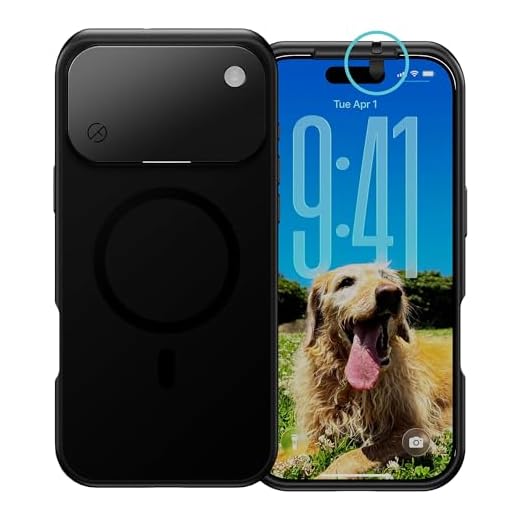
It is essential to understand that while the iPhone camera itself is not easily hacked from a website directly, there are potential vulnerabilities that could be exploited to gain unauthorized access to the camera.
One way this could happen is through malicious websites that trick users into clicking on links or downloading malware that could compromise the device’s security. Additionally, if your iPhone is jailbroken or running outdated software, it could be more susceptible to hacking attempts.
To protect your iPhone camera from potential hacking risks, it is crucial to keep your device updated with the latest software updates, avoid clicking on suspicious links, and be cautious when downloading apps or visiting unfamiliar websites.
While the risk of an iPhone camera being hacked from a website is not impossible, taking proactive steps to enhance your device’s security can help mitigate these risks and protect your privacy.
Understanding iPhone Camera Security
iPhone cameras are equipped with advanced security features to protect users’ privacy and prevent unauthorized access. Apple has implemented various security measures to ensure the safety of the camera function on its devices.
One of the key security features is the camera access control, which requires users to grant permission for apps to access the camera. This permission is managed through the device’s settings, allowing users to control which apps have access to the camera and when.
Additionally, Apple regularly releases software updates to address any security vulnerabilities that may be discovered. These updates not only enhance the performance of the camera but also strengthen its security against potential threats.
It is important for users to be cautious when downloading apps or visiting websites that request camera access. By being mindful of permissions and keeping their devices updated, users can help protect the security of their iPhone camera.
Potential Risks of Camera Hacking
Camera hacking poses a serious threat to personal privacy and security. If an iPhone camera is hacked from a website, malicious actors can gain unauthorized access to the camera, allowing them to spy on the user without their knowledge.
Some potential risks of camera hacking include:
- Privacy Invasion: Hackers can remotely access the camera and capture images or videos of the user without their consent, violating their privacy.
- Surveillance: Hacked cameras can be used for surveillance purposes, monitoring the user’s activities and environment without their awareness.
- Data Theft: Hackers may steal sensitive information by capturing images of documents, credit cards, or other confidential materials visible through the camera.
It is essential to take proactive measures to protect your device from camera hacking, such as keeping your software up to date, using strong passwords, and being cautious of suspicious websites that may attempt to exploit security vulnerabilities.
Common Methods of Camera Hacking
Camera hacking can be achieved through various methods, some of which include:
| 1. Malware | Installing malware on the target device can give hackers access to the camera remotely. |
| 2. Phishing | Sending deceptive emails or messages to trick users into clicking on malicious links that can compromise the camera. |
| 3. Remote Access | Gaining unauthorized access to the camera through weak passwords or security vulnerabilities. |
| 4. Physical Access | Physically tampering with the camera or device to gain control over its functions. |
| 5. Network Exploitation | Exploiting network vulnerabilities to intercept camera data or gain control over the device. |
Protecting Your iPhone Camera
With the increasing concerns about hacking and privacy breaches, it’s essential to take steps to protect your iPhone camera from unauthorized access. Here are some tips to enhance the security of your device:
1. Keep Your Software Updated
Regularly updating your iPhone’s operating system and apps is crucial for staying protected against potential security vulnerabilities. Make sure to install the latest updates provided by Apple to keep your device secure.
2. Enable Two-Factor Authentication
Adding an extra layer of security through two-factor authentication can help prevent unauthorized access to your device and its camera. Enable this feature in your iPhone settings for enhanced protection.
Remember: Always be cautious when granting camera access to third-party apps and websites. Make sure to review app permissions and only allow access to trusted sources.
By following these tips and practicing good cybersecurity habits, you can help safeguard your iPhone camera and maintain your privacy and security.
How to Detect Camera Hacking
Protecting your iPhone camera from hacking is crucial for maintaining your privacy and security. Here are some tips to help you detect if your camera has been compromised:
1. Check for unusual behavior: If your camera turns on unexpectedly, takes photos or videos without your permission, or shows any other unusual activity, it may be a sign of hacking.
2. Monitor battery usage: A sudden increase in battery consumption can indicate that your camera is being used more than usual, potentially by a hacker.
3. Look for unauthorized access: If you notice any unauthorized access to your camera settings or see unfamiliar apps requesting camera permissions, it could be a sign of hacking.
4. Use security software: Consider using security software that can detect and prevent camera hacking attempts on your iPhone.
5. Cover your camera: When not in use, consider covering your iPhone camera with a physical cover or tape to prevent unauthorized access.
By staying vigilant and taking these precautions, you can help protect your iPhone camera from potential hacking threats.
Legal Implications of Camera Hacking
Camera hacking raises serious legal concerns, as it violates the privacy rights of individuals. Unauthorized access to someone’s camera without their consent is considered a breach of privacy and can lead to legal consequences.
Potential Legal Ramifications:
- Criminal Charges: Hacking into someone’s camera can be a criminal offense punishable by law. Depending on the severity of the intrusion, the hacker could face charges such as invasion of privacy, cyberstalking, or unauthorized access to a computer system.
- Civil Lawsuits: The victim of camera hacking may also file a civil lawsuit against the hacker for damages. This could result in financial compensation being awarded to the victim for the invasion of privacy and emotional distress caused by the hack.
It is essential to understand that camera hacking is a serious violation of privacy and can have significant legal repercussions. It is important to respect the privacy of others and refrain from engaging in any unauthorized access to their devices.
Steps to Secure Your iPhone Camera
1. Keep Your Software Updated: Make sure to regularly update your iPhone’s operating system and apps to protect against potential vulnerabilities.
2. Disable Camera Access for Unauthorized Apps: Go to your iPhone’s settings and review which apps have access to your camera. Disable camera access for apps that you do not trust.
3. Use Strong Passcodes and Biometric Authentication: Set a strong passcode for your iPhone and enable biometric authentication like Face ID or Touch ID to prevent unauthorized access.
4. Be Cautious with Links and Downloads: Avoid clicking on suspicious links or downloading unknown files that could potentially contain malware designed to hack your camera.
5. Cover Your Camera when Not in Use: Consider using a camera cover or tape to physically block your iPhone’s camera when you are not using it to prevent any potential unauthorized access.
6. Monitor App Permissions: Regularly review and manage the permissions granted to apps on your iPhone, including camera access, to ensure only trusted apps have the necessary permissions.
Stay Informed About Camera Security
It is important to stay informed about the latest security threats and vulnerabilities that can potentially affect your iPhone camera. By staying up-to-date with security news and updates, you can take proactive measures to protect your device from potential hacks.
Enable Two-Factor Authentication
One way to enhance the security of your iPhone camera is by enabling two-factor authentication. This adds an extra layer of security by requiring a verification code in addition to your password when logging into your device or accessing sensitive information.
Avoid Clicking on Suspicious Links
Be cautious when clicking on links from unknown sources, especially those sent via email or text messages. Clicking on malicious links can potentially lead to your iPhone camera being hacked or compromised.


Is it true that jailbreaking an iPhone makes it easier for hackers to access the camera? I've heard mixed opinions on this.
Yes, jailbreaking removes many of the built-in security features of iOS, making it more vulnerable to attacks, including camera access.
I had a friend who once experienced a strange issue where her camera started taking pictures on its own. She thought it was a glitch, but later found out it was a malware attack. It made her really paranoid about using her phone afterward. Always keep your software updated!
I disagree with the point that the risk is low. I think any device connected to the internet can be hacked, even iPhones.
Great article! I always cover my camera when I'm not using it, just to be safe.
Can you explain more about how to detect if my camera has been hacked? I’d like to know what signs to look for.