
 Carmen J. Moore
GoPro cameras have revolutionized the way we capture our adventures and memories, offering high-quality video and photo capabilities in a compact and durable package. But did you know that you can take your GoPro experience to the next level by controlling it through external commands?
By using external commands, you can remotely manipulate your GoPro camera, adjust settings, start and stop recording, and even capture photos without having to physically touch the camera. This opens up a world of possibilities for creative shots and hands-free operation, whether you’re capturing extreme sports, travel footage, or everyday moments.

So, how exactly can you control your GoPro camera through external commands? In this article, we’ll explore the different methods and tools available to remotely manage your GoPro camera and enhance your shooting experience.
Overview of GoPro Camera Control
Controlling a GoPro camera through external commands can provide users with enhanced flexibility and convenience. By leveraging APIs or third-party applications, users can remotely control various aspects of their GoPro camera, such as capturing photos, recording videos, adjusting settings, and more.
With the ability to control a GoPro camera from a distance, users can capture unique perspectives and shots that may not be possible with manual operation. This feature is particularly useful for action sports, travel, and other scenarios where hands-free operation is essential.
By understanding how to interact with the GoPro camera’s API or compatible applications, users can unlock a range of creative possibilities and streamline their workflow. Whether capturing dynamic action shots or setting up time-lapse sequences, remote camera control can enhance the overall user experience and result in stunning visual content.
Benefits of Remote Control
Remote control of your GoPro camera offers numerous advantages:
1. Convenience
With remote control capabilities, you can easily operate your GoPro camera from a distance, allowing you to capture shots that would be otherwise impossible. Whether you’re mounting your camera on a helmet, a surfboard, or a drone, being able to control it remotely ensures that you get the perfect shot every time.
2. Flexibility
Remote control provides you with the flexibility to adjust settings, start and stop recording, and capture photos without having to physically touch the camera. This is particularly useful in situations where the camera is mounted in hard-to-reach or dangerous locations, allowing you to stay safe while still capturing stunning footage.
Connecting GoPro to External Devices
GoPro cameras can be connected to external devices such as smartphones, tablets, and computers to control the camera remotely and access its features and settings. Here are some ways to connect your GoPro to external devices:
1. Using the GoPro App
The GoPro App allows you to control your camera, preview footage, and adjust settings wirelessly from your smartphone or tablet. Simply download the app, connect your GoPro to the device via Wi-Fi or Bluetooth, and start controlling your camera remotely.
2. Using a Wi-Fi Remote
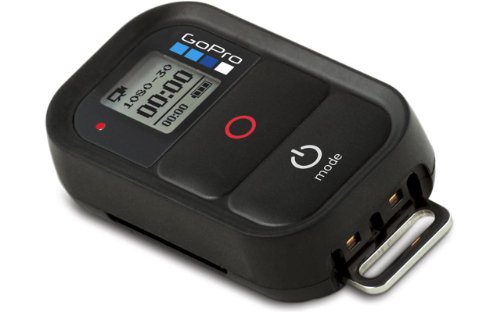
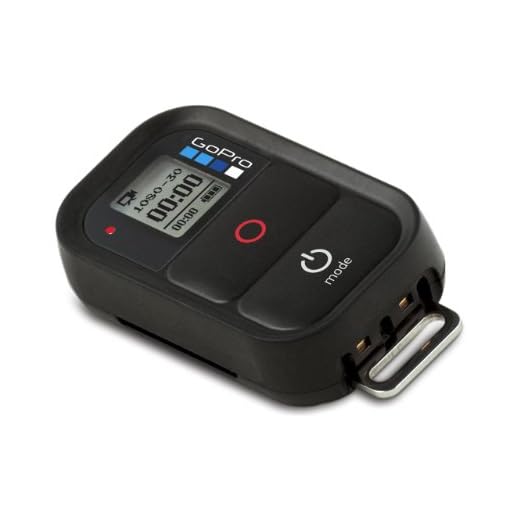
You can also control your GoPro using a dedicated Wi-Fi remote control. Simply pair the remote with your camera, and you can start recording, capturing photos, and changing settings from a distance.
By connecting your GoPro to external devices, you can expand the functionality of your camera and enhance your shooting experience.
Using Command Line Interface
To control your GoPro camera through external commands, you can utilize the Command Line Interface (CLI). The CLI allows you to send specific commands to your camera using a text-based interface. This method gives you more flexibility and control over your camera settings and functions.
By accessing the CLI, you can adjust various camera settings, start and stop recordings, capture photos, and perform other actions directly from your computer or mobile device. This is particularly useful for automating tasks or integrating your GoPro camera into a larger system or workflow.
Before using the CLI, make sure you have the necessary software installed on your device and familiarize yourself with the available commands and syntax. Once you are comfortable with the CLI, you can start exploring the possibilities of controlling your GoPro camera with external commands.
Programming GoPro Control with API
GoPro cameras can be controlled programmatically using the GoPro API. The API allows developers to interact with the camera’s functions and settings, enabling them to create custom applications and scripts for controlling the camera remotely.
The GoPro API provides a set of commands that can be sent to the camera over Wi-Fi or Bluetooth connections. These commands can be used to change settings, start and stop recording, capture photos, and more. Developers can use languages like Python, Java, or C++ to send commands to the camera and receive responses.
| Benefits of Programming GoPro Control with API: |
|---|
| 1. Automate camera functions for specific use cases |
| 2. Create custom camera control interfaces |
| 3. Integrate camera control into larger applications or systems |
By leveraging the GoPro API, developers can unlock the full potential of their GoPro cameras and create innovative solutions for capturing and controlling footage.
Advanced Tips and Tricks
In addition to basic commands, there are some advanced tips and tricks you can use to control your GoPro camera more effectively:
1. Customizing Commands
Take advantage of the GoPro API to create custom commands tailored to your specific needs. You can use scripting languages like Python or shell scripts to interact with your camera in unique ways.
2. Automating Tasks
Set up automation scripts to control your GoPro camera at scheduled times or in response to specific events. This can be useful for time-lapse photography, remote monitoring, or capturing footage in challenging conditions.




I recently tried using the GoPro App to control my Hero 9, and it was super convenient! I mounted it on my drone, and the ability to adjust settings from my phone made a huge difference. I didn't have to worry about manually pressing buttons while flying. Just wish the connection was a bit more stable at times!
I've had similar experiences with the app, but sometimes it disconnects. Have you found any tips to improve the connection?
A good tip to improve connection stability is to ensure that your GoPro's firmware is updated and that you're within a reasonable distance from the camera when using the app.
How do I get started with controlling my GoPro using the Command Line Interface? What software do I need to install?
To get started with controlling your GoPro using the CLI, you'll need to install the GoPro software on your device. Make sure your GoPro is connected to the same Wi-Fi network. You can find the command syntax and available commands in the GoPro developer documentation.
I don't think using the API is necessary for most casual users. It seems overly complicated just to capture some footage. The app should be sufficient for most people.