
 Carmen J. Moore

The Nikon D5300 DSLR camera is a powerful tool for capturing stunning images and videos with exceptional clarity and detail. Whether you’re a beginner or an experienced photographer, learning how to use this camera to its full potential can take your photography skills to the next level.
With its 24.2-megapixel sensor, advanced autofocus system, and versatile shooting modes, the Nikon D5300 offers endless creative possibilities. In this article, we’ll explore some tips and techniques to help you make the most of this impressive camera and elevate your photography game.
From mastering the basics of exposure and composition to utilizing the camera’s built-in features and accessories, we’ll cover everything you need to know to unlock the full potential of the Nikon D5300. Get ready to capture breathtaking images that will truly stand out!
Understanding the basics of DSLR cameras
DSLR cameras (Digital Single-Lens Reflex) are popular among photographers for their versatility and image quality. Understanding the basics of how these cameras work can help you maximize their potential.


1. Sensor size: DSLR cameras have larger sensors compared to point-and-shoot cameras, which results in better image quality and low-light performance.
2. Interchangeable lenses: One of the key features of DSLRs is the ability to change lenses, allowing you to adapt to different shooting situations and achieve various creative effects.
3. Manual controls: DSLRs offer manual control over settings such as aperture, shutter speed, and ISO, giving you full creative control over your images.
4. Optical viewfinder: DSLRs use a mirror mechanism to provide an optical viewfinder, allowing you to see exactly what the lens sees in real time.
5. Autofocus system: DSLRs typically have advanced autofocus systems that can track moving subjects and ensure sharp focus in various shooting conditions.
By understanding these basic features of DSLR cameras, you can take your photography skills to the next level and capture stunning images with your Nikon D5300.
“`html
Key features of the Nikon D5300
The Nikon D5300 is a versatile DSLR camera that offers a range of features to enhance your photography experience. Some key features of the Nikon D5300 include:
24.2 Megapixel CMOS Sensor |
The D5300 features a high-resolution 24.2 megapixel CMOS sensor that delivers sharp and detailed images. |
Expeed 4 Image Processor |
With the Expeed 4 image processor, the D5300 provides fast performance, improved low-light capabilities, and enhanced image quality. |
Wi-Fi and GPS Connectivity |
The D5300 is equipped with built-in Wi-Fi and GPS for easy sharing of images and geotagging your photos. |
Vari-Angle LCD Monitor |
The D5300 features a 3.2-inch vari-angle LCD monitor that allows for flexible shooting angles and easy navigation of settings. |
39-Point Autofocus System |
The D5300’s 39-point autofocus system ensures fast and accurate focusing, even in challenging lighting conditions. |
Setting up your Nikon D5300
Setting up your Nikon D5300 for the first time can be a bit overwhelming, but with a few simple steps, you’ll be ready to start capturing amazing photos in no time.
Step 1: Inserting the Battery and Memory Card
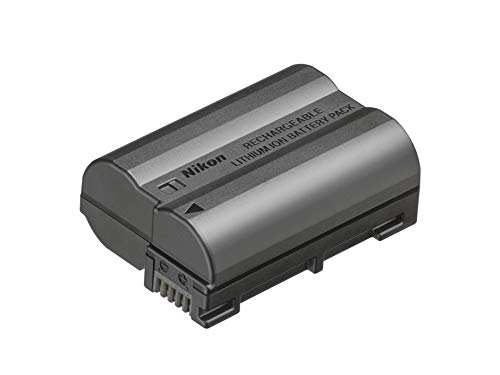
Before you can start using your Nikon D5300, you’ll need to insert the battery and a memory card. Open the battery compartment on the bottom of the camera and insert the battery, making sure it clicks into place. Then insert a memory card into the memory card slot.
Step 2: Attaching the Lens
Next, attach a lens to your Nikon D5300. Line up the white dot on the lens with the white dot on the camera body, then twist the lens clockwise until it locks into place.
With these basic steps, your Nikon D5300 is now set up and ready to use. Now you can start exploring the camera’s settings and features to take your photography to the next level.
Mastering the manual mode
Using the manual mode on your Nikon D5300 allows you to take full control of your camera settings, giving you the flexibility to adjust aperture, shutter speed, and ISO to achieve your desired results. Here are some tips to help you master the manual mode:
1. Understand the exposure triangle: Aperture, shutter speed, and ISO work together to determine the exposure of your photo. Learn how changes in one setting affect the others to achieve the desired exposure.
2. Practice with different lighting conditions: Experiment with different settings in various lighting situations to understand how they impact your photos.
3. Use the camera’s light meter: The camera’s light meter helps you gauge the exposure of your photo. Aim to achieve a balanced exposure by adjusting the settings accordingly.
4. Fine-tune your focus: In manual mode, you have control over the focus points. Take your time to ensure your subject is sharp and in focus.
5. Take your time: Don’t rush when using the manual mode. Take the time to adjust the settings and experiment to achieve the desired results.
Capturing stunning photos with the Nikon D5300
The Nikon D5300 is a powerful DSLR camera that can help you capture stunning photos with its advanced features and capabilities.
To make the most of your Nikon D5300, here are some tips to help you capture breathtaking images:
1. Understand your camera: Take the time to familiarize yourself with the various settings and features of the Nikon D5300. This will help you optimize your shooting experience and produce high-quality images.
2. Use the right lenses: Invest in quality lenses that are compatible with the Nikon D5300 to enhance your photography skills. Different lenses can offer different perspectives and creative possibilities.
3. Experiment with manual mode: Explore the manual mode settings on your camera to have more control over your exposure settings and achieve the desired effects in your photos.
4. Pay attention to lighting: Lighting plays a crucial role in photography. Experiment with natural light, artificial light, and different lighting techniques to create dynamic and visually appealing images.
5. Practice composition techniques: Learn and apply composition techniques such as the rule of thirds, leading lines, and framing to create visually compelling photos with the Nikon D5300.
6. Edit your photos: Post-processing your images can help enhance their visual appeal. Use editing software to adjust colors, contrast, and other elements to make your photos stand out.
By following these tips and practicing regularly with your Nikon D5300, you can capture stunning photos that showcase your creativity and photography skills.
Exploring Creative Shooting Techniques
Using the Nikon D5300 DSLR camera opens up a world of creative possibilities for your photography. Here are some techniques to help you take your photography to the next level:
1. Bokeh Effect
Experiment with the aperture settings on your D5300 to achieve a beautiful bokeh effect. By using a wide aperture (low f-stop number), you can create a shallow depth of field that blurs the background while keeping your subject in sharp focus.
2. Long Exposure Photography
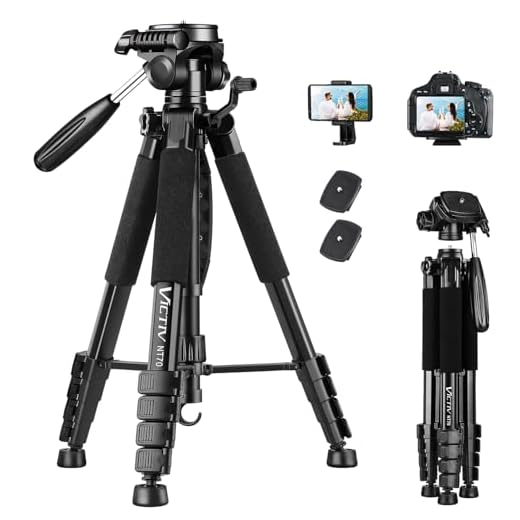
Try your hand at long exposure photography to capture stunning light trails, star trails, or silky smooth waterfalls. Set your D5300 to Manual mode, choose a slow shutter speed, and use a tripod to keep your camera steady during the long exposure.
Post-processing tips for Nikon D5300 images
After capturing stunning images with your Nikon D5300, it’s time to enhance them through post-processing. Here are some tips to help you make the most of your photos:
- Shoot in RAW: To have more flexibility during post-processing, always shoot in RAW format. This will allow you to adjust exposure, white balance, and other settings without losing image quality.
- Use Nikon’s software: Nikon provides software like ViewNX-i and Capture NX-D that are specifically designed for processing Nikon RAW files. Familiarize yourself with these tools to get the best results.
- Adjust exposure and white balance: Fine-tune the exposure and white balance settings to correct any issues and enhance the overall look of your images.
- Sharpen and reduce noise: Apply sharpening techniques to enhance details in your photos and use noise reduction tools to eliminate any unwanted noise in low-light situations.
- Experiment with color correction: Play around with color adjustments to create a unique style for your images. You can enhance or mute colors to achieve the desired effect.
- Retouch blemishes: Use tools like spot healing or clone stamp to remove any imperfections or distractions in your photos.
- Crop and straighten: Crop your images to improve composition and straighten any tilted horizons for a cleaner look.
- Add creative effects: Experiment with filters, presets, and other creative effects to give your images a unique and artistic touch.
FAQ
What are the key features of the Nikon D5300 DSLR camera?
The Nikon D5300 DSLR camera features a 24.2-megapixel sensor, a 39-point autofocus system, built-in Wi-Fi and GPS, a vari-angle LCD screen, and full HD video recording capabilities. It also offers excellent image quality and low-light performance.
How do I adjust the settings on my Nikon D5300 DSLR camera for different lighting conditions?
To adjust the settings on your Nikon D5300 DSLR camera for different lighting conditions, you can use the exposure compensation dial to adjust the brightness of your photos, change the ISO setting to adjust the camera’s sensitivity to light, and adjust the aperture and shutter speed to control the amount of light entering the camera. Additionally, you can use the camera’s preset shooting modes like portrait, landscape, or night scene to optimize the settings for specific lighting conditions.





Using the D5300 has been a game changer for my photography! The autofocus is fantastic, especially when shooting moving subjects.
How does the Nikon D5300 compare to something like the Canon T6i? I’m trying to decide which one to get.
Don't forget to experiment with different lenses! It makes a huge difference in the kind of shots you can get.
I disagree with the notion that you need to shoot in RAW all the time. For casual photography or social media, JPEGs are more than sufficient and easier to handle.
I see your point, but RAW gives more flexibility for editing later. It really depends on your goals with the photos.
I disagree with the notion that the D5300 is beginner-friendly. I found the interface a bit confusing at first and the manual doesn’t explain everything well. I think it takes time to fully grasp all its features, which might overwhelm new users.
I can understand your point. The learning curve can be steep, but I think it's worth it once you get the hang of it.
I just got a Nikon D5300 but I'm struggling with the manual mode. Can someone explain how the exposure triangle works in simple terms?
Good question! The exposure triangle consists of aperture, shutter speed, and ISO. Aperture controls how much light enters, shutter speed dictates how long the sensor is exposed to light, and ISO affects the sensor's sensitivity to light. Balancing these three will help you get the right exposure.
I recently started using the D5300 and love the vari-angle LCD monitor! It makes shooting from different angles so much easier. I was worried about the learning curve, but the manual mode really helps me understand the settings better.
The article mentions using a tripod for long exposure. Is that really necessary, or can you do it handheld?
Using a tripod for long exposure is recommended to avoid camera shake, which can blur your images. Handheld shots can work in certain lighting, but a tripod will give you the best results.
What makes the Nikon D5300 better than other entry-level DSLRs?
The Nikon D5300 offers a 24.2-megapixel sensor and advanced autofocus features that provide high-quality images and better focus tracking compared to many other entry-level DSLRs.