
 Carmen J. Moore

Are you a photography enthusiast looking to make the most out of your Canon EOS 1200D DSLR camera? You’ve come to the right place! This beginner-friendly guide will walk you through the essential features and functions of the Canon EOS 1200D, helping you capture stunning photos and videos with ease.
The Canon EOS 1200D is a popular choice for entry-level photographers due to its user-friendly interface and impressive image quality. Whether you’re a beginner or looking to upgrade from a point-and-shoot camera, this guide will provide you with everything you need to know to unleash the full potential of your Canon EOS 1200D.

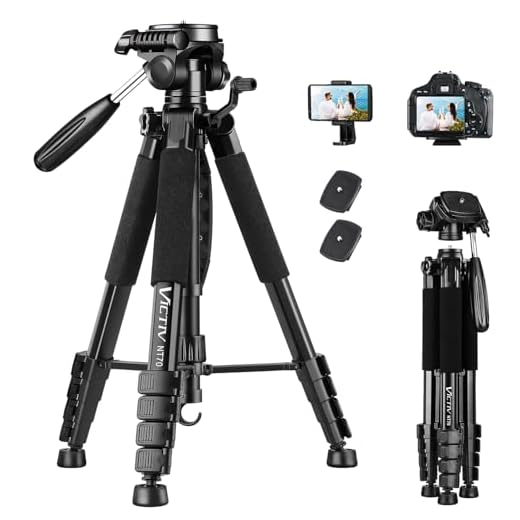

From understanding the basic settings to mastering advanced techniques, this guide will cover it all. Get ready to elevate your photography skills and take your creativity to the next level with the Canon EOS 1200D DSLR camera!
Basic Features of Canon EOS 1200D
The Canon EOS 1200D is a versatile DSLR camera that offers a range of features to help you capture stunning images. Some of the basic features of the Canon EOS 1200D include:
- 18 megapixel APS-C CMOS sensor
- DIGIC 4 image processor
- ISO range of 100-6400 (expandable to 12800)
- Full HD 1080p video recording
- 9-point autofocus system
- 3-inch LCD screen
- Scene Intelligent Auto mode for easy shooting
- Continuous shooting at 3 frames per second
These features make the Canon EOS 1200D a great choice for beginners looking to step up their photography game. Whether you’re capturing still images or shooting videos, this camera has everything you need to get started.
Setting Up Your Canon EOS 1200D
Before you start using your Canon EOS 1200D DSLR camera, you need to set it up properly. Follow these steps to ensure your camera is ready to capture stunning images:
1. Install the Battery and Memory Card
Insert the charged battery into the camera and make sure it clicks into place. Then, insert a compatible memory card (SD, SDHC, or SDXC) into the designated slot.
2. Attach the Lens
Line up the white dot on the lens with the white dot on the camera body and twist the lens clockwise until it locks into place. Make sure the lens is securely attached.
Note: Always turn off the camera before attaching or removing the lens to prevent damage.
By following these steps, you can set up your Canon EOS 1200D DSLR camera correctly and be ready to start capturing amazing photographs.
Taking Photos with Canon EOS 1200D
Canon EOS 1200D is a versatile DSLR camera that allows you to capture stunning photos with ease. Here are some tips on how to make the most of your Canon EOS 1200D:
1. Set the Right Mode
Start by selecting the appropriate shooting mode on your camera. You can choose from various modes like Portrait, Landscape, Sports, or Manual mode depending on the type of shot you want to take.
2. Focus on Composition
Pay attention to the composition of your shots. Use the rule of thirds, leading lines, and framing techniques to create visually appealing photographs. Experiment with different angles and perspectives to add depth to your images.
Using Manual Mode on Canon EOS 1200D
Manual mode on the Canon EOS 1200D allows you to have full control over the camera settings to capture the perfect shot. Here are the steps to use manual mode:
| 1. Set the Mode Dial | Rotate the mode dial to “M” to switch to manual mode. |
| 2. Adjust the Shutter Speed | Use the main dial to adjust the shutter speed. A faster shutter speed freezes motion, while a slower speed captures motion blur. |
| 3. Set the Aperture | Use the Quick Control dial to set the aperture. A larger aperture (smaller f-stop number) creates a shallow depth of field, while a smaller aperture (larger f-stop number) increases depth of field. |
| 4. Adjust the ISO | Use the ISO button to change the sensitivity of the camera sensor. A lower ISO is suitable for bright conditions, while a higher ISO is ideal for low-light situations. |
| 5. Focus Manually | Switch the lens to manual focus mode and adjust the focus ring until your subject is sharp in the viewfinder. |
| 6. Take the Shot | Press the shutter button to capture the image. Review the shot on the LCD screen and make adjustments as needed. |
Editing Photos from Canon EOS 1200D
Once you have captured stunning photos with your Canon EOS 1200D DSLR camera, it’s time to enhance them further through editing. Here are some steps to help you edit your photos:
1. Transfer Photos
Start by transferring your photos from the camera to your computer using a USB cable or memory card reader. Organize your photos into folders for easy access.
2. Choose Editing Software
Use editing software like Adobe Photoshop, Lightroom, or free options like GIMP or Pixlr to edit your photos. These tools offer a range of editing features for enhancing colors, adjusting exposure, cropping, and more.
Experiment with different editing techniques to bring out the best in your photos. Don’t be afraid to try new things and unleash your creativity!
FAQ
How do I turn on the Canon EOS 1200D DSLR camera?
To turn on the Canon EOS 1200D DSLR camera, simply switch the power lever located on the top right of the camera to the “ON” position. The camera will then power up and be ready to use.
What are the basic features of the Canon EOS 1200D DSLR camera?
The Canon EOS 1200D DSLR camera features an 18-megapixel CMOS sensor, a 3-inch LCD screen, 9-point autofocus system, Full HD video recording capability, and a variety of shooting modes such as Scene Intelligent Auto and Creative Auto. It also has built-in Wi-Fi for easy sharing of images.
How can I change the settings on the Canon EOS 1200D DSLR camera?
To change the settings on the Canon EOS 1200D DSLR camera, you can use the menu button on the back of the camera to access the settings menu. From there, you can navigate through various options such as ISO, white balance, shooting modes, and more. Use the control dial to make adjustments and the set button to confirm your selections.
What accessories are compatible with the Canon EOS 1200D DSLR camera?
The Canon EOS 1200D DSLR camera is compatible with a wide range of accessories including lenses, external flashes, tripods, camera bags, and memory cards. You can also use remote shutter releases and wireless adapters to enhance your shooting experience with this camera.






What kind of editing software do you recommend for photos taken with the Canon EOS 1200D? I'm a beginner and looking for something user-friendly.
I recently started using the Canon EOS 1200D, and I found the manual mode a bit overwhelming at first. But after experimenting with shutter speed and aperture, I began to understand how it all works together. I still have a lot to learn, but I'm enjoying capturing photos! Has anyone else had a similar experience? Any tips for mastering manual mode?
I felt the same way when I started! One tip that helped me was to take a lot of practice shots in different lighting conditions to see how the settings affect the outcome. It really helped me get comfortable with the camera.
I disagree that the Canon EOS 1200D is only for beginners. I think it’s also a solid choice for enthusiasts who want a lightweight camera without too many bells and whistles. It’s all about how you use it!
I can see your point! It’s definitely versatile, but I think the ease of use makes it more appealing to beginners.
How do I know which lens to choose for my Canon EOS 1200D? I’m a complete beginner and feeling a bit overwhelmed!
Good question! The kit lens that usually comes with the camera is a great start. You might want to consider a prime lens for portraits or a zoom lens for versatility.
I’ve been using the Canon EOS 1200D for about a year now. It’s really great for beginners! The Scene Intelligent Auto mode is super helpful when you’re starting out. I found that learning how to use manual mode opened up a lot of creative possibilities. Just don’t rush it; taking your time to experiment with settings really pays off.
Can someone clarify how to switch to manual mode? I’m not sure I understand the steps completely.
To switch to manual mode, simply rotate the mode dial on the top of the camera to the 'M' position. This allows you to control shutter speed, aperture, and ISO settings manually.