
 Carmen J. Moore

Keeping your Nikon DSLR camera clean is essential for maintaining its performance and prolonging its lifespan. Dust, dirt, and smudges can build up on the camera body, lens, and sensor, affecting image quality and functionality. In this guide, we will walk you through the steps to thoroughly clean your Nikon DSLR camera, ensuring that it remains in top condition for years to come.
It’s important to note that cleaning your camera requires care and attention to prevent damage. Follow these instructions carefully and use the recommended tools to avoid causing any harm to your equipment.
Step-by-Step Guide to Cleaning Your Nikon DSLR Camera
Step 1: Gather your cleaning supplies, including a microfiber cloth, a blower brush, a lens cleaning solution, and sensor cleaning swabs.
Step 2: Power off your camera and remove the lens carefully by twisting it counterclockwise.

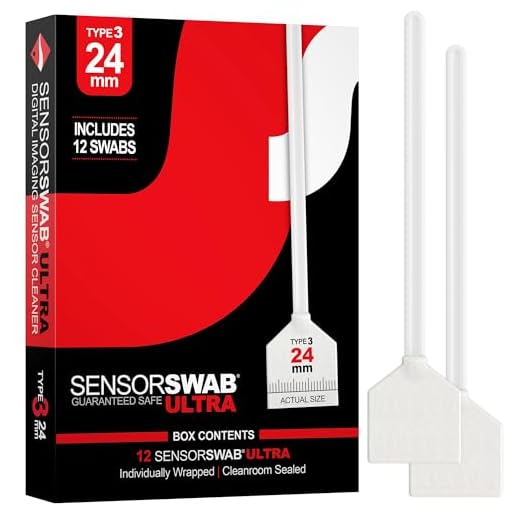
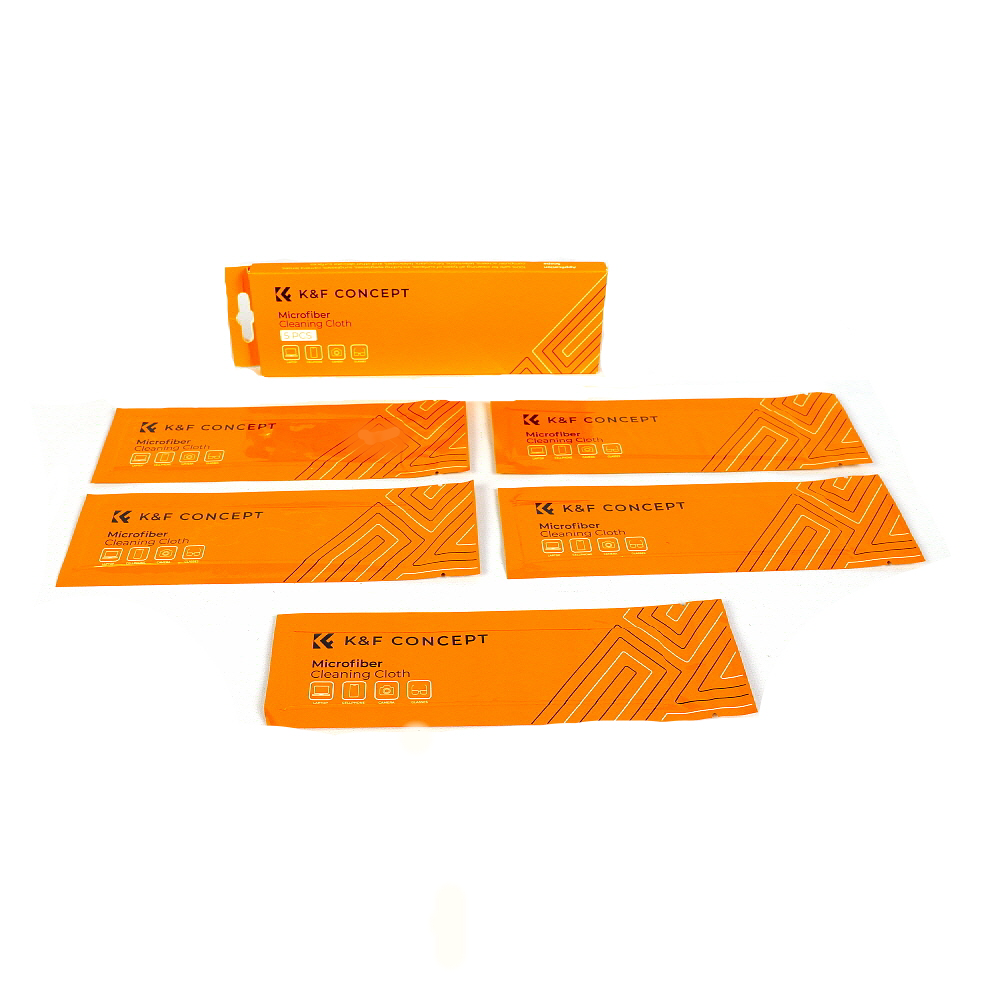
Step 3: Use the blower brush to gently remove any dust or debris from the lens and camera body.
Step 4: Dampen the microfiber cloth with the lens cleaning solution and gently wipe the lens in a circular motion to remove any smudges or fingerprints.
Step 5: Use the sensor cleaning swabs to clean the camera sensor, following the manufacturer’s instructions carefully.
Step 6: Reattach the lens by aligning the white dot on the lens with the white dot on the camera body and twisting it clockwise until it clicks into place.
Step 7: Power on your camera and check the lens and sensor for any remaining dirt or smudges.
Step 8: Store your camera in a clean and dry place to prevent dust buildup.
Gather Necessary Supplies for Cleaning
Before you start cleaning your Nikon DSLR camera, make sure you have all the necessary supplies ready. Here are some essential items you will need:
- Lens cleaning solution: Use a specialized lens cleaning solution to gently remove smudges and dirt from the lens.
- Clean microfiber cloths: These are essential for wiping down the camera body and lens without scratching them.
- Cotton swabs: Use cotton swabs to clean hard-to-reach areas such as the camera’s buttons and crevices.
- Rocket blower: A rocket blower can help remove dust particles from the camera’s sensor and other sensitive areas.
- Camera cleaning brush: A soft brush can be used to gently brush away dust and debris from the camera’s exterior.
Having these supplies on hand will ensure that you can clean your Nikon DSLR camera effectively and safely.
Prepare Your Nikon DSLR Camera for Cleaning
Before you start cleaning your Nikon DSLR camera, it’s important to prepare it properly to avoid any damage. Here are some steps to follow:
| 1. | Turn off your camera: | Make sure your camera is turned off to prevent any accidental damage during the cleaning process. |
| 2. | Remove the battery: | Take out the battery to ensure the camera is completely powered down. |
| 3. | Remove the lens: | Detach the lens from the camera body carefully to access the sensor and other areas for cleaning. |
| 4. | Find a clean workspace: | Choose a well-lit and dust-free area to work on your camera to prevent any further contamination. |
| 5. | Gather cleaning supplies: | Prepare all the necessary cleaning tools such as a blower, cleaning solution, microfiber cloth, and sensor swabs. |
Cleaning the Exterior of Your Nikon DSLR Camera
Keeping the exterior of your Nikon DSLR camera clean is essential for maintaining its performance and longevity. Here are some steps to help you thoroughly clean the exterior of your camera:
- Start by turning off your camera and removing the battery to prevent any electrical damage.
- Use a blower or a soft-bristled brush to gently remove any dust or debris from the camera body and crevices.
- Dampen a microfiber cloth with a small amount of lens cleaning solution or water (avoid using harsh chemicals) and gently wipe the camera body, focusing on areas with fingerprints or smudges.
- For stubborn dirt or grime, use a soft brush or cotton swab dampened with cleaning solution to carefully clean hard-to-reach areas.
- Be cautious around buttons, dials, and ports to avoid damaging them with excess moisture.
- Allow the camera to air dry completely before reattaching the battery and using it again.
Regularly cleaning the exterior of your Nikon DSLR camera will not only keep it looking new but also ensure that it continues to function optimally for years to come.
Cleaning the Lens of Your Nikon DSLR Camera
Keeping the lens of your Nikon DSLR camera clean is essential for capturing sharp and clear images. Here are some steps to help you clean the lens effectively:
| 1. Gather your cleaning supplies: | Microfiber cloth, lens cleaning solution, lens blower, and lens cleaning pen. |
| 2. Use a blower: | Before using any cleaning solution or cloth, use a blower to remove any dust or debris from the lens surface. |
| 3. Apply cleaning solution: | Apply a small amount of lens cleaning solution to the microfiber cloth. Avoid spraying directly on the lens. |
| 4. Gently wipe the lens: | Gently wipe the lens in a circular motion starting from the center and moving outwards. Avoid applying too much pressure. |
| 5. Use a lens cleaning pen: | If there are stubborn smudges or fingerprints, use a lens cleaning pen with a brush on one end and a cleaning tip on the other. |
| 6. Check for streaks: | Inspect the lens for streaks or residue. If needed, repeat the cleaning process with a clean part of the cloth. |
| 7. Store your equipment properly: | After cleaning, store your lens cap on to protect the lens from dust and debris. |
Cleaning the Sensor of Your Nikon DSLR Camera
One of the most delicate parts of a DSLR camera is its sensor. Dust, dirt, and other particles can easily accumulate on the sensor, leading to spots and blemishes on your photos. It’s important to regularly clean the sensor of your Nikon DSLR camera to maintain image quality.
Tools You Will Need:
- Sensor cleaning swabs
- Sensor cleaning solution
- Rubber air blower
To clean the sensor of your Nikon DSLR camera, follow these steps:
| Step 1: | Turn off your camera and remove the lens. |
| Step 2: | Set your camera to sensor cleaning mode (check your camera’s manual for instructions). |
| Step 3: | Use a rubber air blower to gently blow off any loose dust or particles on the sensor. |
| Step 4: | Apply a small amount of sensor cleaning solution to a sensor cleaning swab. |
| Step 5: | Gently swipe the sensor with the cleaning swab in one direction to remove stubborn dirt or spots. |
| Step 6: | Repeat steps 4 and 5 if necessary, using a new swab each time. |
| Step 7: | Turn off sensor cleaning mode and reattach the lens to your camera. |
By following these steps and cleaning your Nikon DSLR camera sensor regularly, you can ensure that your photos remain free of unwanted spots and blemishes.
Final Checks and Maintenance Tips
Once you have completed cleaning your Nikon DSLR camera, it is important to perform some final checks and follow these maintenance tips to ensure your camera stays in top condition:
1. Check the Lens
Inspect the camera lens for any dust, smudges, or scratches. Use a lens cloth to gently clean the lens if necessary. Make sure to store the lens in a protective case when not in use to prevent damage.
2. Check the Camera Body
Inspect the camera body for any remaining dust or dirt. Use a clean, dry cloth to wipe down the exterior of the camera to remove any residue. Avoid using harsh chemicals or cleaning agents that may damage the camera.
- Ensure all ports and compartments are clean and free of debris.
- Check the LCD screen for any smudges or fingerprints and clean it gently with a microfiber cloth.
By performing these final checks and following these maintenance tips, you can keep your Nikon DSLR camera in excellent condition and ready for your next photography adventure.
FAQ
What are the essential steps to thoroughly clean a Nikon DSLR camera?
To thoroughly clean a Nikon DSLR camera, you should start by removing the lens and using a blower to remove any dust or debris from the sensor and mirror. Then, use a microfiber cloth to gently clean the exterior of the camera body. Be sure to pay special attention to the camera’s buttons, dials, and LCD screen. Finally, reattach the lens and perform a sensor cleaning if necessary using a sensor cleaning kit.
How often should I clean my Nikon DSLR camera?
It is recommended to clean your Nikon DSLR camera regularly, especially if you use it frequently or in dusty environments. Ideally, you should clean the camera after every use to prevent dust and dirt buildup. A thorough cleaning, including sensor cleaning, should be done at least once a month to ensure optimal performance and image quality.



I'm new to DSLR cameras and the cleaning process seems a bit overwhelming. Can anyone explain why it's so important to clean the sensor specifically? What happens if I don't?
Great question! If you don't clean the sensor, you might end up with spots on your photos, especially noticeable in clear blue skies. It's super important for image quality.
I recently followed a similar cleaning guide and had a great experience. I used the blower first and was surprised at how much dust came off. It really made a difference in the clarity of my images afterward. Just be gentle with the sensor cleaning swabs, as I learned the hard way that too much pressure can cause scratches.
Thanks for sharing your experience! I was hesitant to clean my sensor, but knowing it helped your image quality makes me feel more confident.
What specific lens cleaning solution do you recommend? I've seen so many options out there, and I'm not sure which is safe for my Nikon lens.
I usually use Zeiss lens cleaning solution. It's worked well for me without any streaks.
A good option is a pH-neutral lens cleaning solution, like those made by LensPen or B+W. Always avoid ammonia-based cleaners.
I recently followed the steps in this article to clean my Nikon DSLR, and it made a huge difference! I was struggling with some spots on my photos, and after cleaning the sensor, the images are much clearer. Just be careful with the swab; I’ve heard horror stories about damaging the sensor.
That’s great to hear! I had the same issue and was worried about cleaning the sensor myself. How did you know which swabs to use?
Make sure to use swabs specifically designed for your camera's sensor. Most manufacturers provide compatible options. It's always best to check the manual for recommendations.
When you mention using 'lens cleaning solution,' does that mean any brand works, or is there a specific type to avoid?
It's best to use a lens cleaning solution specifically designed for camera lenses. Avoid using household cleaners, as they can damage the coatings on the lenses.