
 Carmen J. Moore

Digital cameras have revolutionized the way we capture and share moments in our lives. These devices use advanced technology to convert light into digital images that can be stored, viewed, and edited on various devices. Understanding how digital cameras work can help us appreciate the intricate process behind the images we capture.
At the core of a digital camera is an image sensor that replaces traditional film. When you press the shutter button, the camera’s lens focuses light onto the image sensor, which converts the light into an electronic signal. This signal is then processed by the camera’s internal components to create a digital image file.
Unlike film cameras, digital cameras store images electronically, allowing for instant viewing and sharing. The digital image files can be transferred to a computer or other devices for editing and printing. Understanding the inner workings of digital cameras can enhance our photography skills and appreciation for the technology that powers these devices.




Definition and Purpose of Digital Cameras
A digital camera is an electronic device that captures and stores photographs digitally. Unlike traditional film cameras, digital cameras do not use film to record images. Instead, they use a sensor to capture light and convert it into digital data, which is then stored on a memory card.
Key Features of Digital Cameras:
Digital cameras come with a variety of features that allow users to capture high-quality images. Some key features include:
| 1. Megapixels | The number of megapixels determines the resolution of the images captured by the camera. |
| 2. Zoom | Digital cameras offer optical and digital zoom capabilities to get closer to the subject. |
| 3. LCD Screen | Most digital cameras come with an LCD screen for viewing and framing images. |
Overall, the purpose of digital cameras is to provide users with a convenient and efficient way to capture, store, and share photographs in a digital format.
Components of a Digital Camera
1. Image Sensor: The image sensor is the heart of a digital camera, converting light into digital signals. Common types of image sensors include CCD (Charge-Coupled Device) and CMOS (Complementary Metal-Oxide-Semiconductor).
2. Lens: The lens of a digital camera focuses light onto the image sensor. It plays a crucial role in determining the quality and sharpness of the captured images.

3. Processor: The processor in a digital camera processes the digital signals from the image sensor, applying various settings such as exposure, white balance, and image compression.
4. LCD Screen: The LCD screen on the back of a digital camera allows users to preview and review images, navigate menu settings, and access various functions.
5. Memory Card: Digital cameras use memory cards to store captured images and videos. Common types of memory cards include SD (Secure Digital) and CF (CompactFlash).
6. Battery: The battery powers the digital camera, providing the necessary energy for capturing images and operating the camera’s functions.
Working Principle of Digital Cameras
A digital camera works by capturing and storing images electronically. Unlike traditional film cameras, digital cameras use an image sensor to convert light into digital data. Here is a basic overview of how digital cameras work:
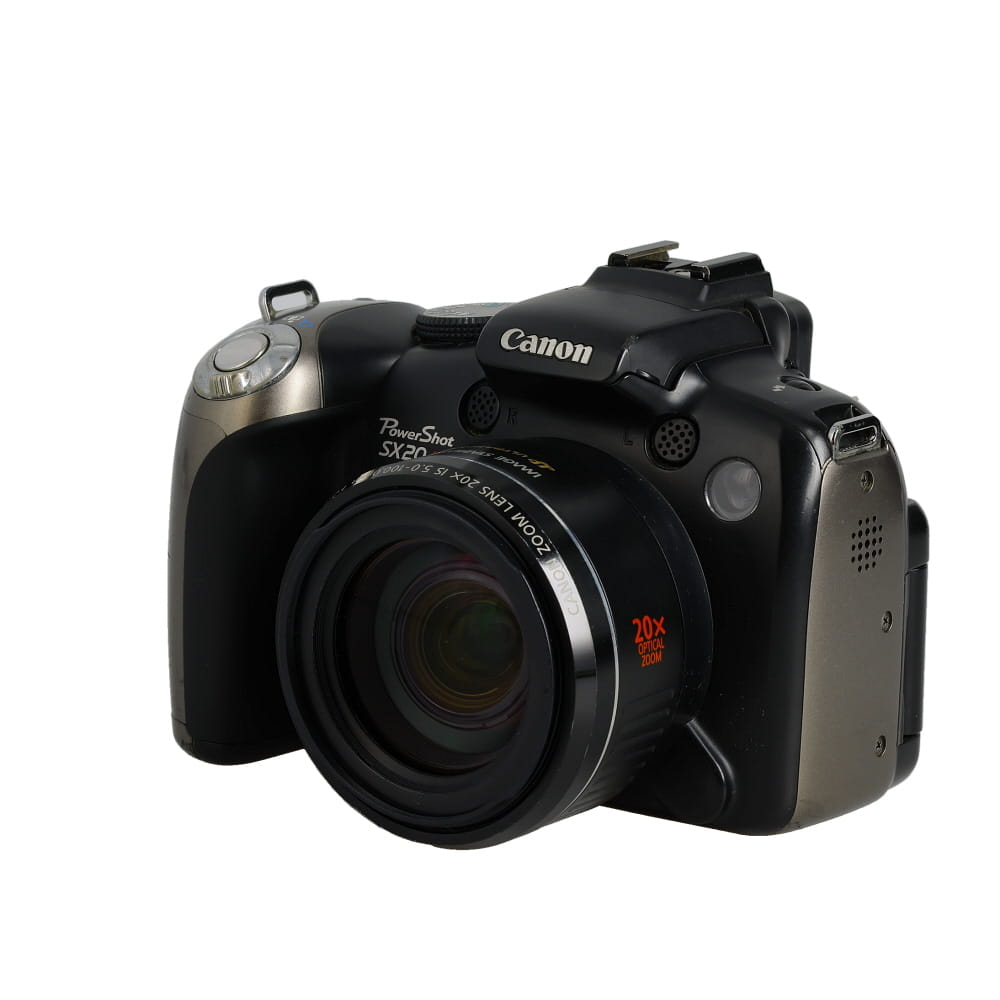
Image Capture
When you press the shutter button on a digital camera, the camera’s image sensor captures the light that enters the lens. The image sensor is made up of millions of light-sensitive cells called pixels. Each pixel records the intensity of light it receives, and together they create a digital image.
Image Processing
After the image is captured, the camera’s processor processes the digital data to adjust settings like exposure, white balance, and color. This processing helps enhance the image quality and correct any imperfections.
| Component | Function |
|---|---|
| Lens | Focuses light onto the image sensor |
| Image Sensor | Converts light into digital data |
| Processor | Processes digital data to create an image |
| Memory Card | Stores digital images |
Once the image processing is complete, the digital image is stored on a memory card in the camera. This allows you to easily transfer the images to a computer or other devices for viewing and sharing.
Image Sensor in Digital Cameras
The image sensor is a crucial component in digital cameras that captures the light from the scene and converts it into a digital image. There are two main types of image sensors used in digital cameras: CCD (charge-coupled device) and CMOS (complementary metal-oxide-semiconductor).
CCD sensors use a process where each pixel captures light and converts it into an electrical charge. The charges are then read out and converted into digital data. CMOS sensors, on the other hand, use transistors at each pixel to amplify and convert the light into digital data directly. CMOS sensors are generally more power-efficient and less expensive to produce compared to CCD sensors.

Both types of sensors play a critical role in determining the image quality of a digital camera, including factors such as resolution, dynamic range, and low-light performance.
Image Processing in Digital Cameras
Image processing plays a crucial role in the functioning of digital cameras. When a photo is captured by a digital camera, the light-sensitive sensor converts the light into an electronic signal. This signal is then processed by the camera’s image processor to create a digital image.
Image Processing Steps:
The image processing in digital cameras involves several key steps:
| 1. Demosaicing: | Demosaicing is the process of reconstructing a full-color image from the data captured by the camera’s sensor, which is initially in a raw format. |
| 2. Noise Reduction: | Noise reduction algorithms are applied to eliminate unwanted artifacts in the image, resulting from factors like sensor heat and high ISO settings. |
| 3. Color Correction: | Color correction algorithms adjust the color balance and saturation of the image to reproduce accurate colors. |
| 4. Sharpening: | Sharpening algorithms enhance the clarity and detail of the image by increasing the contrast between edges. |
Storage and Connectivity in Digital Cameras
Storage in digital cameras is typically handled by memory cards, such as SD cards or CompactFlash cards. These cards store the photos and videos captured by the camera for later retrieval and transfer to a computer or other device. The capacity of these memory cards can vary, with some models supporting larger capacities for storing more media files.
Connectivity options in digital cameras include USB ports for direct connection to a computer, Wi-Fi for wireless transfer of files, and Bluetooth for connecting to other devices such as smartphones or printers. These connectivity features make it easy to transfer photos and videos from the camera to other devices for sharing or editing.

Types of Digital Cameras
There are several types of digital cameras available on the market today, each designed to meet specific needs and preferences of users. Some common types include:
1. Point-and-Shoot Cameras
Point-and-shoot cameras are compact and easy to use, making them perfect for beginners or casual photographers. They typically have automatic settings and are great for capturing everyday moments.
2. DSLR Cameras
DSLR (Digital Single-Lens Reflex) cameras are more advanced and offer greater control over settings like aperture, shutter speed, and ISO. They are popular among professionals and enthusiasts who want to take their photography to the next level.
Advantages of Using Digital Cameras
There are several advantages to using digital cameras over traditional film cameras:
- Instant Preview: With digital cameras, you can instantly review the photos you have taken on the camera’s screen, allowing you to retake or delete them if necessary.
- Convenience: Digital cameras are compact and lightweight, making them easy to carry around and use on the go.
- Easy Storage and Sharing: Digital photos can be easily stored on memory cards, computers, or cloud storage, and shared with others through email, social media, or printing.
- Editing Options: Digital photos can be easily edited using software to enhance colors, crop, or adjust lighting, giving you more control over the final image.
- Cost-Effective: While the initial cost of a digital camera may be higher, the overall cost of taking photos is lower as you don’t need to buy film or pay for developing.
FAQ
How does a digital camera work?
A digital camera works by capturing light through a lens and converting it into digital data. When you press the shutter button, the camera’s sensor records the light information and processes it into a digital image file. This file can then be stored on a memory card for later viewing or sharing.

Can you explain the basic components of a digital camera?
Yes, a digital camera typically consists of a lens, image sensor, processor, memory card, LCD screen, and various control buttons. The lens captures light and focuses it onto the image sensor, which converts the light into digital data. The processor processes this data to create an image file, which is then stored on a memory card. The LCD screen allows you to preview and review your images, while the control buttons enable you to adjust settings and take photos.
What are the advantages of using a digital camera over a film camera?
There are several advantages of using a digital camera over a film camera. Digital cameras allow you to instantly view and delete photos, adjust settings on the fly, and easily share images online. They also offer higher resolution and image quality, as well as the ability to shoot video. Additionally, digital cameras are more cost-effective in the long run, as you don’t need to buy film or pay for developing and printing.
How has digital camera technology evolved over the years?
Digital camera technology has evolved significantly over the years, with improvements in image quality, resolution, speed, and features. Early digital cameras had low resolution and limited storage capacity, but modern digital cameras can capture high-resolution images and videos, have advanced autofocus systems, and offer a wide range of shooting modes and settings. Additionally, the development of mirrorless and DSLR cameras has revolutionized the photography industry, providing professionals and enthusiasts with powerful tools for creative expression.


What are the main differences between CCD and CMOS sensors in terms of image quality and performance in low light? I'm trying to decide which type of camera to purchase.
I've read that CMOS sensors tend to perform better in low light because they consume less power and have faster readout speeds. But CCD sensors can have better image quality in certain conditions. It really depends on what you'll be using the camera for.
I just got my first digital camera, and I'm amazed at how easy it is to take and review photos instantly. I love the ability to change settings like exposure and white balance through the menu. It makes a huge difference compared to film cameras. However, I sometimes struggle with understanding how to properly use the different shooting modes. Any tips for a beginner?
It's great to hear you're enjoying your new camera! For beginners, I recommend starting with the automatic or preset modes until you feel comfortable. As you learn, experiment with manual settings like aperture and shutter speed to see how they affect your photos. Practice makes perfect!