
 Carmen J. Moore

Are you a proud owner of a Nikon D60 digital camera but feel overwhelmed by its features and settings? Fear not, as this comprehensive guide is here to help you navigate through the functionalities of your camera and unleash your creativity. The Nikon D60 is a powerful and versatile camera that can capture stunning images in various settings, from portrait photography to landscape shots.

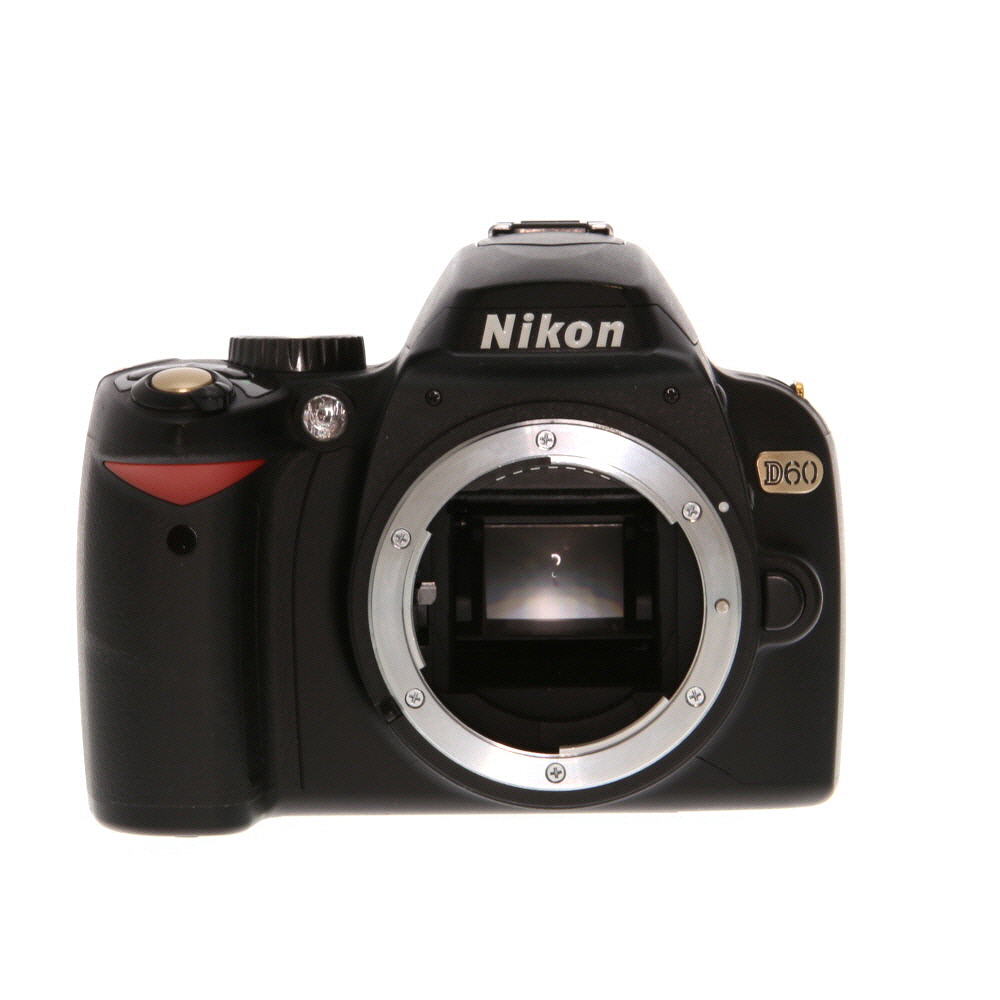


In this guide, we will walk you through the essential functions of the Nikon D60, including how to adjust exposure settings, use different shooting modes, and optimize image quality. Whether you are a beginner looking to learn the basics or an experienced photographer wanting to take your skills to the next level, this guide will provide you with the knowledge and techniques to make the most out of your Nikon D60.
Understanding the Basic Features
Before you start using your Nikon D60 digital camera, it’s important to familiarize yourself with its basic features. Here are some key features you should know:
1. Megapixels
Megapixels refer to the resolution of the camera’s sensor, which determines the quality of the images it can capture. The Nikon D60 has a 10.2-megapixel sensor, which allows you to take high-resolution photos.
2. Shooting Modes
Shooting modes on the Nikon D60 allow you to adjust settings such as aperture, shutter speed, and ISO to achieve different effects in your photos. Some common shooting modes include Auto, Program, Shutter Priority, Aperture Priority, and Manual.
Choosing the Right Settings
When using your Nikon D60 digital camera, it’s important to choose the right settings to capture the best possible images. Here are some key settings to consider:

1. Mode Selection
Start by selecting the appropriate shooting mode on your camera. The D60 offers various modes such as Manual, Aperture Priority, Shutter Priority, and Program. Choose the mode that best suits your shooting situation and desired level of control.
2. White Balance
Adjust the white balance settings to ensure accurate color reproduction in different lighting conditions. You can choose from presets like Daylight, Cloudy, Incandescent, Fluorescent, and more, or manually adjust the white balance for custom settings.
By selecting the right settings on your Nikon D60, you can enhance your photography skills and capture stunning images with ease.
Taking Great Photos with Nikon D60
When using your Nikon D60 digital camera, there are several tips and techniques you can employ to capture stunning photos.
1. Understand Your Camera Settings
Before you start shooting, take the time to familiarize yourself with the different settings on your Nikon D60. Experiment with aperture, shutter speed, and ISO to understand how they affect your photos.
2. Use Proper Lighting
Lighting plays a crucial role in photography. Make sure to take advantage of natural light whenever possible. If shooting indoors, consider using a flash or additional lighting to enhance your photos.
Exploring Advanced Techniques
Once you have mastered the basics of using your Nikon D60 digital camera, it’s time to explore some advanced techniques to take your photography to the next level. Here are a few tips to help you get started:
1. Manual Mode
Experiment with the manual mode on your camera to have full control over the exposure settings. Adjust the aperture, shutter speed, and ISO to achieve the desired effect in different lighting conditions.
2. White Balance
Understand the white balance settings on your camera to ensure accurate color reproduction in your photos. Experiment with different presets or set a custom white balance to achieve the desired color temperature.
Tip: Consider investing in additional lenses or filters to expand your creative possibilities and achieve different effects in your photographs.

Editing and Enhancing Your Photos
Once you have taken your photos with your Nikon D60, you can enhance and edit them to make them even better. Here are some tips on how to do this:
1. Transfer your photos
First, transfer your photos from your camera to your computer using a USB cable or a memory card reader.
2. Use photo editing software
Next, open your favorite photo editing software (such as Adobe Photoshop or Lightroom) to edit your photos. You can adjust the exposure, contrast, colors, and other settings to enhance your images.
- Adjust exposure and contrast to make your photos brighter and more vibrant.
- Use tools like cropping and straightening to improve composition.
- Experiment with filters and effects to add a creative touch to your photos.
By editing your photos, you can make them look more professional and eye-catching. Don’t be afraid to experiment and try new techniques to unleash your creativity!
Sharing Your Pictures Online
Once you have taken amazing photos with your Nikon D60, you may want to share them online with your friends and family. Here are a few simple steps to help you do just that:

1. Transfer your photos: Connect your camera to your computer using a USB cable and transfer your photos to your computer. Make sure to organize them in folders for easy access.
2. Edit your photos: Use photo editing software to enhance your pictures by adjusting the brightness, contrast, and colors. You can also crop or resize your photos if needed.
3. Choose a platform: Decide where you want to share your photos. You can use social media platforms like Facebook, Instagram, or Twitter, or photo-sharing websites like Flickr or Imgur.
4. Upload your photos: Follow the instructions on the platform you choose to upload your photos. Make sure to add captions or descriptions to give context to your pictures.
5. Share with your friends: Once your photos are uploaded, share the links with your friends and family so they can admire your photography skills.
6. Engage with your audience: Interact with people who comment on your photos and be open to feedback. It’s a great way to improve your photography skills and connect with others who share your passion.
Troubleshooting Common Issues
If you are experiencing issues with your Nikon D60 digital camera, here are some common problems and solutions to help you troubleshoot:
1. Camera not turning on
If your camera is not turning on, make sure the battery is properly inserted and charged. Try using a different battery or power source to see if the issue is with the battery.
2. Blurry photos
If your photos are turning out blurry, check if the lens is clean and free from any smudges. Make sure the autofocus is working properly and adjust the settings to ensure the focus is sharp.
- Ensure the image stabilization feature is on if available.
- Use a tripod to stabilize the camera and prevent shaky photos.
By following these troubleshooting tips, you can resolve common issues with your Nikon D60 digital camera and enjoy capturing high-quality photos.

FAQ
How do I turn on my Nikon D60 digital camera?
To turn on your Nikon D60 digital camera, locate the power button on the top of the camera near the shutter button. Press and hold the power button until the camera powers on. You will see the camera’s display screen light up, indicating that the camera is now turned on.
What is the best shooting mode to use on the Nikon D60?
The best shooting mode to use on the Nikon D60 depends on the type of photography you are doing. For beginners, the Auto mode is a good place to start as it automatically adjusts settings for you. If you want more control, you can try the Program mode which allows you to adjust settings like aperture and shutter speed manually.
How do I transfer photos from my Nikon D60 to my computer?
To transfer photos from your Nikon D60 to your computer, you can use a USB cable to connect the camera to your computer. Once connected, your computer should recognize the camera as a storage device and you can then copy the photos from the camera to your computer. Alternatively, you can remove the memory card from the camera and insert it into a card reader on your computer to transfer the photos.
What is the maximum resolution of photos that the Nikon D60 can capture?
The Nikon D60 digital camera has a maximum resolution of 10.2 megapixels. This means that the camera can capture photos with a resolution of up to 3872 x 2592 pixels. This high resolution allows for detailed and sharp images that can be printed in large sizes without losing quality.
How can I adjust the white balance on my Nikon D60?
To adjust the white balance on your Nikon D60 digital camera, go to the menu and find the white balance settings. You can choose from preset white balance options like Auto, Daylight, Cloudy, Incandescent, Fluorescent, and Flash. You can also set a custom white balance by using a white card or a neutral gray card to calibrate the camera to the lighting conditions of your environment.


I had a Nikon D60 for a couple of years and found the Auto mode really helpful when I was just starting. It made capturing decent shots easy without tweaking too many settings.
Thanks for sharing your experience! Auto mode is indeed a great starting point for beginners. Once you’re comfortable, you can slowly explore other modes like Program or Aperture Priority.
Using proper lighting really makes a difference! I always wait for the golden hour for the best shots.
I’m confused about white balance. How do I decide which setting to use? Is there a specific situation for each type?
Great question! White balance settings help you achieve accurate colors. For instance, use 'Daylight' in sunny conditions and 'Incandescent' indoors. It's best to experiment in different lighting to find what works for you.
I don’t think the D60 is very versatile. It feels limited compared to newer models available now.
While the D60 may not have all the features of newer models, many users appreciate its simplicity and ease of use for basic photography.
What’s the best mode to start with for beginners? I’m totally new to DSLR photography.
I also own a Nikon D3400. How does it compare with the D60 in terms of usability and features?
The D3400 is a bit more advanced and offers better low-light performance. However, the D60 is simpler for beginners with fewer features to get overwhelmed by.