
 Carmen J. Moore
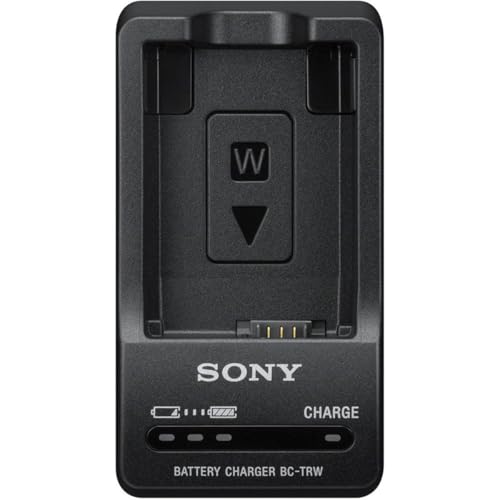
Are you ready to take your photography to the next level? Look no further than the Sony DSC-HX80 digital still camera. Packed with innovative features and advanced technology, this compact camera is perfect for capturing stunning images and videos with ease.
With a powerful 18.2-megapixel Exmor R CMOS sensor and a Zeiss Vario-Sonnar T* 30x optical zoom lens, the DSC-HX80 delivers exceptional image quality and clarity. Whether you’re shooting landscapes, portraits, or action shots, this camera can handle it all.

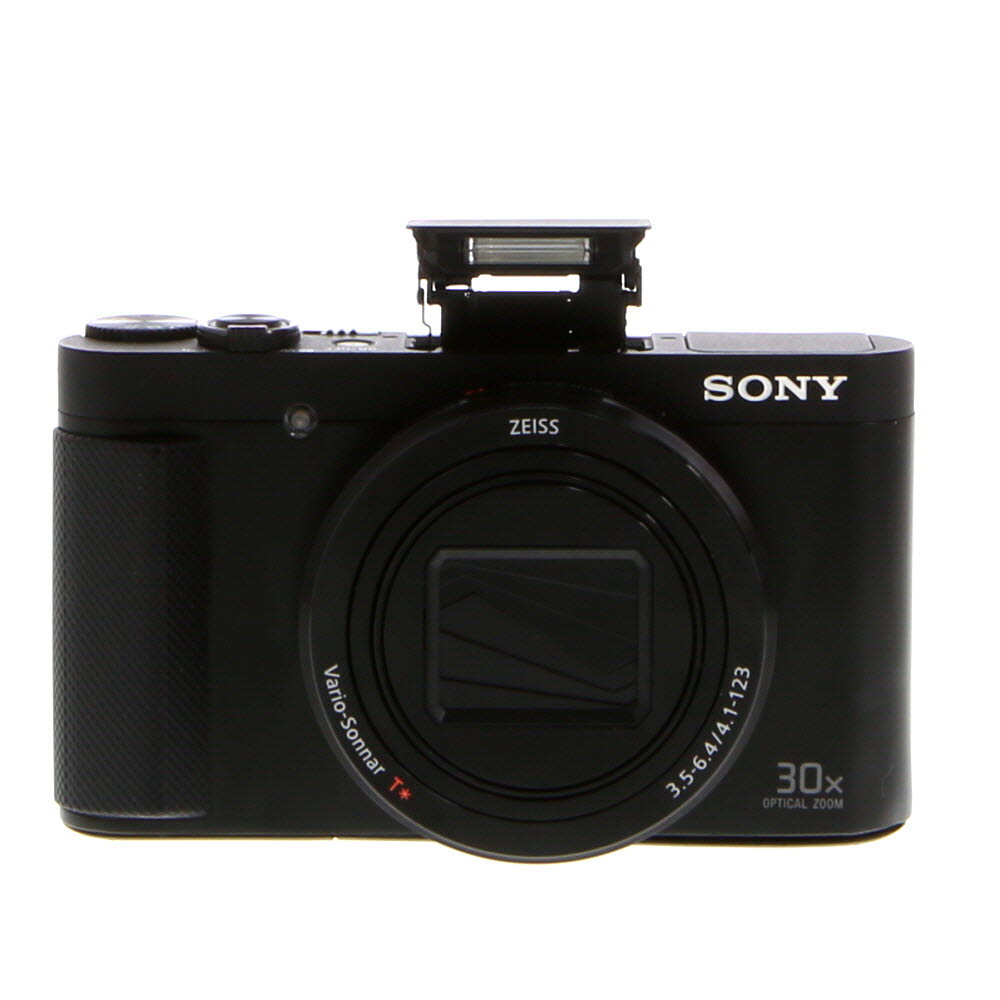


Equipped with built-in Wi-Fi and NFC, the DSC-HX80 allows you to easily share your photos and videos with friends and family. The tiltable 3-inch LCD screen and pop-up electronic viewfinder make framing your shots a breeze, while the Intelligent Auto mode ensures that every picture turns out perfect.
Getting Started with Digital Still Camera DSC-HX80
When you first get your digital still camera DSC-HX80, it’s important to familiarize yourself with its features and settings to make the most of your photography experience. Here are some tips to help you get started:
1. Charging the Battery
Before using your camera, make sure to fully charge the battery. Connect the camera to the power source using the provided USB cable and adapter. The charging indicator will light up when the battery is charging. Once fully charged, disconnect the camera from the power source.
2. Inserting Memory Card
To store your photos and videos, you’ll need to insert a memory card into the camera. Open the memory card slot cover and insert the memory card with the label facing towards the back of the camera. Make sure the card is securely in place before closing the cover.
Now that you have your battery charged and memory card inserted, you’re ready to start capturing amazing photos with your digital still camera DSC-HX80. Explore the different shooting modes, adjust settings, and experiment with different angles to unleash your creativity!

Powering on the camera
Before using your DSC-HX80 digital still camera, you need to power it on. Follow these steps to turn on the camera:
- Locate the power button on the top of the camera.
- Press and hold the power button until the camera powers on.
Using the LCD Screen:
Once the camera is powered on, you will see the camera settings and options displayed on the LCD screen. You can navigate through the menus using the buttons on the camera.
Setting up the date and time
Setting up the date and time on your DSC-HX80 digital still camera is essential for accurate timestamping of your photos. Follow these steps to set the date and time:
- Turn on the camera by pressing the power button.
- Press the Menu button to access the menu options.
- Use the arrow keys to navigate to the Setup menu.
- Scroll down to the Date/Time setting and select it.
- Use the arrow keys to set the correct date and time.
- Press the OK button to confirm your selection.
- Exit the menu by pressing the Menu button.
Your date and time are now set on your DSC-HX80 digital still camera, ensuring that your photos are properly timestamped.
Choosing the right shooting mode
When using the Sony DSC-HX80 digital still camera, selecting the appropriate shooting mode can greatly enhance your photography experience. The camera offers a variety of shooting modes to suit different situations and subjects. Here are some tips on choosing the right shooting mode:
1. Auto mode
If you’re new to photography or just want a hassle-free shooting experience, the Auto mode is your best bet. This mode allows the camera to make all the exposure and focusing decisions for you, ensuring that you capture well-exposed and sharp images with minimal effort.
2. Program mode
For a bit more control over your shots, try the Program mode. In this mode, the camera sets the exposure automatically, but you have the flexibility to adjust settings like ISO, white balance, and exposure compensation to fine-tune your shots.
Adjusting the camera settings
Once you have your DSC-HX80 digital still camera ready to go, you may want to adjust some of the camera settings to get the best results. Here are some key settings you can adjust:
1. Mode dial: Use the mode dial to select the shooting mode that best suits your shooting situation, such as Intelligent Auto, Program Auto, Aperture Priority, Shutter Priority, or Manual Exposure.
2. Exposure compensation: Adjust the exposure compensation to make your photos brighter or darker. This can be useful when shooting in challenging lighting conditions.

3. White balance: Set the white balance to match the lighting conditions for accurate color reproduction.
4. ISO sensitivity: Adjust the ISO sensitivity to control the camera’s sensitivity to light. Higher ISO settings are useful in low-light situations but may introduce more noise to the image.
5. Focus mode: Choose between single-shot autofocus, continuous autofocus, or manual focus depending on your subject and shooting style.
By adjusting these settings on your DSC-HX80, you can customize your shooting experience and capture high-quality photos in a variety of conditions.
Capturing stunning photos
When using the Sony DSC-HX80 digital still camera, there are several tips and tricks you can use to capture stunning photos:

- Experiment with different shooting modes, such as Program Auto, Aperture Priority, and Shutter Priority, to achieve different effects.
- Adjust the exposure compensation to control the brightness of your photos.
- Use the manual focus feature for more precise control over your focus point.
- Take advantage of the camera’s optical zoom to get closer to your subject without sacrificing image quality.
- Pay attention to composition and framing to create visually appealing photos.
- Consider using the camera’s built-in flash or an external flash for better lighting in low-light situations.
Transferring images to your computer
Once you have captured stunning photos with your DSC-HX80, you’ll want to transfer them to your computer for safekeeping or editing. Follow these simple steps to transfer images from your camera to your computer:
Using a USB cable:
1. Connect one end of the USB cable to your camera and the other end to a USB port on your computer.
2. Turn on your camera and select the ‘Transfer images’ option.
3. Your computer should recognize the camera as a removable storage device. Open the folder to access your images.
4. Copy the images to your computer’s hard drive for safekeeping or editing.
Using a memory card reader:
1. Remove the memory card from your camera.
2. Insert the memory card into a card reader connected to your computer.
3. Your computer should recognize the memory card as a removable storage device. Open the folder to access your images.
4. Copy the images to your computer’s hard drive for safekeeping or editing.
| Tip: | It’s a good practice to organize your images into folders on your computer to keep them organized and easy to find. |
|---|
FAQ
How do I turn on the digital still camera DSC-HX80?
To turn on the DSC-HX80, press the power button located on the top of the camera near the shutter button. The camera will then power on and you will be ready to start taking photos.

What are the main features of the digital still camera DSC-HX80?
The DSC-HX80 is a compact camera that offers a variety of features, including a 30x optical zoom lens, a 18.2 megapixel sensor, Full HD video recording, built-in Wi-Fi and NFC connectivity, a tilting LCD screen, and various shooting modes like Intelligent Auto and Program Auto. These features make the DSC-HX80 a versatile camera suitable for a wide range of photography needs.



I recently bought the DSC-HX80 and absolutely love it! The 30x optical zoom is fantastic for capturing distant subjects. I also find the Intelligent Auto mode really helpful for family gatherings—everything looks great without much effort. Just a tip: make sure to adjust the exposure compensation sometimes, especially outdoors!
I'm curious about the different shooting modes on the DSC-HX80. How do they really affect the quality of my photos?