
 Carmen J. Moore

Welcome to the world of digital photography! Whether you’re a novice or an experienced photographer, learning how to use a digital camera is essential for capturing stunning images. In this guide, we’ll walk you through the basics of using your camera to its fullest potential, from mastering the settings to composing the perfect shot.
With the advancement of technology, digital cameras have revolutionized the way we capture moments. Understanding the features and functions of your camera can help you unleash your creativity and produce professional-quality photos. So, grab your camera, and let’s dive into the world of digital photography!
Basic Camera Operations
When you first get your hands on a digital camera, it can feel overwhelming with all the buttons and settings. This section will guide you through the basic camera operations to help you get started.
1. Power on/off: The power button is usually located on the top or back of the camera. Press it to turn the camera on and off.

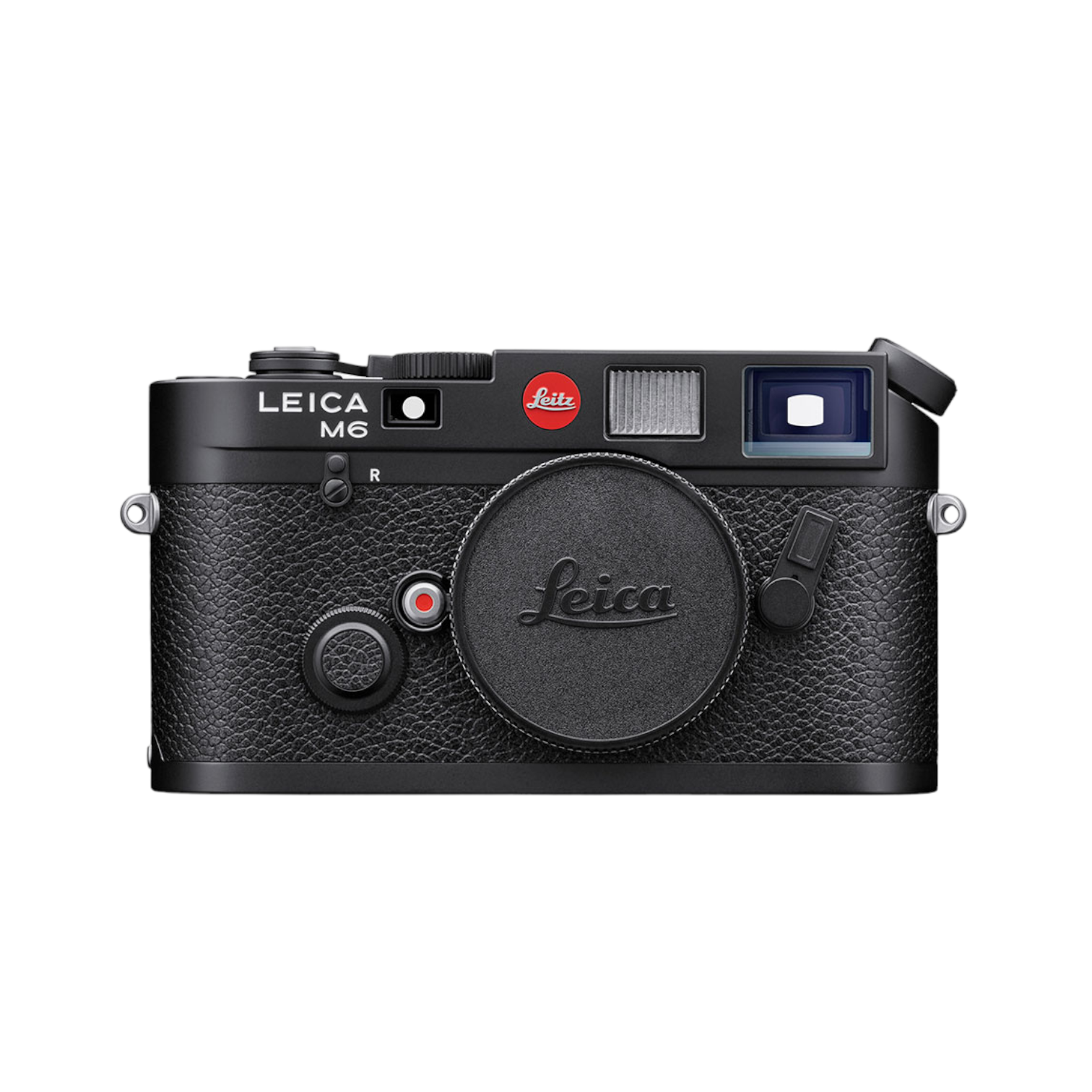

2. Zoom: Most cameras have a zoom feature that allows you to get closer to your subject. Use the zoom ring or buttons to adjust the zoom level.
3. Shutter button: The shutter button is used to take a photo. Press it halfway to focus, and fully to capture the image.
4. Mode dial: The mode dial lets you switch between different shooting modes, such as auto, manual, and scene modes. Select the appropriate mode for your shooting situation.
5. Menu settings: The camera menu allows you to customize various settings, such as image quality, white balance, and ISO. Explore the menu to adjust settings to your preference.
Choosing the Right Camera
When selecting a digital camera, it’s important to consider your needs and preferences. Here are a few factors to keep in mind:

1. Resolution: Higher resolution cameras produce sharper images, so choose a camera with the resolution that meets your needs.
2. Sensor size: Larger sensors generally provide better image quality, especially in low light conditions.
3. Zoom: Consider the optical zoom range of the camera to ensure you can capture distant subjects without sacrificing image quality.
4. Size and weight: Choose a camera that fits comfortably in your hands and is easy to carry around.
5. Features: Look for features like image stabilization, manual controls, and connectivity options that suit your photography style.
By considering these factors, you can find the right digital camera that meets your needs and helps you capture stunning photos.
Understanding Camera Settings
One of the key elements of using a digital camera effectively is understanding the various camera settings available to you. These settings can greatly impact the quality and style of your photos.
Exposure: Adjusting the exposure settings on your camera allows you to control how much light enters the lens. This can help you capture well-lit photos in bright conditions or create dramatic low-light images.
White Balance: White balance settings help you achieve accurate colors in your photos by adjusting for different lighting conditions. This is crucial for getting natural-looking skin tones and vibrant colors.
ISO: The ISO setting determines the sensitivity of your camera’s sensor to light. Higher ISO settings are useful in low-light situations, but can introduce noise into your photos.

Shutter Speed: Shutter speed controls how long the camera’s shutter remains open, determining how motion is captured in your photos. Faster shutter speeds freeze action, while slower speeds create motion blur.
Aperture: Aperture settings control the size of the opening in the lens, which affects the depth of field in your photos. A wider aperture (lower f-stop number) creates a shallow depth of field, while a narrower aperture (higher f-stop number) results in a greater depth of field.
By mastering these camera settings and understanding how they work together, you can take your photography to the next level and capture stunning images in any situation.
Mastering Composition Techniques
Composition is key to creating visually appealing and impactful photographs. Here are some composition techniques to help you take your digital photography to the next level:
Rule of Thirds
The rule of thirds is a fundamental composition technique where you divide your frame into a grid of nine equal parts using two horizontal and two vertical lines. By placing your subject along these lines or at the intersections, you can create a more balanced and visually interesting image.

Leading Lines
Leading lines are lines within the frame that lead the viewer’s eye towards the main subject of the photo. These lines can be roads, fences, rivers, or any other element that guides the viewer’s gaze through the image and towards the focal point.
- Use diagonals and curves to create dynamic compositions.
- Experiment with different angles and perspectives to find unique leading lines in your photos.
- Leading lines can add depth and visual interest to your images.
By mastering these composition techniques and practicing them regularly, you can elevate your digital photography skills and capture more compelling images.
Lighting Tips for Better Photos
Good lighting is crucial for capturing great photos with your digital camera. Here are some tips to help you make the most of the available light:
- Shoot during the “golden hours” – early morning and late afternoon when the light is soft and warm.
- Avoid harsh midday sun by seeking shade or using a diffuser to soften the light.
- Experiment with different angles to see how the light interacts with your subject.
- Use natural light whenever possible for a more flattering and natural look.
- Consider investing in a reflector to bounce light back onto your subject and fill in shadows.
- Adjust your camera settings to compensate for low light conditions, such as increasing the ISO or using a wider aperture.
Editing Your Photos Like a Pro
Once you have captured your images, the next step is to edit them to perfection. Here are some tips to help you edit your photos like a pro:
1. Use editing software: Invest in a good photo editing software like Adobe Photoshop or Lightroom. These tools offer a wide range of editing options and features to enhance your images.
2. Adjust exposure and contrast: Make sure your photos are well-balanced by adjusting the exposure and contrast levels. This will help bring out the details and colors in your images.
3. Crop and straighten: Crop your photos to improve composition and remove any distracting elements. Straighten the horizon line if needed to give your photos a clean and professional look.
4. Enhance colors: Use tools like saturation and vibrance to enhance the colors in your photos. Be careful not to overdo it, as it can make your images look unnatural.
5. Sharpen and reduce noise: Sharpen your images to bring out the details and reduce noise for a cleaner look. Use the appropriate tools in your editing software to achieve the desired effect.
6. Experiment with filters: Try applying different filters and effects to give your photos a unique look. Be creative and experiment with different styles to find what works best for each image.

By following these tips and practicing your editing skills, you can take your photos to the next level and achieve professional-looking results.
Sharing Your Photos Online
Once you have taken some amazing photos with your digital camera, you may want to share them with friends and family online. Here are some tips on how to do it:
1. Create an Online Photo Album
There are many websites that allow you to create online photo albums for free. Some popular options include Flickr, Google Photos, and Facebook. Upload your photos to one of these platforms and organize them into albums for easy viewing.
2. Share on Social Media
Social media platforms like Instagram, Twitter, and Pinterest are great for sharing your photos with a wider audience. You can post your photos directly to your feed or stories and engage with your followers through likes, comments, and shares.
- Choose the best photos to share
- Use hashtags to reach a larger audience
- Engage with your followers by responding to comments
Improving Your Photography Skills
Photography is an art that requires practice and patience to master. Here are some tips to help improve your photography skills:
1. Learn the basics: Understand the fundamentals of photography, such as composition, lighting, and exposure. Mastering these basics will lay a solid foundation for your photography journey.
2. Experiment with different settings: Don’t be afraid to try out different camera settings and modes. Experimenting with settings like aperture, shutter speed, and ISO will help you understand how they affect your photos.
3. Practice regularly: The more you practice, the better you will become. Take your camera with you everywhere and capture different subjects in various lighting conditions to hone your skills.
4. Study other photographers: Look at the work of professional photographers and analyze their techniques. This will inspire you and give you new ideas to try in your own photography.
5. Get feedback: Share your photos with friends, family, or online photography communities to receive constructive feedback. Learning from others’ perspectives can help you identify areas for improvement.
6. Keep learning: Photography is a constantly evolving field, so stay updated on new techniques and trends. Attend workshops, read books, and watch tutorials to continue learning and growing as a photographer.
FAQ
What are the basic features of a digital camera?
A digital camera typically includes features such as a lens, image sensor, LCD screen, memory card slot, and various shooting modes. These components work together to capture and store digital images.
How can I improve my photography skills using a digital camera book?
By reading a digital camera book, you can learn about different photography techniques, camera settings, composition rules, and editing tips. Practicing these skills will help you improve your photography.
Is it important to understand the technical specifications of a digital camera?
Yes, understanding the technical specifications of a digital camera, such as megapixels, ISO range, aperture, and shutter speed, can help you make informed decisions when choosing settings for different shooting conditions.
Can a digital camera book help me troubleshoot common photography problems?
Yes, a digital camera book often includes troubleshooting tips for common photography problems like blurry images, overexposed photos, or focusing issues. These resources can help you identify and solve issues quickly.

Are there any recommendations for digital camera books for beginners?
Yes, there are many digital camera books designed for beginners that cover basic photography concepts, camera operation, and tips for capturing better photos. Some popular options include “Digital Photography for Dummies” and “Understanding Exposure.”



I disagree that manual mode is always better. For quick snapshots, auto mode can be more practical. It’s not just about creativity; it’s about convenience too, especially during events.
That’s a good point! I use auto mode for family gatherings when I don’t have time to adjust settings.
I’m new to photography and feeling overwhelmed by all these buttons on my digital camera. Can someone explain the difference between the auto mode and manual mode? When should I use each?
I recently got a DSLR and started using the rule of thirds for composition. At first, I didn't see a big difference, but now I really notice how it makes my photos more balanced! It's a simple tweak that really enhances the visual appeal.
Thanks for sharing! The rule of thirds is indeed a fundamental technique. Keep practicing, and you'll see even more improvement in your compositions!
Can someone clarify what ISO really does? I keep hearing it affects light sensitivity, but I'm not sure how to adjust it for different situations.
What are some practical tips for adjusting the exposure settings on my camera? I'm still not sure how to do it effectively.
I just started using a digital camera, and I found that shooting during the golden hour really makes a difference in the quality of my photos. The warm light enhances colors and adds a magical touch! Sometimes, I even use a reflector to bounce light back onto my subject. It's made a huge difference for me!
Can someone explain more about the rule of thirds? I’m not sure how to apply it in my photos.
The rule of thirds involves dividing your frame into a 3×3 grid and placing your subject along those lines or at their intersections. This technique helps create a more balanced and engaging composition. Try it out next time you shoot!
Shooting during the golden hours has changed my photography game! The lighting is just perfect for portraits.