
 Carmen J. Moore

Are you a proud owner of a Canon digital camera? Do you want to capture stunning images that will leave everyone in awe? If so, you’re in the right place! In this guide, we will walk you through the essential tips and techniques to help you take exceptional photos with your Canon camera.
From understanding the basic settings to mastering composition, we’ve got you covered. Whether you’re a beginner looking to improve your skills or an experienced photographer wanting to take your photos to the next level, this article will provide you with the knowledge you need to succeed.




Tips for capturing stunning images
1. Understand your camera settings: Take the time to familiarize yourself with the different settings on your Canon digital camera, such as aperture, shutter speed, and ISO. Knowing how to adjust these settings will help you capture the perfect shot in various lighting conditions.
2. Use natural light: Whenever possible, try to use natural light when taking photos. Natural light can enhance the colors and details in your images, resulting in more stunning photos. Avoid using the camera’s flash, as it can create harsh shadows and wash out the colors.
3. Experiment with composition: Don’t be afraid to experiment with different compositions when framing your shots. Try using the rule of thirds, leading lines, or framing techniques to create more dynamic and visually appealing images.
4. Focus on the subject: Make sure your subject is in focus before taking the shot. Use the camera’s autofocus feature to ensure your subject is sharp and clear. You can also manually adjust the focus for more control over the depth of field in your photos.
Understand your camera settings
One of the most important factors in taking good photos with your Canon digital camera is to understand and master your camera settings. Familiarize yourself with the different shooting modes such as manual, aperture priority, and shutter priority. Each mode offers different levels of control over settings such as aperture, shutter speed, and ISO.

Aperture: Adjusting the aperture setting allows you to control the amount of light entering the camera and the depth of field in your photos. A lower f-stop (wider aperture) will create a shallower depth of field, ideal for portraits, while a higher f-stop (narrower aperture) will result in a greater depth of field, suitable for landscapes.
Shutter speed: Shutter speed determines how long the camera’s shutter remains open to capture light. A fast shutter speed is ideal for freezing motion, while a slower shutter speed can create motion blur effects. Experiment with different shutter speeds to achieve the desired effect in your photos.
ISO: ISO determines the camera’s sensitivity to light. A lower ISO setting is suitable for well-lit conditions, while a higher ISO setting is ideal for low-light situations but may introduce noise to your photos. Find the right balance between ISO and noise levels for the best results.
By understanding and mastering your camera settings, you can take full advantage of your Canon digital camera’s capabilities and capture stunning photos in a variety of shooting conditions.
Use natural light to your advantage
One of the key factors in taking great photos with a Canon digital camera is utilizing natural light effectively. Natural light can enhance the colors and details in your photos, creating a more vibrant and realistic image. Here are some tips for using natural light to your advantage:

1. Shoot during the golden hour
The golden hour, which occurs shortly after sunrise and before sunset, provides soft, warm light that can add a beautiful glow to your photos. Try shooting during this time to capture stunning outdoor scenes with rich colors and gentle shadows.
2. Position your subject properly
Pay attention to the direction of the light when positioning your subject. Backlighting can create a dramatic silhouette effect, while side lighting can add depth and texture to your subject. Experiment with different angles to find the most flattering lighting for your shot.
Experiment with different angles
One way to take your photography to the next level is to experiment with different angles. Don’t just stick to eye-level shots; try getting down low or shooting from above to create unique perspectives. Changing your angle can completely transform the look of a photo and make it more interesting.
Consider getting close to your subject and shooting from below to make them appear larger than life, or stand back and capture a wide-angle shot to include more of the surroundings. Play around with different angles until you find one that really makes your photos stand out.
Pay attention to composition
Composition is key to taking stunning photos with your Canon digital camera. Pay attention to the rule of thirds, leading lines, symmetry, and framing. Experiment with different angles and perspectives to create interesting compositions that draw the viewer’s eye. Remember to consider the background and foreground to ensure a balanced and visually appealing shot. Don’t be afraid to break the rules and try new things to capture unique and creative images.

Learn post-processing techniques
Once you’ve captured your photos with your Canon digital camera, the next step is post-processing to enhance and refine your images. Here are some techniques to help you take your photos to the next level:
1. Adjust exposure and white balance
Use editing software to fine-tune the exposure and white balance of your photos. This will help correct any lighting issues and ensure your colors are accurate.
2. Crop and straighten
Cropping your photos can help improve composition and remove distracting elements. Straightening the horizon line can also make a big difference in the overall look of your image.
Experiment with different post-processing techniques to find what works best for your style and the look you want to achieve.
Practice regularly to improve skills
Just like any other skill, photography requires regular practice to improve. Take your Canon digital camera out as often as you can and experiment with different settings, lighting conditions, and subjects. The more you practice, the better you will become at understanding your camera’s capabilities and how to capture the perfect shot.
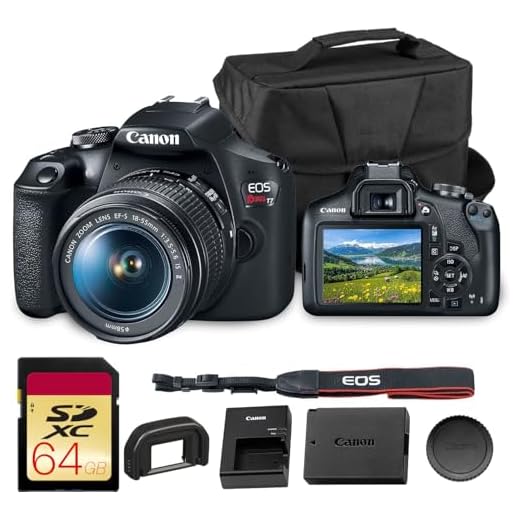
Consider joining photography clubs or online communities where you can share your work, receive feedback, and learn from others. This can help you stay motivated and inspired to continue practicing and honing your skills.
FAQ
What are some basic tips for taking good photos with a Canon digital camera?
When using a Canon digital camera, it’s important to pay attention to lighting, composition, and camera settings. Make sure you have good lighting, either natural or artificial, to ensure your photos are well-exposed. Pay attention to the composition of your shots, using the rule of thirds and leading lines to create visually appealing images. Experiment with different camera settings like aperture, shutter speed, and ISO to get the desired effect in your photos.
Can you provide some advanced techniques for capturing stunning photos with a Canon digital camera?
For more advanced users of Canon digital cameras, consider exploring techniques like long exposure photography, HDR (High Dynamic Range) imaging, and creative use of depth of field. Long exposure photography can create stunning effects with moving subjects or night scenes. HDR imaging combines multiple exposures to capture a wider range of light and detail in a scene. Experimenting with depth of field by using a wide aperture for a shallow depth of field or a narrow aperture for a deep depth of field can add visual interest to your photos.




What are the key settings I should focus on for taking pictures in low light with my Canon camera? I'm still figuring out ISO and shutter speed!
In low light situations, use a wide aperture (like f/2.8 or lower) to let in more light. Pairing that with a slower shutter speed can also help, but you'll need to stabilize your camera to avoid blur.
Good question! Generally, I'd recommend starting with a higher ISO setting to capture more light. Just be careful with noise; I've found that around ISO 1600 works well without getting too grainy.
I recently tried using natural light during the golden hour for a sunset shoot, and it made such a difference! The colors were so rich and the shadows were soft. I usually relied on my flash, but now I'm convinced natural light is the way to go. I also experimented with different angles and got some amazing shots looking up at the sky with silhouettes. Has anyone else had a similar experience?