
 Carmen J. Moore
Have you ever wanted to have the date printed on the photos you take with your digital camera? Adding a date stamp to your photos can be a useful way to remember when the picture was taken or to organize your photo collection chronologically. While most digital cameras do not automatically print the date on the photos, there are several methods you can use to add a date stamp to your digital images.
In this article, we will explore different ways to print the date on photos taken by a digital camera, including using software tools, camera settings, and online services.
How to Print Date on Photo
If you want to print the date on your photos taken by a digital camera, there are a few ways to achieve this. Here are some methods you can try:



1. Using the Camera Settings
Some digital cameras have the option to automatically embed the date and time on the photo. Check your camera’s settings to see if this feature is available. If it is, simply enable it, and the date will be printed on your photos.
2. Editing Software
If your camera does not have the date printing feature, you can use photo editing software to add the date to your photos. Programs like Adobe Photoshop, GIMP, or online tools like Canva allow you to easily add text, including the date, to your images.
By following these methods, you can easily print the date on your photos taken by a digital camera.
Benefits of Printing Date
Printing the date on your photos can have several benefits:
1. Memory Aid
Having the date printed on the photo can serve as a memory aid, helping you remember when the photo was taken and the context surrounding that moment.

2. Organization
Printed dates can help you organize your photos chronologically, making it easier to find specific photos or create photo albums based on specific dates or events.
| Benefit | Description |
| Memory Aid | Helps you remember when the photo was taken. |
| Organization | Assists in organizing photos chronologically. |
Steps to Print Date on Photo
To print the date on a photo taken by a digital camera, follow these steps:
-
Check Camera Settings: Make sure your camera is set up to include the date and time stamp on the photos. This setting can usually be found in the camera’s menu options.
-
Take the Photo: Capture the photo you want with the date and time included in the metadata.
-
Transfer the Photo: Transfer the photo to your computer using a USB cable or memory card reader.
Premium Performance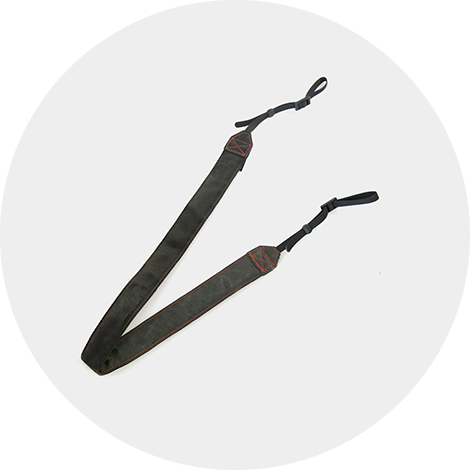 Mamiya 645AF Comfortable Neck StrapHigh-quality cotton with quick-release lugsThe Mamiya 645AF Neck Strap is a durable and stylish accessory designed for photographers. With a comfortable 1.5-inch wide fiber design and quick-release lugs, it ensures easy attachment to your camera for a secure and convenient shooting experience.
 -
Edit the Photo: Use photo editing software to add the date and time stamp to the image. Most photo editing programs have a feature to overlay text on an image.
-
Print the Photo: Once you have added the date to the photo, you can now print it. Make sure your printer settings are configured correctly to ensure the date stamp is visible.
Option 1: Using Camera Settings
To print the date on a photo taken by a digital camera, you can utilize the camera’s built-in date stamp feature. Here’s how you can enable this option:
Step 1: Access the Camera Menu
Go to the settings or menu option on your camera where you can find the date stamp feature. This location may vary depending on the camera model.
Step 2: Enable Date Stamp
Once you locate the date stamp feature in the menu, enable it by selecting the option to display the date on your photos. You may have the option to choose the date format and position on the image.

Note: Keep in mind that enabling the date stamp feature may permanently imprint the date on your photos, so consider this before printing.
Option 2: Using Photo Editing Software
If your digital camera does not have the option to print the date on the photo directly, you can use photo editing software to add the date after the photo is taken. Here is a step-by-step guide on how to print the date on a photo using photo editing software:
Step 1: Transfer the Photo to Your Computer
Connect your digital camera to your computer using a USB cable or remove the memory card from the camera and insert it into your computer’s card reader. Copy the photo to your computer.
Step 2: Open the Photo Editing Software
Open your preferred photo editing software such as Adobe Photoshop, GIMP, or Lightroom. Import the photo you want to add the date to.
| Software | Features |
| Adobe Photoshop | Offers a variety of tools and options to customize text, including date stamps. |
| GIMP | Provides basic editing tools and supports text overlay for adding date stamps. |
| Lightroom | Allows for easy editing and watermarking features to add date stamps. |
Choose the software that best suits your needs and proceed to the next step.

Considerations for Date Printing
When printing the date on photos taken by a digital camera, there are several important considerations to keep in mind:
1. Date Format
- Choose a date format that is easy to read and understand, such as MM/DD/YYYY or DD/MM/YYYY.
- Avoid using ambiguous date formats that can cause confusion, such as YYYY/MM/DD.
2. Positioning
- Place the date in a corner or along the edge of the photo to avoid obstructing the main subject.
- Ensure that the date is legible and does not blend into the background of the photo.
By carefully considering the date format and positioning, you can enhance the overall look of your photos while still providing important information about when they were taken.
Alternatives to Date Printing
If you don’t want the date printed directly on your photos, there are several alternative options you can consider:
1. Date Stamp Feature: Some digital cameras have a date stamp feature that allows you to embed the date and time information in the metadata of the photo. This way, you can always reference the date the photo was taken without it being visible on the image itself.
2. Digital Watermarking: Another option is to digitally watermark your photos with the date and other relevant information. This can be done using various software programs and services, and the watermark can be customized to blend seamlessly with your photo’s aesthetic.
3. Manual Annotation: If you prefer a more personal touch, you can manually add the date to your photos using photo editing software. This gives you more control over the placement and style of the date, allowing you to tailor it to your liking.
4. Photo Organization Software: Utilize photo organization software that automatically sorts your photos by date taken. This way, you can easily access the date information without it cluttering the visual aspect of your photos.
FAQ
Why is it important to print the date on a photo taken by a digital camera?
Printing the date on a photo can help you remember when the photo was taken, especially if you have a large collection of photos. It can also be useful for organizing and categorizing your photos chronologically.
Can I print the date on a photo after it has been taken by a digital camera?
Yes, you can add the date to a photo using photo editing software or apps. There are various tools available that allow you to overlay the date on your digital photos before printing them.
Are there any settings on a digital camera to automatically print the date on the photo?
Some digital cameras have the option to imprint the date on the photo at the time of capture. This feature is usually found in the camera’s settings menu and can be enabled or disabled depending on your preference.

What are the benefits of printing the date on a photo taken by a digital camera?
Printing the date on a photo can serve as a useful reference point in the future. It can help you track the timeline of events and occasions captured in your photos. Additionally, it adds a personal touch and can enhance the overall aesthetics of the photo.


I've used Adobe Photoshop to add dates to my photos for years. It's pretty straightforward once you get the hang of it.
That's great to hear! How do you usually format the date when you add it?
I appreciate the tips on using software! Just to clarify, when you edit a photo to add a date, does that affect the photo's quality in terms of resolution or clarity?
I usually prefer manual annotation since it gives me freedom to customize the text style and placement. Much better than a generic stamp!
Good article! I was wondering if all digital cameras have the option to print the date directly. Is it common for newer models to include this feature?
I disagree with the idea of embedding the date in the photo. I think it's better to keep it in the metadata instead. It looks cleaner and keeps the focus on the image.