
 Carmen J. Moore
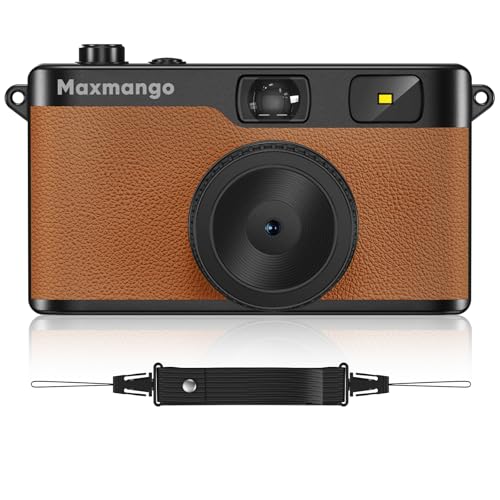
Disposable cameras have been a popular choice for capturing memories for decades. However, with the rise of digital photography, many people are now looking to convert their disposable camera pictures into a digital format. This process allows for easier sharing, editing, and preserving of cherished moments.
Fortunately, transforming disposable camera pictures into digital format is a relatively simple and cost-effective process. With the right tools and a bit of patience, you can easily digitize your film photos and enjoy them in the digital age. In this article, we will guide you through the steps to convert your disposable camera pictures into a digital format.
Whether you want to share your favorite memories on social media, create digital photo albums, or simply have a backup of your precious pictures, digitizing your disposable camera photos is a great way to ensure they are safe and easily accessible for years to come.
Step-by-step guide
Converting disposable camera pictures to digital format requires a few simple steps. Follow the guide below:


- Get your film developed: Take the disposable camera film to a photo lab or store to have it developed. Make sure you request digital copies of the images.
- Receive digital files: Once the film is developed, you will receive digital files of the images on a CD or through email.
- Transfer files to your computer: Transfer the digital image files from the CD or email to your computer using a USB cable or other transfer methods.
- Edit and save: Use photo editing software to enhance and edit the images if necessary. Save the edited images in a format of your choice.
- Share and enjoy: Share the digital images with friends and family through social media or print them out to enjoy your memories.
Materials needed
Here is a list of materials you will need to convert your disposable camera pictures to digital format:
| Disposable camera |
| Photo scanner or smartphone with a scanning app |
| Computer with photo editing software |
| USB cable or SD card reader |
| Access to a photo printing service or printer |
Make sure you have all these materials ready before you begin the process of digitizing your disposable camera pictures.
Scanning process
Once you have finished taking photos with your disposable camera, it’s time to digitize them by scanning them onto your computer. Follow these steps to scan your disposable camera pictures:
- Open the lid of your scanner and place the photo face down on the scanner bed.
- Close the lid of the scanner and open the scanning software on your computer.
- Select the option to scan a photo or document.
- Adjust the settings such as resolution, color mode, and file format according to your preferences.
- Click the scan button to start the scanning process.
- Once the scan is complete, save the digital image file to your computer.
- Repeat the process for each disposable camera picture you want to digitize.
Editing and enhancing
Once you have scanned your disposable camera pictures, it’s time to edit and enhance them to make them look even better. Here are some tips:
- Adjust the brightness and contrast to improve the overall look of the image.
- Crop the photo to remove any unnecessary elements and focus on the main subject.
- Use filters and effects to add a creative touch to your photos.
- Remove any dust or scratches that may have appeared during the scanning process.
- Experiment with different editing tools to find the style that best suits your photos.
Storage options
Once you have digitized your disposable camera pictures, you need to decide on a storage option for your digital images. Here are some popular choices:

- Cloud storage: Upload your digital pictures to a cloud storage service like Google Drive, Dropbox, or iCloud for easy access and backup.
- External hard drive: Transfer your digital images to an external hard drive for additional storage and security.
- USB flash drive: Save your digital pictures on a USB flash drive for portability and convenience.
- Memory card: Keep your digital images on a memory card for quick access and easy transfer to other devices.
Choose the storage option that best fits your needs and preferences to keep your disposable camera pictures safe and easily accessible.
Sharing your digital photos
Once you have converted your disposable camera pictures into digital format, you can easily share them with friends and family. Here are some ways to share your digital photos:
1. Social media
Upload your photos to social media platforms like Facebook, Instagram, or Twitter to share them with a wider audience. You can also create albums or stories to showcase your favorite moments.
2. Email
Emailing digital photos is a quick and easy way to share them with specific individuals. You can attach the photos to your email and send them directly to the recipients.
Pro tip: Consider creating a shared album on cloud storage platforms like Google Drive or Dropbox to allow multiple people to access and download the photos.

Tips and Tricks
1. Take your disposable camera to a photo lab or store that offers digital scanning services. They can scan your prints and create digital images for you.
2. Invest in a film scanner to digitize your disposable camera pictures at home. This can be a cost-effective solution if you have a lot of prints to scan.
3. Use a smartphone app or a digital camera to take pictures of your disposable camera prints. Make sure to use good lighting and a steady hand for clear, high-quality images.
4. Consider using a flatbed scanner to scan your disposable camera prints. This method may take longer, but it can produce high-resolution digital images.
5. If you prefer a more hands-on approach, you can try photographing your prints with a DSLR camera and a macro lens for detailed digital copies.

FAQ
What is the process of converting disposable camera pictures into digital format?
To make disposable camera pictures digital, you need to first finish the film in the camera by taking all the photos. Then, you can take the film to a photo lab to get it developed. Once the film is developed, you can either scan the physical photos using a scanner or use a digital camera to take pictures of the printed photos and transfer them to your computer.
Can I convert disposable camera pictures to digital format without using a photo lab?
Yes, you can convert disposable camera pictures to digital format without using a photo lab. You can purchase a film scanner or a negative scanner to directly scan the film negatives from the disposable camera and convert them into digital images. This method allows you to skip the step of getting the film developed at a lab.
Are there any online services that can help me convert disposable camera pictures into digital format?
Yes, there are online services that can help you convert disposable camera pictures into digital format. Some websites offer mail-in services where you can send your disposable camera film to them, and they will develop the film and provide you with digital copies of the photos. Additionally, some online platforms offer scanning services where you can upload your physical photos, and they will convert them into digital images for you.


I recently digitized some photos from a disposable camera I took on vacation. I used a local photo lab that offered digital scanning services, and I was really impressed with the quality! They returned my prints along with a USB drive containing all the digital files. I was a bit worried about the color accuracy, but they turned out great!
Thanks for sharing your experience! Choosing a local lab with good reviews is often a great way to ensure quality results. It's convenient to receive both prints and digital files.
I found that using a smartphone scanning app works surprisingly well for digitizing my old photos! Just make sure to have good lighting.
Is it better to use a film scanner at home or take my disposable camera film to a lab for digitizing? I’m not sure which option yields better quality.
Both options have their benefits. Using a film scanner at home can give you more control over the process, but a professional lab may have higher quality equipment and expertise.
What are some recommended photo labs for developing disposable camera film and getting digital copies? I want to make sure I choose a good one.