
 Carmen J. Moore

Livestreaming with a digital camera can take your content to the next level, providing high-quality video and audio for your audience. Whether you’re a vlogger, gamer, or business owner looking to engage with your followers, livestreaming with a digital camera offers a professional touch to your broadcasts.
But how do you get started? In this guide, we’ll walk you through the steps to livestream with a digital camera, from choosing the right camera to setting up your livestreaming software. With the right equipment and know-how, you’ll be able to create engaging and professional livestreams that keep your viewers coming back for more.




Ultimate guide to livestreaming with a digital camera
Are you looking to take your livestreaming game to the next level? Livestreaming with a digital camera can greatly enhance the quality of your broadcasts and provide a more professional look. In this ultimate guide, we will walk you through everything you need to know to start livestreaming with a digital camera.
1. Choose the right camera
The first step in livestreaming with a digital camera is to choose the right camera for your needs. Look for a camera that offers high-resolution video, clean HDMI output, and compatibility with livestreaming software. Popular options include DSLR cameras, mirrorless cameras, and camcorders.
2. Set up your camera
Once you have your camera, it’s time to set it up for livestreaming. Connect your camera to your computer using an HDMI cable or capture card. Make sure to adjust the settings on your camera for optimal video quality and frame rate. You may also need to install drivers or software to ensure compatibility with your computer.
Preparation for Livestreaming
Before you start livestreaming with your digital camera, it’s important to make sure you have everything you need for a successful broadcast. Here are some key steps to prepare:
1. Check Your Equipment: Ensure that your digital camera is fully charged and functioning properly. Test your microphone and any other accessories you plan to use.

2. Set Up Your Livestreaming Platform: Choose a platform for your livestream, such as YouTube, Facebook Live, or Twitch. Create an account, set up your channel, and familiarize yourself with the platform’s features.
3. Plan Your Content: Decide on the topic of your livestream and plan out your content. Consider creating an outline or script to help you stay organized during the broadcast.
4. Choose a Location: Select a quiet and well-lit space for your livestream. Make sure the background is free of distractions and clutter.
5. Test Your Internet Connection: Check your internet speed to ensure a stable connection for livestreaming. Consider using a wired connection for better reliability.
6. Promote Your Livestream: Build excitement for your livestream by promoting it on social media and other channels. Share the date and time of the broadcast to attract viewers.

Choosing the right digital camera
When selecting a digital camera for livestreaming, there are several key factors to consider:
- Resolution: Look for a camera with at least 1080p resolution for high-quality livestreaming.
- Frame rate: A higher frame rate, such as 30fps or 60fps, will result in smoother video playback.
- Low-light performance: Choose a camera with good low-light performance to ensure clear video in various lighting conditions.
- Auto-focus: An auto-focus feature will help keep your video sharp and in focus during the livestream.
Additional considerations:
- Connectivity options: Make sure the camera can connect to your computer or streaming device easily.
- Audio quality: Consider the built-in microphone quality or external microphone compatibility for clear sound.
Setting up your camera for livestreaming
Before you start livestreaming with your digital camera, it’s important to set it up properly to ensure a smooth and high-quality broadcast. Here are some key steps to follow:
1. Check your camera settings
Make sure your camera is set to the optimal settings for livestreaming. Adjust the resolution, frame rate, exposure, and white balance settings to suit your streaming needs.
2. Connect your camera to your computer
Use a compatible USB or HDMI cable to connect your camera to your computer. Make sure the connection is secure and that your computer recognizes the camera as a video input source.
Tip: Consider using a capture card for better video quality and stability.

By following these steps, you’ll be ready to start livestreaming with your digital camera in no time!
Connecting your camera to your computer
Before you can start livestreaming with your digital camera, you need to connect it to your computer. Here are the steps to do so:
Step 1: Check your camera’s connectivity options
First, check what connectivity options your digital camera has. Most modern cameras come with a USB port or an HDMI output that you can use to connect to your computer.
Step 2: Choose the right cable
Depending on the connectivity options of your camera, you may need a USB cable or an HDMI cable to connect it to your computer. Make sure you have the right cable on hand before proceeding.
Selecting the best livestreaming platform
When it comes to livestreaming with a digital camera, choosing the right platform is crucial. There are several popular livestreaming platforms available, each with its own features and audience. Here are some key factors to consider when selecting the best platform:

1. Audience: Consider the audience you want to reach. Some platforms cater to specific niches or demographics, so choose one that aligns with your target audience.
2. Features: Look for platforms that offer the features you need, such as high-quality video streaming, chat functionality, and the ability to monetize your streams.
3. Ease of use: Choose a platform that is user-friendly and easy to navigate, especially if you are new to livestreaming.
4. Integration: Consider whether the platform integrates well with your digital camera and other equipment. Compatibility is essential for a smooth streaming experience.
5. Community and support: Look for platforms that have an active community and provide good customer support. This can be helpful if you encounter any issues during your livestreams.

By considering these factors, you can select the best livestreaming platform for your needs and start sharing your content with the world.
Testing your livestream setup
Before going live with your digital camera, it’s crucial to test your setup to ensure everything is working properly. Here are some key steps to follow:
1. Check your internet connection
Make sure you have a stable and strong internet connection to avoid any buffering or lag during your livestream. Consider using a wired connection for the best results.
2. Test your audio and video
Check the audio levels and video quality to ensure your viewers will have a clear and enjoyable experience. Adjust the settings on your camera and microphone if needed.
Pro tip: Do a test stream on a private channel to check for any technical issues before going live to your audience.

Tips for a successful livestream with a digital camera
1. Check your internet connection: Make sure you have a stable and fast internet connection to avoid buffering or interruptions during your livestream.
2. Use a tripod: Keep your camera steady and in focus by using a tripod to avoid shaky footage.
3. Set up proper lighting: Make sure you have good lighting to ensure your viewers can see you clearly and the video quality is optimized.
4. Test your audio: Ensure your audio is clear and free of background noise by testing your microphone before starting the livestream.
5. Interact with your audience: Engage with your viewers by responding to comments and questions during the livestream to create a more interactive experience.

6. Promote your livestream: Let your audience know in advance when you will be livestreaming to increase viewership and engagement.
Interacting with your audience during the livestream
Engaging with your audience during a livestream is key to keeping them interested and involved. Here are some tips on how to interact effectively:
| Respond to comments: | Monitor the chat or comments section and respond to questions or comments from your viewers. This shows that you value their input and helps create a sense of community. |
| Ask for feedback: | Encourage your viewers to provide feedback on the content or ask for suggestions on what they would like to see in future livestreams. This can help you tailor your content to better suit your audience. |
| Run polls or quizzes: | Engage your audience by running polls or quizzes during the livestream. This not only encourages interaction but also makes the livestream more fun and interactive. |
| Give shoutouts: | Acknowledging viewers by giving them shoutouts can make them feel special and more connected to the livestream. This can help build a loyal audience. |
| Host Q&A sessions: | Dedicate part of your livestream to a Q&A session where you answer questions from your audience. This can help foster engagement and build a relationship with your viewers. |
Troubleshooting common issues during livestreaming
When livestreaming with a digital camera, you may encounter some common issues that can disrupt your broadcast. Here are some troubleshooting tips to help you address these problems:
1. Poor internet connection: If your livestream is buffering or freezing, check your internet connection. Make sure you have a stable and fast connection to avoid interruptions.
2. Audio issues: If your viewers are having trouble hearing you, check your microphone settings and make sure it is properly connected and positioned. Adjust the audio levels to ensure clear sound.
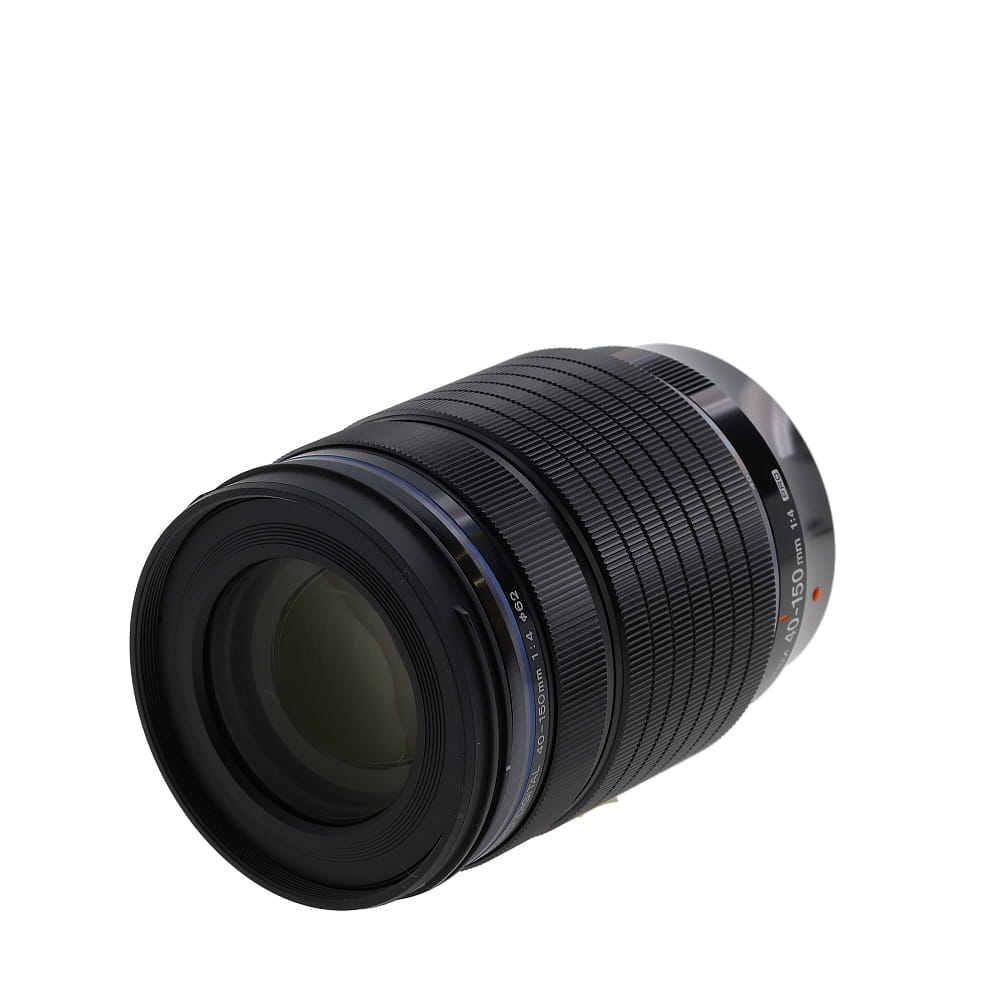
3. Camera settings: If your video quality is poor, adjust the settings on your camera to improve the resolution and brightness. Make sure your camera is focused properly on the subject.
4. Overheating: Digital cameras can overheat during extended use, leading to shutdowns or poor performance. Allow your camera to cool down between streaming sessions and avoid using it in direct sunlight.
5. Software issues: If you are using streaming software, make sure it is up to date and compatible with your camera. Check for any updates or patches that may address performance issues.
6. Test before going live: Before starting your livestream, do a test run to check for any potential issues with audio, video, or internet connection. This will help you address any problems before going live.
Wrapping up your livestream and analyzing the results
As your livestream comes to an end, it’s important to wrap things up properly. Take a moment to thank your viewers for tuning in and engaging with your content. Encourage them to subscribe or follow you for future streams.

After the livestream is over, it’s time to analyze the results. Look at key metrics such as viewer count, watch time, engagement levels, and any comments or questions that were raised during the stream. This data can help you understand what worked well and what can be improved for future livestreams.
Consider creating a post-stream survey or feedback form to gather more insights from your viewers. Use this feedback to refine your content and delivery for future broadcasts.
FAQ
What equipment do I need to livestream with a digital camera?
To livestream with a digital camera, you will need a digital camera with video recording capabilities, a stable internet connection, a computer or streaming device, and streaming software. Additionally, you may need a capture card if your camera does not have a built-in live streaming feature.
Can I use any digital camera for livestreaming?
Not all digital cameras are suitable for livestreaming. To livestream effectively, you will need a digital camera with clean HDMI output, which allows you to connect the camera to a computer or streaming device for live broadcasting. Make sure to check if your camera supports this feature before attempting to livestream with it.
What are some tips for improving the quality of a livestream with a digital camera?
To enhance the quality of your livestream with a digital camera, consider using a tripod to stabilize the camera, adjusting the lighting in your streaming environment, and using an external microphone for better audio quality. It’s also important to test your setup before going live to ensure everything is working properly.

Is it possible to livestream with a digital camera on social media platforms?
Yes, you can livestream with a digital camera on various social media platforms such as Facebook, YouTube, and Twitch. Most platforms offer live streaming features that allow you to connect your camera and broadcast live video to your audience. Make sure to follow the platform’s guidelines and settings for live streaming to ensure a smooth broadcast.


Don’t forget to test everything before going live. I had issues with my microphone last time, and it could have been avoided if I’d done a test stream.
I’m deciding between using a webcam and a digital camera for my livestreams. Is the video quality really that much better with a digital camera? Any input on ease of use?
Digital cameras typically provide superior video quality, especially in low light. However, they can be more complex to set up than webcams. If you value video quality and don’t mind the setup, go for the camera!
I think you can get great quality with certain high-end webcams too. It's not just about using a DSLR or mirrorless camera.
I'm curious about which cameras are best for livestreaming. The article mentions DSLRs and mirrorless cameras, but can you suggest a few specific models that work well?
Great question! Popular choices include the Canon EOS R and Sony A7 III for mirrorless, while the Canon EOS 90D is a solid DSLR option. Each of these offers high-quality video and good compatibility with most streaming software.
What kind of camera do you recommend for beginners who want to livestream?
Can someone explain what a capture card is and why it's important for livestreaming?
A capture card allows you to connect your camera to your computer for livestreaming. It encodes the video signal from your camera and sends it to your computer, improving video quality and stability.
I don’t think it’s necessary to use a wired connection for streaming. Wi-Fi works just fine for most setups if you have a strong signal.
That might be true, but I still recommend a wired connection for the most reliable stream, especially if you’re doing something important.
I started using a DSLR for my livestreams, and the quality is amazing! But setting it up was a bit tricky at first. Would love some tips on optimizing camera settings for streaming.
For DSLR optimization, focus on adjusting the resolution to 1080p, setting frame rates to 30fps, and ensuring your exposure and white balance are suitable for your lighting conditions.
I recently tried livestreaming with my DSLR, and while the video quality was fantastic, I struggled with the audio. I used the built-in mic, and it picked up so much background noise. I ended up getting an external mic, which made a huge difference! I recommend investing in a good mic if you're serious about livestreaming. It can really enhance the overall experience for viewers.
When setting up a camera, how do I know if I need a capture card? Is it only for certain cameras?
I’ve been using a mirrorless camera for my streams and I find it much easier to handle than my old camcorder. The video quality is significantly better too. Has anyone else compared these two types for livestreaming?
I’ve used both and prefer the mirrorless as well! The lightweight design really helps if you’re moving around a lot.