
 Carmen J. Moore
Are you a fan of the vintage film look but only have a digital camera? Don’t worry, you can still achieve that classic aesthetic with a few simple techniques.
While digital cameras offer convenience and flexibility, they often lack the warmth and character of film photography. However, with the right settings and post-processing tricks, you can emulate the look of film and give your digital photos a nostalgic vibe.
From adjusting your camera settings to applying filters in post-production, there are several ways to achieve the film look. In this article, we’ll explore some tips and tricks to help you capture that timeless film aesthetic with your digital camera.
Authentic Film Aesthetic
To achieve an authentic film aesthetic with your digital camera, consider the following tips:



- Use film emulation presets or filters to replicate the look of classic film stocks.
- Experiment with different aspect ratios, such as 4:3 or 1:1, to mimic the look of film photography.
- Adjust the color temperature and saturation to create a vintage feel reminiscent of film.
- Pay attention to lighting and shadows to add depth and dimension to your images.
- Embrace imperfections and grain in your photos to enhance the nostalgic film look.
Tips for Capturing
1. Use a shallow depth of field to create a cinematic look. This can be achieved by using a wide aperture (low f-stop) and focusing on your subject while blurring the background.
2. Pay attention to lighting. Soft, diffused lighting can help create a more filmic look. Consider using natural light or investing in professional lighting equipment.
3. Experiment with different angles and compositions. Try filming from unique perspectives to add visual interest to your shots.
4. Consider using color grading to mimic the color tones of film. This can help give your digital footage a more cinematic feel.
Vintage Film Style
If you want to achieve a vintage film look with your digital camera, there are a few key elements to consider. Start by adjusting your camera settings to mimic the characteristics of old film, such as lower saturation, increased contrast, and a slight grain effect. You can also experiment with different white balance settings to recreate the warm tones often seen in vintage film photos.

In addition to camera settings, you can enhance the vintage film style in post-processing. Try adding film grain overlays, adjusting the color balance, and adding a soft vignette to your photos. Don’t be afraid to experiment and try different techniques to achieve the perfect vintage film look for your digital photos.
Understanding
Before trying to achieve a film look with your digital camera, it’s important to understand what elements contribute to the unique aesthetics of film photography.
Film photography has a distinct look characterized by grain, color rendition, dynamic range, and depth of field. Understanding how these factors differ from digital photography will help you make the necessary adjustments to replicate the film look.
Film Photography Techniques
When shooting with film, there are several techniques you can use to enhance the quality of your images and achieve that classic film look:
- Choose the right film: Different types of film have different characteristics, such as grain, color saturation, and contrast. Experiment with different films to find the look you prefer.
- Use manual settings: Adjusting settings like aperture, shutter speed, and ISO manually can give you more control over the final image.
- Pay attention to lighting: Good lighting is crucial for film photography. Take advantage of natural light or use artificial lighting to create the mood you want.
- Compose carefully: Take your time to compose your shots and pay attention to details like framing and perspective.
Using Filters and Editing Software
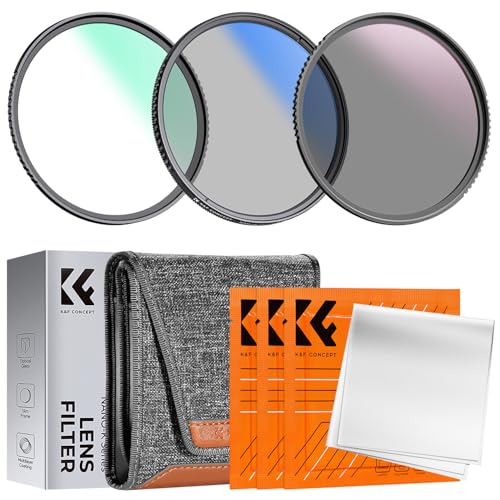
Another way to achieve a film look with your digital camera is to use filters and editing software. Filters can be attached to your camera lens to achieve specific effects, such as adding warmth or softening the image. There are various types of filters available, including color correction filters, diffusion filters, and polarizing filters.

In addition to using filters, editing software can also help you achieve a film look. Programs like Adobe Lightroom and Photoshop offer a range of tools for adjusting color, contrast, and sharpness to mimic the look of film. You can experiment with different settings and presets to find the style that best suits your desired aesthetic.
By combining filters and editing software, you can enhance the visual quality of your digital photos and create a cinematic feel that resembles film photography.
Post-Processing Effects
After capturing your digital images, the next step in achieving a film look is to apply post-processing effects. Here are some techniques to help you achieve this:
1. Film Grain
Adding film grain to your digital images can help simulate the organic texture of film. You can use software like Adobe Lightroom or Photoshop to add grain to your photos. Experiment with different levels of grain to achieve the desired effect.
2. Color Grading
Color grading is another important step in creating a film look. Adjusting the colors of your images to match the tones and hues commonly found in film can help achieve a more cinematic look. You can use tools like presets or manual adjustments to achieve the desired color grading.

Experimenting with
One of the best ways to achieve a film look from a digital camera is by experimenting with different settings and techniques. Try adjusting the white balance to create a warmer or cooler tone, play around with the ISO to add graininess, or experiment with different shutter speeds to capture motion blur. Don’t be afraid to try unconventional methods like shooting through a piece of fabric or using a prism to create interesting light flares. The key is to have fun and be creative!
FAQ
How can I achieve a film look with my digital camera?
To get a film look from your digital camera, you can start by shooting in RAW format to have more flexibility in post-processing. Adjust your white balance to warmer tones and decrease the contrast slightly to mimic the film aesthetic. You can also add film grain and experiment with different film simulation presets in editing software to achieve the desired look.
What are some key tips for getting a film look from a digital camera?
Some key tips for achieving a film look with a digital camera include using vintage lenses to add character to your images, shooting during the golden hour to get warm and soft lighting, and paying attention to composition to create a cinematic feel. Additionally, consider using filters or presets in editing software to emulate film colors and textures for a more authentic look.


I don't think using filters is necessary for that film look. Sometimes less is more, and natural lighting can create beautiful effects on its own.
Experimenting with different aspect ratios really helped me get that classic film feel. Definitely worth trying!
What specific camera settings should I use for that vintage film look?
Can anyone explain how to properly adjust the color temperature for a more vintage feel? I’ve always found that tricky!
To achieve a vintage feel, try lowering the color temperature slightly to warm up your images. Additionally, you might want to decrease saturation a bit to replicate the muted tones often found in film. Adjust gradually until you find the right balance!
I've tried using film emulation presets in Lightroom, and they've really helped my digital photos get that nostalgic vibe. It took some trial and error, but now I can easily get the look I want!
I’m curious about the grain effect mentioned in the article. How do I determine how much grain to add in post-processing? Is there a rule of thumb for achieving a natural look?
A good rule of thumb is to start with a small amount of grain and gradually increase it while reviewing how it impacts your image. Aim for a texture that feels organic and doesn't overpower the details. Each photo may require different levels, so trust your eye!