
 Carmen J. Moore

Are you looking to improve the audio quality of your digital camera videos? Connecting an external microphone to your camera can make a significant difference in the sound quality of your recordings. While many digital cameras come with built-in microphones, they often lack the sensitivity and clarity that an external microphone can provide.

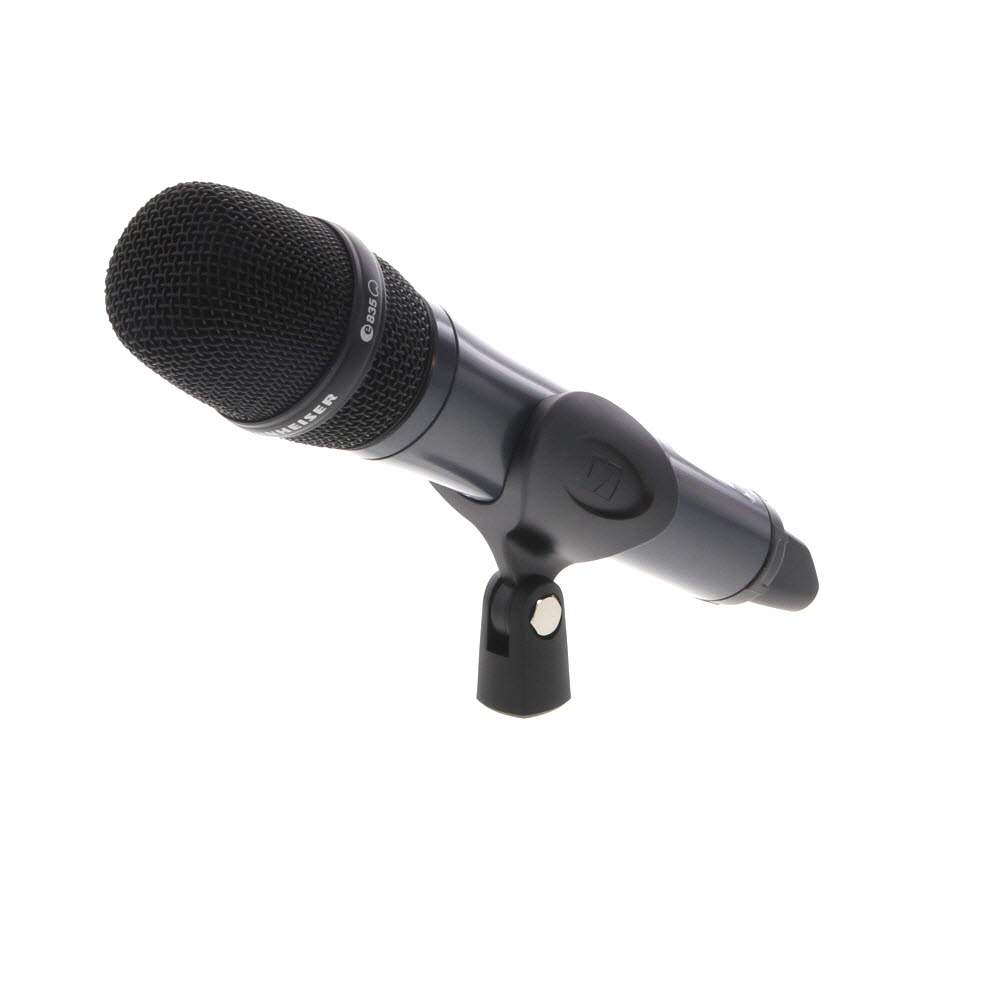


In this guide, we’ll walk you through the steps to connect an external microphone to your digital camera. Whether you’re a vlogger, filmmaker, or just someone looking to enhance the audio in your videos, this tutorial will help you achieve professional-level sound quality.
Step-by-Step Guide to Connect Digital Camera to External Microphone
Connecting an external microphone to your digital camera can significantly improve the audio quality of your videos. Follow these steps to successfully connect a microphone to your camera:
Step 1: Check Compatibility
Before purchasing an external microphone, make sure it is compatible with your digital camera. Check the microphone’s connector type and the camera’s input options.
Step 2: Choose the Right Microphone
Select a high-quality external microphone that suits your filming needs. Options include shotgun mics, lavalier mics, and handheld mics.
Step 3: Connect the Microphone

Locate the microphone input jack on your camera. Insert the microphone’s connector into the camera’s input securely. Make sure it is plugged in all the way to avoid loose connections.
Step 4: Adjust Settings
Access your camera’s audio settings and select the external microphone as the audio input source. Adjust the microphone’s volume level to ensure optimal sound quality.
By following these steps, you can successfully connect an external microphone to your digital camera and enhance the audio quality of your recordings.
Check Camera Compatibility with External Microphone
Before connecting an external microphone to your digital camera, it is essential to ensure that your camera is compatible with external microphones. Not all digital cameras support external microphones, so it is crucial to check the specifications of your camera before making any connections.

Steps to Check Camera Compatibility:
- Refer to the user manual of your digital camera to see if it mentions support for external microphones.
- Check the camera’s specifications online on the manufacturer’s website to see if external microphone support is listed.
- Look for a microphone input port on your camera, usually a 3.5mm jack, which indicates compatibility with external microphones.
By verifying the compatibility of your digital camera with external microphones, you can ensure a successful connection and improve the audio quality of your recordings.
Purchase the Right Type of External Microphone
Before connecting a digital camera to an external microphone, it is crucial to ensure that you have the right type of microphone that is compatible with your camera. Here are some tips to help you choose the right external microphone:
- Check Compatibility: Make sure the microphone you are purchasing is compatible with your specific camera model. Some cameras may require specific types of microphones or adapters for proper connectivity.
- Consider Microphone Type: There are different types of external microphones available, such as shotgun, lavalier, and handheld microphones. Choose the type that best suits your recording needs and environment.
- Focus on Audio Quality: Look for a microphone that offers good audio quality and minimizes background noise for clear and crisp sound recordings.
- Check Connectivity Options: Ensure that the microphone you choose has the necessary connectors to connect to your camera. Some microphones may use XLR, 3.5mm, or USB connections.
Gather Necessary Cables and Adapters
Before connecting your digital camera to an external microphone, make sure you have the necessary cables and adapters on hand. You will likely need a specific cable that connects the microphone to your camera, such as a TRS or TRRS cable. Check the microphone and camera’s specifications to determine the exact cable you need.
If your camera only has a headphone jack, you may need an adapter to convert the microphone’s output to the appropriate input for your camera. Make sure to have all the required cables and adapters ready before proceeding with the connection process.
Turn Off the Camera and Attach the Microphone
Before connecting an external microphone to your digital camera, make sure to turn off the camera to prevent any potential electrical issues. Once the camera is turned off, locate the microphone input port on your camera. This port is typically found near the camera’s built-in microphone or near the camera’s accessory shoe.

Next, take the microphone cable and securely plug it into the microphone input port on your camera. Ensure that the connection is tight to avoid any audio interference or disconnection during recording. Once the microphone is attached, you can turn on your camera and adjust the microphone settings as needed to start capturing high-quality audio with your digital camera.
Adjust Microphone Settings on Camera
Once you have connected your external microphone to your digital camera, you may need to adjust the microphone settings on the camera to ensure optimal sound quality. Follow these steps to adjust the microphone settings:
1. Access the Menu
Go to the menu settings on your camera to locate the microphone settings. This may be under the audio or recording settings.
2. Adjust the Levels
Once you have accessed the microphone settings, you can adjust the input levels to ensure that the audio is not too loud or too quiet. Test the levels by speaking into the microphone and adjust as needed.
Test the Microphone Connection
Once you have connected your external microphone to your digital camera, it’s important to test the connection to ensure that the microphone is working properly. Here are the steps to test the microphone connection:

- Turn on your digital camera and set it to video recording mode.
- Speak into the external microphone while recording a short test video.
- Play back the video on your camera to listen to the audio quality.
- If the audio sounds clear and you can hear your voice through the external microphone, then the connection is successful.
- If the audio is low or distorted, double-check the microphone connection and try again.
Testing the microphone connection before filming important videos will ensure that you capture high-quality audio and avoid any technical issues during recording.
Record a Test Video with External Microphone
Once you have connected your digital camera to an external microphone, it’s time to test the setup by recording a video. Follow these steps:
- Set up your camera: Make sure your camera is on and the external microphone is securely connected.
- Choose a quiet location: Find a quiet place to test the microphone without any background noise.
- Start recording: Press the record button on your camera to start recording a test video.
- Speak clearly: Talk into the microphone and check if the audio is being captured properly.
- Playback the video: After recording, play back the video on your camera to listen to the audio quality.
- Adjust settings if needed: If the audio quality is not satisfactory, adjust the microphone settings or placement and record another test video.
By following these steps, you can ensure that your digital camera is properly connected to an external microphone and that you are able to record high-quality audio for your videos.
Edit and Share Your Improved Audio Quality Video
Now that you have successfully connected an external microphone to your digital camera, you can enjoy improved audio quality in your videos. To make the most of this upgrade, follow these steps to edit and share your videos:
1. Edit Your Video
- Import your video footage to a video editing software.
- Adjust the audio levels to achieve the best sound quality.
- Trim and cut your video to remove any unwanted parts.
- Add music or other audio effects to enhance your video.
2. Share Your Video
- Once you are happy with the edits, export your video in the desired format.
- Upload your video to video sharing platforms like YouTube, Vimeo, or social media platforms.
- Add relevant tags, titles, and descriptions to attract more viewers.
- Engage with your audience by responding to comments and feedback.
FAQ
Can I connect an external microphone to my digital camera?
Yes, you can connect an external microphone to many digital cameras that have a microphone input port. This allows you to improve the audio quality of your videos by using a higher quality microphone instead of the built-in one.
How do I connect an external microphone to my digital camera?
To connect an external microphone to your digital camera, you will need a microphone that is compatible with your camera’s input port. Most cameras use a 3.5mm TRS (Tip-Ring-Sleeve) input for microphones. Simply plug the microphone into the input port on your camera and adjust the microphone settings in the camera’s menu if necessary.



What types of microphones are best for outdoor filming? I want something that can pick up clear audio without too much background noise.
Don’t forget to test the mic connection before filming! I once recorded an entire segment only to find out the audio didn’t work.
You mentioned checking compatibility of the mic with the camera. Is there a specific way to tell if a mic will fit?
Yes, you should check the input port type on your camera, usually a 3.5mm jack for most external mics. Also, refer to the manufacturer's specifications for both your camera and the mic.
I recently connected my external lavalier mic to my DSLR, and the difference was incredible! The audio clarity improved so much compared to the built-in mic. Just remember to check the battery life on wireless mics before shooting.
How does a shotgun mic compare to a lavalier mic for interviews? I'm not sure which one to go for.