
 Carmen J. Moore

LCD digital cameras have become increasingly popular due to their ease of use and high-quality images. However, many users wonder if these cameras can also be used as a webcam for video conferencing and live streaming.
Using an LCD digital camera as a webcam is possible, but it requires some additional equipment and software. Most digital cameras do not have built-in webcam functionality, so you will need to connect the camera to your computer using a USB cable or HDMI connection.
There are also third-party software solutions available that can help you use your LCD digital camera as a webcam. These programs typically allow you to stream the video feed from your camera to your computer and then use it in video conferencing applications like Zoom or Skype.

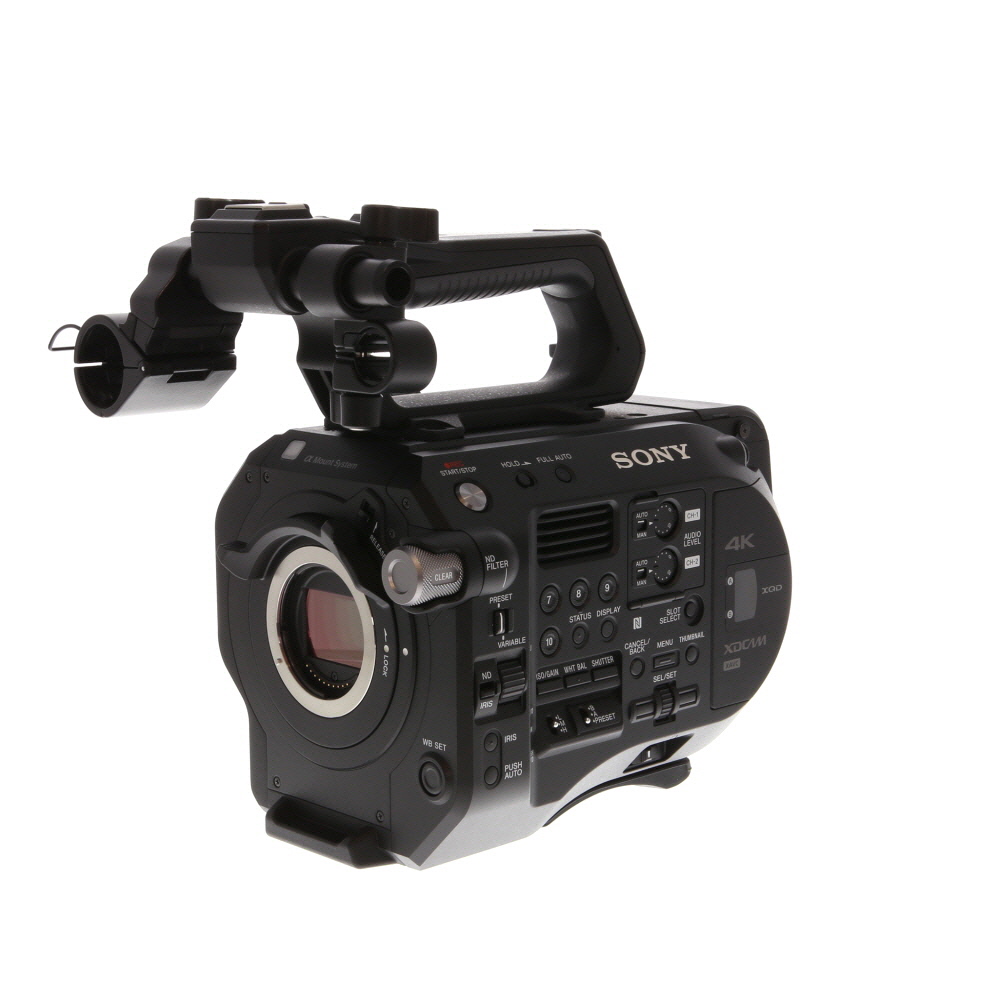

Exploring the Possibility
Many people wonder if their LCD digital camera can be used as a webcam. The answer to this question depends on the specific model of the camera and its features. Some newer digital cameras do have the capability to be used as a webcam, while others do not.
If your camera does have this feature, you will need to connect it to your computer using a USB cable. You may also need to install specific software or drivers to enable the camera to function as a webcam. Once you have everything set up, you can use your digital camera to video chat, stream live video, or participate in virtual meetings.
Considerations
Before attempting to use your digital camera as a webcam, it’s important to check the manufacturer’s website or user manual to see if this feature is supported. Additionally, keep in mind that using your camera as a webcam may drain the battery more quickly than usual, so be prepared to recharge it frequently.
Final Thoughts
While not all LCD digital cameras can be used as webcams, the ones that do offer this feature can provide a convenient and high-quality option for video communication. If you’re looking to enhance your virtual interactions, exploring the possibility of using your digital camera as a webcam could be a worthwhile endeavor.
Benefits of Using LCD Digital Cameras
There are several advantages to using LCD digital cameras:

- High-Quality Images: LCD digital cameras typically offer high-resolution images with excellent clarity and detail.
- Convenience: LCD digital cameras are compact and portable, making them easy to carry around for capturing moments on the go.
- Instant Feedback: With an LCD screen, you can preview and review your photos immediately after taking them, allowing you to make adjustments and retake shots if needed.
- Versatility: LCD digital cameras can be used for various purposes, including photography, video recording, and even as a webcam for video calls.
- Easy Sharing: You can easily transfer photos from an LCD digital camera to a computer or mobile device for quick and convenient sharing on social media or with friends and family.
Requirements for Using as a Webcam
In order to use an LCD digital camera as a webcam, you will need to make sure that your camera has the necessary features and capabilities. Here are some requirements to keep in mind:
- Live View Mode: Your camera should have a live view mode or a webcam mode that allows it to stream video in real-time.
- USB Connection: The camera should be able to connect to your computer via a USB cable for video transfer.
- Compatible Software: Make sure that your camera is compatible with webcam software that allows it to be recognized as a webcam by your computer.
- Driver Installation: You may need to install specific drivers for your camera to be recognized as a webcam by your computer.
- Stable Mounting: Ensure that you have a stable way to mount your camera in position for use as a webcam.
Setting Up Your Camera
Before using your LCD digital camera as a webcam, you need to set it up properly. Follow these steps to ensure a smooth setup process:
Step 1: Check Compatibility
Make sure your LCD digital camera is compatible with being used as a webcam. Check the camera’s manual or manufacturer’s website for information on webcam functionality.
Step 2: Connect Your Camera
Connect your camera to your computer using a USB cable. Ensure the camera is powered on and set to the appropriate mode for webcam use.
| Step 3: Install Software | Download and install any necessary software or drivers for using your camera as a webcam. Check the manufacturer’s website for the latest updates. |
| Step 4: Configure Settings | Open your video conferencing or streaming software and access the settings menu. Select your camera as the video input device and adjust any settings as needed. |
| Step 5: Test Your Camera | Once everything is set up, test your camera to ensure it is functioning correctly as a webcam. Adjust the positioning and lighting as needed for the best quality. |
Compatibility with Different Platforms
One of the advantages of using an LCD digital camera as a webcam is its compatibility with different platforms. Most modern LCD digital cameras can be connected to a computer or laptop via USB, making them compatible with Windows, macOS, and even some Linux operating systems.
Additionally, some LCD digital cameras come with software that allows them to function as a webcam on specific platforms. However, it is essential to check the camera’s specifications and the manufacturer’s website to ensure compatibility with your desired platform.
Tips for Optimal Webcam Usage
Using an LCD digital camera as a webcam can provide high-quality video for online meetings, streaming, and video calls. To ensure optimal performance, consider the following tips:
1. Stable Mounting: Position the camera on a stable surface or use a tripod to prevent shaky footage.
2. Lighting: Ensure good lighting conditions by avoiding backlighting and using natural or artificial light sources.
3. Audio Quality: Use an external microphone for better audio quality compared to the camera’s built-in microphone.
4. Adjust Settings: Adjust the camera settings for resolution, frame rate, and exposure to suit your needs.
5. Internet Connection: Make sure you have a stable internet connection to avoid lags or interruptions during video calls.
6. Background: Choose a clean and clutter-free background to maintain a professional appearance during video calls.
7. Test Beforehand: Test the camera setup and settings before important calls to ensure everything is working properly.
FAQ
Can I use my LCD digital camera as a webcam?
Yes, you can use an LCD digital camera as a webcam, but it requires specific software and setup. You will need a video capture device that connects your camera to your computer and software that allows the camera to function as a webcam. Additionally, some cameras may not support this feature, so it’s best to check your camera’s specifications or consult the manufacturer.

What do I need to use my LCD digital camera as a webcam?
To use your LCD digital camera as a webcam, you will need a video capture device, such as a USB capture card or HDMI capture device, to connect your camera to your computer. You will also need software that can recognize and utilize your camera as a webcam. Make sure your camera is compatible with the software and that it supports webcam functionality.
Are there any limitations to using an LCD digital camera as a webcam?
While you can use an LCD digital camera as a webcam, there are some limitations to consider. Not all cameras support webcam functionality, so it’s important to check your camera’s specifications. Additionally, the quality of the video may not be as good as a dedicated webcam, as digital cameras are optimized for capturing still images rather than continuous video. You may also experience latency or lag depending on your camera’s connection and processing capabilities.
Can I use any LCD digital camera as a webcam?
Not all LCD digital cameras can be used as a webcam. Some cameras are not equipped with the necessary features or software to function as a webcam. It’s best to check your camera’s specifications or consult the manufacturer to see if your specific model supports webcam functionality. If your camera does not support this feature, you may need to consider using a dedicated webcam for video conferencing or streaming purposes.


I recently tried using my Nikon camera as a webcam. At first, I struggled with the setup, but after installing the required drivers and adjusting the settings, I was able to get decent quality for Zoom calls. Just make sure you have a good USB connection, as it can affect the video feed.
Can I use my Canon DSLR as a webcam? I heard it might need special software.
Yes, many Canon DSLRs can be used as webcams with Canon's EOS Webcam Utility software. Make sure to check if your specific model is supported.