
 Carmen J. Moore

Video surveillance systems have become an essential part of ensuring security in various settings, from homes to businesses. One key component of these systems is the digital video recorder (DVR), which is responsible for storing the video footage captured by the cameras.


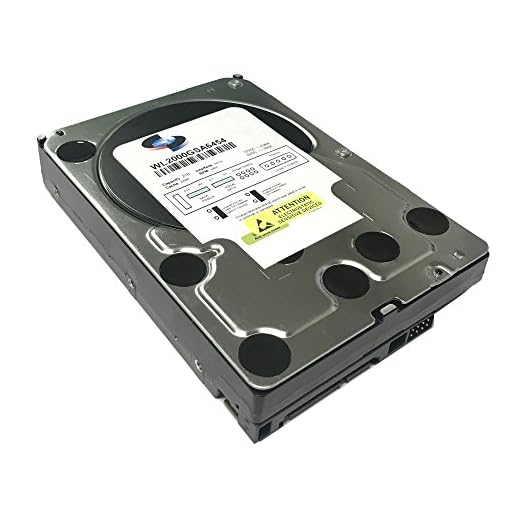
One of the most common questions that arises when setting up a surveillance system is how much video footage can a DVR with a 1TB hard drive hold. Understanding the storage capacity of a DVR is crucial for determining how long you can retain video footage before it starts overwriting.
With advancements in technology, DVRs with 1TB hard drives have become a popular choice for many users due to their ample storage capacity. However, the amount of video footage a 1TB DVR can hold depends on various factors, such as the video quality, frame rate, and compression settings.
Calculating DVR Storage Capacity
When determining how much video a surveillance DVR with a 1TB hard drive can hold, several factors need to be considered. The storage capacity of a DVR depends on the video resolution, frame rate, and compression settings.
For example, if the DVR records at a resolution of 1080p (1920×1080) and a frame rate of 30 frames per second, it will consume more storage space compared to recording at a lower resolution or frame rate.
Compression settings also play a significant role in storage capacity. Higher compression ratios reduce file sizes but may impact video quality, while lower compression ratios result in larger file sizes but better video quality.
To estimate the amount of video footage that can be stored on a 1TB DVR, you can use online calculators or formulas based on the resolution, frame rate, and compression settings of your specific system.
Keep in mind that storage capacity can vary based on the length of time you want to retain video footage and the number of cameras connected to the DVR. Regularly monitoring and managing storage usage is essential to ensure that your surveillance system operates effectively.
DVR Storage Capacity Calculations
When determining how much video a surveillance DVR with a 1TB hard drive can hold, it’s important to consider several factors:
- Resolution: Higher resolution cameras produce larger video files. For example, 1080p cameras will take up more space than 720p cameras.
- Compression: The level of compression used by the DVR will impact the storage capacity. Higher compression ratios will allow more video to be stored on the hard drive.
- Frame rate: The number of frames per second recorded by the cameras will also affect storage requirements. Higher frame rates result in larger video files.
- Length of retention: How long you want to keep the recorded video will determine how much storage space is needed. If you only need to store video for a few days, you can record at a higher quality for a shorter period.
Typically, a 1TB hard drive can hold anywhere from a few days to a few weeks of video footage, depending on the factors mentioned above. It’s important to adjust your settings based on your specific surveillance needs to ensure you have enough storage capacity for your requirements.
Factors Affecting DVR Storage
When considering how much video a surveillance DVR with 1TB of storage can hold, it’s important to take into account several factors that can impact the amount of footage that can be stored:
| 1. Resolution: | The higher the resolution of the cameras recording the video, the more storage space the footage will require. Higher resolutions result in larger file sizes. |
| 2. Frame Rate: | A higher frame rate means more frames per second are being recorded, which also increases the storage space needed for the video footage. |
| 3. Compression: | The type of compression used by the DVR system can greatly affect the amount of storage space required. Efficient compression algorithms can help reduce file sizes. |
| 4. Motion Detection: | Enabling motion detection on the DVR can help save storage space by only recording when motion is detected, rather than continuously recording. |
| 5. Recording Mode: | The recording mode selected, whether continuous, scheduled, or event-based, can impact the amount of footage that is stored on the DVR. |
Resolution and Frame Rate Impact
When determining how much video a surveillance DVR with 1TB of storage can hold, it is crucial to consider the resolution and frame rate of the cameras. Higher resolution cameras capture more detailed video but also require more storage space. For example, a 1080p camera will consume more storage than a 720p camera for the same duration of recording.
The resolution of the cameras
Higher resolution cameras, such as 4K or 1080p, will produce clearer images but will also take up more storage space. Lower resolution cameras, like 720p or lower, will consume less storage but may sacrifice image quality.
The frame rate of the cameras
The frame rate at which the cameras record also impacts the amount of storage space needed. Higher frame rates, such as 30fps or 60fps, will result in smoother video but will require more storage. Lower frame rates, such as 15fps, will save storage space but may produce choppier video.
Compression Techniques for DVR
Compression techniques play a crucial role in maximizing the storage capacity of a DVR system. By reducing the size of video files, compression helps to store more footage without compromising on quality. Here are some common compression techniques used in DVR systems:
H.264 Compression
H.264 is a popular compression standard used in DVR systems. It offers high-quality video compression while maintaining a reasonable file size. This standard is widely supported and helps to save storage space without sacrificing image quality.
Motion Detection
Another effective compression technique is motion detection. By recording video only when motion is detected, the DVR system can save storage space by eliminating hours of footage with no activity. This technique not only reduces storage requirements but also makes it easier to search for relevant footage.
Choosing the Right DVR Storage
When selecting a DVR for surveillance purposes, one of the key considerations is the amount of storage it offers. The storage capacity of a DVR is crucial as it determines how much video footage can be stored before the system starts overwriting old recordings. Here are some factors to consider when choosing the right DVR storage:
1. Calculate Storage Requirements
Before purchasing a DVR, calculate how much storage you will need based on factors such as the number of cameras, the resolution of the footage, and the length of time you want to retain recordings. Higher resolution cameras and longer retention periods will require more storage space.
2. Consider the Type of Storage
DVRs typically come with either a built-in hard drive or the option to add external storage. Built-in hard drives are convenient but may have limited capacity. External storage options, such as NAS drives or cloud storage, provide more flexibility and scalability for storing large amounts of video footage.


What is the typical recording time for a 1TB DVR at 1080p? I’m trying to figure out if I need to upgrade to a larger hard drive.