
 Carmen J. Moore
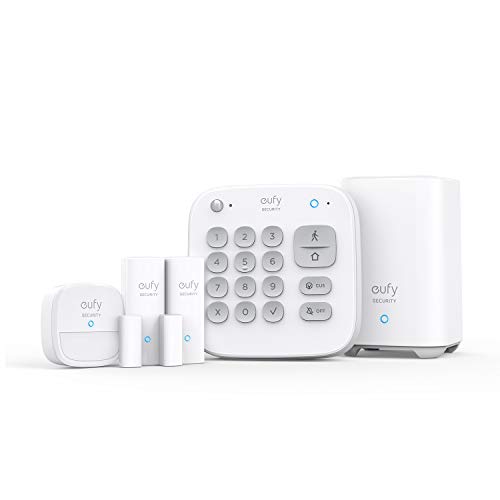
Geeni cameras have gained popularity for their affordability and ease of use, but the question remains: are they secure? With the rise of smart home devices, concerns about privacy and security have also increased. It is essential to assess the security measures implemented in geeni cameras to determine if they can be trusted to protect your privacy.


Geeni cameras claim to offer encryption and secure cloud storage to safeguard your data. However, security vulnerabilities have been discovered in some smart home devices, raising doubts about the reliability of these claims. It is crucial to understand the potential risks associated with using geeni cameras and take necessary precautions to mitigate them.
Before investing in geeni cameras, it is advisable to research their security features and reviews from other users. By staying informed and proactive, you can make an informed decision about whether geeni cameras are secure enough to be integrated into your smart home setup.
Are Geeni Cameras Secure
Geeni cameras are designed with security in mind, but as with any connected device, there are potential risks. It is important to take precautions to ensure the security of your Geeni camera and protect your privacy.
Some of the security measures that Geeni cameras employ include encryption of data transmission, secure login credentials, and regular software updates to address vulnerabilities. However, it is still possible for hackers to gain access to your camera if proper security practices are not followed.
To enhance the security of your Geeni camera, make sure to change the default password, enable two-factor authentication if available, and keep the camera’s firmware up to date. Additionally, avoid connecting your camera to public Wi-Fi networks and regularly check for any suspicious activity.
By following these security tips and staying vigilant, you can help ensure that your Geeni camera remains secure and your privacy is protected.
Overview of Geeni Cameras
Geeni offers a range of smart security cameras that provide users with peace of mind and convenience. These cameras are designed to offer high-quality video surveillance and easy integration with other smart home devices.
The Geeni cameras come with features such as motion detection, two-way audio, night vision, and cloud storage options. Users can access live video feeds from their cameras through the Geeni app on their smartphones or tablets.
Key Features:
- Motion Detection: Receive alerts on your phone when motion is detected.
- Two-Way Audio: Communicate with people near the camera using the built-in microphone and speaker.
- Night Vision: Capture clear footage even in low-light conditions.
- Cloud Storage: Store recorded footage securely in the cloud for easy access.
Overall, Geeni cameras are a reliable and convenient option for home security, offering users peace of mind and easy monitoring capabilities.
Potential Security Risks
While Geeni cameras offer convenience and accessibility, there are potential security risks that users should be aware of. Some of the key security concerns include:
| 1. | Privacy Breaches: If a Geeni camera is hacked, intruders may gain access to live video feeds and recordings, compromising your privacy. |
| 2. | Data Leaks: Insecure storage or transmission of data from Geeni cameras can lead to data leaks, exposing sensitive information. |
| 3. | Vulnerabilities: Vulnerabilities in the camera’s firmware or software can be exploited by cyber attackers to gain unauthorized access. |
| 4. | Unauthorized Access: Weak passwords or default login credentials can make it easier for unauthorized users to access your Geeni camera. |
It is important for Geeni camera users to take proactive measures to secure their devices, such as using strong passwords, keeping firmware up to date, and monitoring for any suspicious activity.
Encryption and Data Protection
Geeni cameras prioritize the security of your data by employing advanced encryption techniques to protect the information captured by the cameras. The data is encrypted both during transmission and storage, ensuring that unauthorized parties cannot access it.
In addition, Geeni cameras offer secure cloud storage options that require user authentication for access. This helps prevent data breaches and unauthorized access to your footage.
Geeni also follows industry best practices for data protection and regularly updates its security protocols to stay ahead of potential threats. This commitment to security helps provide peace of mind to users, knowing that their data is safe and secure.
Steps to Enhance Security
1. Change the default password: One of the first steps you should take to enhance the security of your Geeni camera is to change the default password. Choose a strong password that includes a mix of letters, numbers, and special characters.
2. Update firmware regularly: Keep your Geeni camera’s firmware up to date by regularly checking for updates on the manufacturer’s website. Firmware updates often include security patches that can help protect your camera from vulnerabilities.
3. Enable two-factor authentication: Adding an extra layer of security by enabling two-factor authentication can help prevent unauthorized access to your Geeni camera. This feature requires a code sent to your phone or email in addition to your password.
Customer Support and Updates
Geeni provides strong customer support to ensure the security and functionality of its cameras. If customers encounter any issues or have questions about their Geeni cameras, they can reach out to the Geeni support team for assistance. The support team is available via email and phone, and they strive to provide timely and helpful responses to all inquiries.
In addition to customer support, Geeni regularly releases updates for its cameras to address any security vulnerabilities and improve performance. These updates are crucial for maintaining the security of the cameras and ensuring that they continue to function optimally. Customers are encouraged to regularly check for updates and install them promptly to benefit from the latest security features and enhancements.
Comparison with Other Brands
When comparing Geeni cameras with other brands in the market, Geeni stands out for its ease of use, affordability, and seamless integration with smart home devices. Many users appreciate the straightforward setup process and the user-friendly mobile app that comes with Geeni cameras.
Additionally, Geeni cameras offer competitive features such as motion detection, night vision, and cloud storage options. Users find these features to be reliable and efficient in providing security and peace of mind.



I agree that changing the default password is crucial. A friend of mine had a bad experience because they didn't do that.
I'm really interested in getting a Geeni camera, but I've heard mixed reviews about their security. Can anyone share their experience regarding how secure these cameras really are?
How do Geeni cameras compare to brands like Wyze or Ring in terms of security features?
The article mentions encryption and secure storage with Geeni cameras, but how does that compare to other brands? Are they really on par in terms of data protection?