
 Carmen J. Moore

In today’s digital age, our smartphones are capable of so much more than just making calls and sending texts. One innovative way to utilize your smartphone is by turning it into a security camera. With the right app and setup, you can transform your old smartphone into a powerful surveillance tool to monitor your home, office, or any other space you want to keep an eye on.

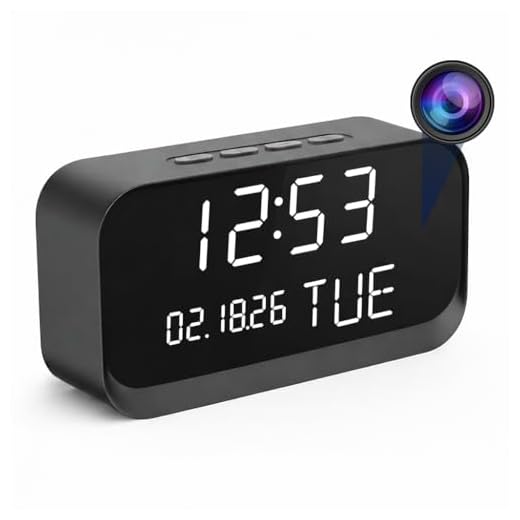

Why spend money on expensive security cameras when you can repurpose your smartphone for the job? By following some simple steps, you can set up a DIY security system that is both cost-effective and efficient. Whether you want to keep an eye on your pets while you’re away or monitor your front door for deliveries, turning your smartphone into a security camera is a practical solution.
In this article, we will guide you through the process of setting up your smartphone as a security camera, including the best apps to use, tips for optimal placement, and how to ensure your system is secure.
Transform your smartphone into a security camera
Turning your smartphone into a security camera is a cost-effective way to monitor your home or office while you’re away. Whether you want to keep an eye on your pets, check in on your kids, or simply have peace of mind knowing your property is secure, this DIY solution is a great option.
Steps to transform your smartphone into a security camera:
- Download a reliable security camera app from your app store.
- Install the app on your smartphone and follow the setup instructions.
- Choose a strategic location to place your smartphone for optimal coverage.
- Ensure your smartphone is connected to a stable Wi-Fi network.
- Set up motion detection or other alerts to notify you of any suspicious activity.
By following these steps, you can easily transform your smartphone into a powerful security camera that provides you with peace of mind and added security.
Step-by-step guide for setting up
Step 1: Download a security camera app on your smartphone from the app store.
Step 2: Install the app and create an account if required.
Step 3: Grant necessary permissions for the app to access your camera and microphone.
Step 4: Set up the app to work as a security camera by following the on-screen instructions.
Step 5: Position your smartphone in the desired location for monitoring.
Step 6: Ensure your smartphone is connected to a stable Wi-Fi network for continuous surveillance.
Step 7: Access the live feed from your smartphone using another device or computer for remote monitoring.
Step 8: Customize settings such as motion detection, alerts, and recording options as per your preferences.
Step 9: Keep your smartphone plugged in or charged to maintain uninterrupted surveillance.
Choose the right app for monitoring
When it comes to turning your smartphone into a security camera, choosing the right app is crucial. There are plenty of apps available on both the App Store and Google Play Store that can help you monitor your home or office remotely. Some popular options include Alfred, Manything, Presence, and IP Webcam.
Before selecting an app, consider factors such as ease of use, features, compatibility with your devices, and any additional costs associated with premium features. It’s also important to read reviews and do some research to ensure the app meets your specific monitoring needs.
Ensure optimal placement for coverage
When setting up your smartphone as a security camera, it’s crucial to place it in a strategic location that provides optimal coverage of the area you want to monitor. Here are some tips to ensure you get the best coverage:
1. Choose a high vantage point
Mount your smartphone on a high vantage point to get a broader view of the area. This will allow you to capture more details and have a better perspective of the surroundings.
2. Avoid obstructions
Avoid placing your smartphone behind obstacles like plants, furniture, or other objects that may obstruct the camera’s view. Make sure there are no obstructions between the camera and the area you want to monitor.
By following these placement tips, you can ensure that your smartphone security camera provides optimal coverage and enhances the security of your space.
Enhance security with additional features
Turning your smartphone into a security camera is just the first step. To make the most out of this setup and enhance your security measures, consider implementing the following additional features:
1. Motion detection
- Enable motion detection on your security camera app to receive notifications whenever movement is detected in the camera’s field of view.
- This feature can help you quickly identify any potential intruders or suspicious activity in your home or office.
2. Cloud storage
- Invest in cloud storage services to securely store your camera footage online.
- This ensures that your recordings are safe even if your smartphone is lost, stolen, or damaged.
By incorporating these additional features, you can take your smartphone security camera setup to the next level and further protect your property and loved ones.
Remote access and monitoring capabilities
One of the key features of using your smartphone as a security camera is the ability to remotely access and monitor the camera feed from anywhere. By installing the necessary apps on both your smartphone and the device you will be using to view the feed, you can easily check in on your camera feed in real-time.
Whether you are at work, on vacation, or simply in another room of your home, you can keep an eye on what is happening in the area where your smartphone is set up as a security camera. This remote access and monitoring capability provides peace of mind and allows you to stay connected to your home or office security system at all times.
Protect your data and privacy
When setting up your smartphone as a security camera, it’s important to take steps to protect your data and privacy. Here are some tips to help you maintain the security of your information:
1. Secure your device
- Set a strong passcode or password to unlock your smartphone.
- Enable two-factor authentication for added security.
- Keep your device’s operating system and apps up to date to patch any security vulnerabilities.
2. Secure your network
- Use a strong and unique password for your Wi-Fi network.
- Enable WPA2 encryption on your Wi-Fi router to secure your network.
- Consider setting up a guest network for your security camera to isolate it from your main network.
By following these tips, you can help ensure that your data and privacy are protected while using your smartphone as a security camera.



What are the best apps available for turning my old smartphone into a security camera? I want something user-friendly and reliable.
Remember to position your smartphone high up for the best coverage!
I’ve tried both Alfred and Manything. Alfred is simpler but Manything has better cloud storage options. It really depends on what you prioritize more: ease of use or storage capabilities.
I recently set up my old smartphone as a security camera using the Alfred app. The setup was pretty straightforward, and I was impressed with the motion detection feature. It sends alerts to my phone whenever there's movement. I placed it in the corner of my living room, which gives me a good view of the entrance and my pets. Just a tip, make sure to keep it plugged in to avoid battery issues!