
 Carmen J. Moore

Commercial security cameras are an essential investment for businesses looking to protect their assets and ensure the safety of their employees and customers. With the rise of digital surveillance technology, the market for commercial security cameras has become more diverse and competitive than ever before.
When considering the cost of commercial security cameras, it’s important to understand that pricing can vary widely depending on several factors, including the type of camera, the quality of the footage, the number of cameras needed, and any additional features or services required.


Typically, the cost of a commercial security camera system can range from a few hundred dollars to several thousand dollars per camera, with high-end systems costing even more. However, investing in a high-quality security camera system can provide businesses with peace of mind and potentially save them money in the long run by deterring theft and vandalism, as well as providing valuable evidence in the event of a security incident.
Factors influencing commercial security camera costs
When considering the cost of commercial security cameras, there are several factors that can influence the overall price. These factors include:
- Camera type: The type of security camera you choose can greatly impact the cost. High-definition cameras with advanced features will generally be more expensive than basic analog cameras.
- Resolution: Cameras with higher resolution capabilities will typically come at a higher price point. Higher resolution cameras can provide clearer images and better video quality.
- Number of cameras: The more cameras you need for your commercial space, the higher the overall cost will be. Larger properties or facilities may require more cameras to ensure comprehensive coverage.
- Installation: Professional installation services can add to the cost of security cameras. The complexity of the installation, such as running wires or setting up a network, can also affect the final price.
- Additional features: Cameras with additional features like night vision, motion detection, or remote viewing capabilities will generally cost more than basic cameras without these features.
Conclusion
Considering these factors when choosing commercial security cameras can help you make an informed decision and budget accordingly. It’s important to weigh the cost against the level of security and peace of mind the cameras will provide for your business.
Quality and Resolution of Cameras
When considering the cost of commercial security cameras, it’s important to think about the quality and resolution of the cameras you’re investing in. Higher quality cameras with better resolution will generally cost more, but they can provide clearer images and better security footage. High-definition (HD) cameras offer crisp and detailed video, allowing you to see faces, license plates, and other important details more clearly.
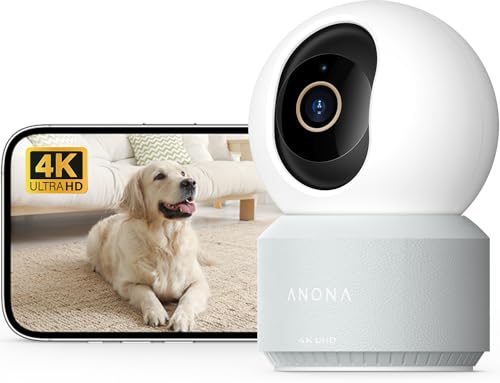
Resolution is measured in pixels, and the higher the resolution, the better the image quality. For example, a 1080p camera offers a resolution of 1920 x 1080 pixels, while a 4K camera provides even greater detail with a resolution of 3840 x 2160 pixels. Investing in cameras with higher resolution can enhance the effectiveness of your security system and provide better overall protection for your property.
Number of cameras needed
When determining the number of commercial security cameras needed for your business, it is important to consider several factors:
- Size of the premises: The size of your business premises will dictate how many cameras are required to provide adequate coverage. Larger spaces may need more cameras to ensure all areas are monitored effectively.
- Areas of concern: Identify the key areas that require monitoring, such as entrances, parking lots, cash registers, and any other vulnerable spots. Each of these areas may require a dedicated camera for optimal security.
- Field of view: Consider the field of view of each camera to ensure that there are no blind spots. Cameras with wide-angle lenses can cover more area, reducing the number of cameras needed.
It is recommended to conduct a thorough security assessment of your business to determine the exact number of cameras needed to meet your security requirements.
Installation and maintenance fees
When budgeting for commercial security cameras, it’s important to consider not only the initial cost of the cameras but also the installation and maintenance fees. Installation costs can vary depending on the complexity of the system, the number of cameras being installed, and the layout of your property.
Installation costs
On average, installation costs for commercial security cameras range from $500 to $2,000 per camera. This includes labor costs for mounting the cameras, running cables, and connecting the system to a central monitoring station. If you require a more complex installation, such as cameras in hard-to-reach areas or integration with existing security systems, the cost can be higher.
Maintenance fees
In addition to installation costs, you should also budget for ongoing maintenance fees. This can include regular inspections, software updates, and repairs as needed. Maintenance fees typically range from $100 to $500 per camera per year, depending on the level of service provided.
Additional features and technology
Commercial security cameras come with a variety of additional features and advanced technology to enhance their functionality and effectiveness. Some common features and technologies include:
- High Definition (HD) Resolution: Many commercial security cameras offer high-definition video quality, allowing for clear and detailed footage.
- Night Vision: Some cameras are equipped with infrared LEDs for night vision capabilities, enabling them to capture footage in low-light or dark conditions.
- Remote Viewing: With the advent of mobile apps and cloud storage, many commercial security cameras now offer remote viewing capabilities, allowing users to access live or recorded footage from anywhere using a smartphone or computer.
- Motion Detection: Cameras with motion detection technology can trigger alerts or recordings when motion is detected within their field of view, helping to enhance security and reduce false alarms.
- Two-Way Audio: Some cameras come with built-in microphones and speakers, enabling two-way audio communication between the camera and a connected device. This feature can be useful for interactive monitoring or deterring intruders.
- Smart Integration: Many commercial security cameras can be integrated with smart home devices or security systems, allowing for seamless automation and control through voice commands or designated apps.
Monitoring services and storage options
Many commercial security camera systems offer monitoring services as an additional feature. These services can provide 24/7 surveillance of your property, alerting you to any suspicious activity or security breaches. Some monitoring services also include options for remote access, allowing you to view live footage from your cameras at any time.
When it comes to storage options, most commercial security camera systems offer both local and cloud-based storage. Local storage options include hard drives or network-attached storage devices that store recorded footage on-site. Cloud-based storage, on the other hand, allows you to store footage securely in the cloud, providing easy access to your recordings from anywhere with an internet connection.
Overall budget and cost considerations
When considering the overall budget for commercial security cameras, it is important to factor in not only the cost of the cameras themselves, but also installation, maintenance, and any additional accessories or software needed for optimal performance.
It’s essential to assess the specific security needs of your business and determine the number of cameras required, the resolution and features needed, and whether you want a wired or wireless system. These factors will greatly impact the overall cost.
Installation costs
Installation costs can vary depending on the complexity of the system, the number of cameras, and the layout of your business premises. Professional installation services may be an additional expense to consider.
Additionally, if you opt for a wireless system, you may need to factor in the cost of network equipment and setup to ensure a reliable connection.
Maintenance and ongoing costs
It’s important to budget for ongoing maintenance costs, including regular system checks, software updates, and any repairs that may be needed. Some companies offer maintenance packages as part of their services, which can help manage these costs more effectively.



I went with a package that included three cameras and installation for about $1,500. It was a good deal for my small retail space.
I'm trying to decide between HD and 4K security cameras for my business. Is the price difference worth it for the added resolution?
I recently installed 4K cameras, and the clarity is amazing! But I did pay quite a bit more. HD might be sufficient for smaller spaces.