
 Carmen J. Moore

Security cameras have become an essential part of modern surveillance systems, providing a sense of security and peace of mind to homeowners and businesses alike. One common question that arises when considering a security camera system is how long the footage can be stored on the device.
One key factor that determines how long a security camera can store footage is the size of the hard drive or storage device within the camera. The larger the storage capacity, the more footage can be stored before it needs to be overwritten or backed up.

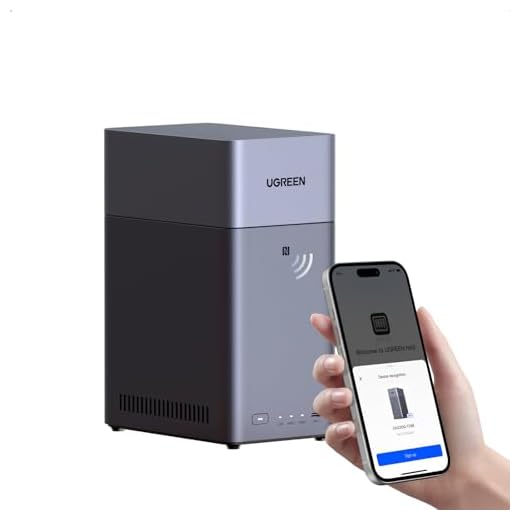

For example, a security camera with a 1TB (terabyte) hard drive can typically store footage for several weeks to a month, depending on factors such as video quality, resolution, and motion detection settings. Higher resolution and frame rates may require more storage space, while lower settings can extend the storage duration.
Storage Capacity of TB Security Camera
Security cameras with TB (terabyte) storage capacity have become increasingly popular due to their ability to store large amounts of video footage. The storage capacity of a TB security camera depends on the specific model and settings, but generally, a TB storage capacity can hold weeks to months of recorded footage.
Factors Affecting Storage Capacity
The storage capacity of a TB security camera can be influenced by various factors, including:
- Resolution of the camera: Higher resolution cameras produce larger file sizes, requiring more storage space.
- Frame rate: Cameras that record at higher frame rates generate more data per second, impacting storage requirements.
- Compression technology: Cameras with advanced compression technology can reduce the size of video files, maximizing storage efficiency.
Estimating Storage Needs
When determining the storage needs for a TB security camera, it is essential to consider factors such as the number of cameras, recording duration, and the desired retention period for footage. By calculating the average daily storage consumption based on these factors, users can select the appropriate TB storage capacity to meet their surveillance requirements.
Factors Affecting Storage Duration
There are several factors that can affect how long a TB security camera can store footage:
1. Resolution and Frame Rate
The higher the resolution and frame rate of the camera, the more storage space the footage will require. Cameras that record in higher resolutions, such as 4K, will consume more storage compared to cameras recording in lower resolutions like 1080p.
2. Compression and Encoding
The type of compression and encoding used by the camera can impact storage duration. Cameras that use efficient compression techniques, such as H.265, can store more footage in the same amount of space compared to cameras using older compression standards like H.264.
It is important to consider these factors when determining how long a TB security camera can store footage before the storage needs to be managed or footage overwritten.
Importance of Storage Duration
When considering the storage duration of a TB security camera, it is important to understand the significance of having sufficient storage capacity. The length of time that footage is stored can vary depending on the specific needs and requirements of the user. However, having a longer storage duration can be crucial for various reasons.
1. Evidence Preservation
Having a longer storage duration ensures that important video footage is preserved for a longer period of time. This can be crucial in the event of a security breach or incident, as it provides valuable evidence that can be used for investigation and resolution.
2. Compliance and Legal Requirements
Many industries and organizations have specific compliance and legal requirements regarding the retention of surveillance footage. By having a longer storage duration, users can ensure that they are in compliance with these regulations and avoid potential penalties or liabilities.
Tips to Extend Storage Life
Here are some tips to help you maximize the storage life of your TB security camera:
- Optimize Video Quality: Lowering the video quality can reduce the amount of storage space needed.
- Schedule Regular Maintenance: Check and clean the storage device periodically to ensure optimal performance.
- Use Motion Detection: Set up motion detection settings to record only when motion is detected, saving storage space.
- Invest in Cloud Storage: Consider using cloud storage options to expand your storage capacity.
- Upgrade Storage Device: If possible, upgrade to a higher-capacity storage device to accommodate more footage.
Comparison of Various Storage Options
When it comes to storing the footage captured by your TB security camera, there are several options available. Here is a comparison of the most common storage options:
1. Local Storage
Pros: Local storage, such as a microSD card or a hard drive connected to a DVR, provides a secure and reliable way to store footage. It is typically easy to set up and access.
Cons: The storage capacity may be limited, and if the device is stolen or damaged, you could lose the footage.
2. Cloud Storage
Pros: Cloud storage offers the advantage of accessing your footage from anywhere with an internet connection. It provides a backup in case the camera or local storage is compromised.
Cons: There may be subscription fees associated with cloud storage, and you are reliant on an internet connection for access.
Consider your needs and preferences when choosing the storage option that best suits your TB security camera setup.
Best Practices for Managing Storage
When it comes to managing storage for your TB security camera, it is important to follow best practices to ensure efficient operation and data retention. Here are some tips to help you manage your storage effectively:
- Regularly review and delete old footage: To avoid running out of storage space, make sure to regularly review and delete old footage that is no longer needed.
- Invest in high-capacity storage devices: Consider investing in high-capacity storage devices such as external hard drives or NAS systems to store a large amount of footage.
- Use cloud storage for backups: Utilize cloud storage services to back up important footage and ensure data redundancy in case of hardware failure.
- Implement a retention policy: Establish a retention policy that outlines how long footage should be stored before being deleted to free up space for new recordings.
- Monitor storage capacity: Keep an eye on your storage capacity and upgrade as needed to prevent data loss due to insufficient space.
Future Trends in Storage Technology
The world of storage technology is constantly evolving, with new advancements and trends shaping the way we store and access data. As we look to the future, several key trends are emerging that will have a significant impact on storage solutions.
1. Increased Capacity
One of the most notable trends in storage technology is the continual increase in storage capacity. As data volumes grow exponentially, storage solutions are being developed to accommodate larger and larger amounts of data. This includes advancements in solid-state drives (SSDs), cloud storage, and other technologies that offer higher storage capacities than ever before.
2. Enhanced Security
With the rise of cyber threats and data breaches, security is a top priority for storage technology developers. Future storage solutions are expected to incorporate advanced encryption techniques, multi-factor authentication, and other security measures to protect sensitive data from unauthorized access. Additionally, the integration of blockchain technology into storage solutions is expected to enhance data security and integrity.




I recently installed a TB security camera that records in 4K. It fills up my storage way quicker than expected, even with H.265 compression. I had to set it to delete old footage every week because I wasn't aware of how much space it would consume. It's great for quality, but I wish I had known about the storage issues beforehand.
Can anyone clarify how often I should ideally check and clean the storage device? Is it really necessary for performance?
How long can I expect a 1TB security camera to store footage if I set it to record in 1080p? Does motion detection really help extend storage life?