
 Carmen J. Moore
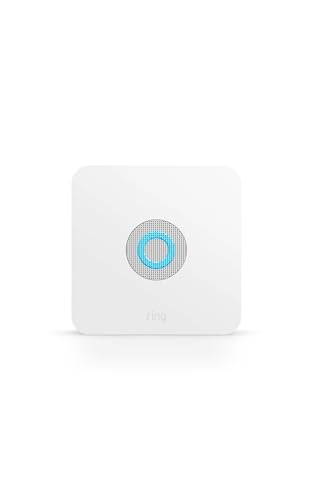
Ring battery-powered security cameras are a popular choice for home security systems due to their easy installation and flexibility. One common question that arises is whether these cameras require a hub to function properly.
The good news is that Ring battery-powered security cameras do not require a hub to operate. These cameras connect directly to your Wi-Fi network, allowing you to monitor your home from anywhere using the Ring app on your smartphone or tablet.
By eliminating the need for a hub, Ring battery-powered cameras offer a hassle-free setup process and can be placed virtually anywhere within range of your Wi-Fi network. This makes them a convenient and effective option for enhancing the security of your home.
Does a Ring Battery Powered Security Camera Need a Hub
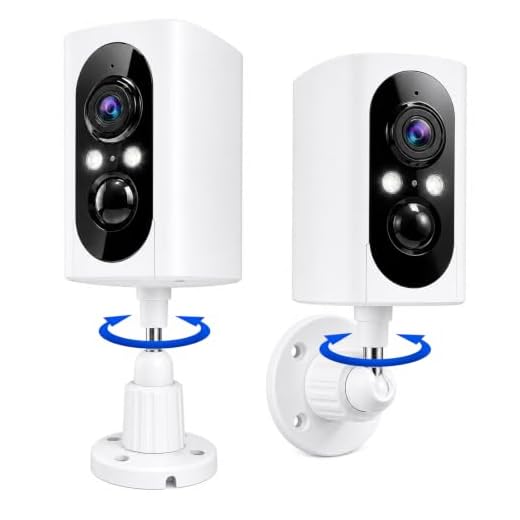
Ring battery-powered security cameras do not require a hub to function. These cameras operate independently and connect directly to your Wi-Fi network. This means you can place them anywhere within your Wi-Fi range without the need for a separate hub.

Key Points:
- Ring battery-powered security cameras work on their own without the need for a hub.
- They connect directly to your Wi-Fi network for easy setup and operation.
- You can place them wherever you have Wi-Fi coverage without any additional equipment.
Overview of Ring Security Cameras
Ring security cameras are popular choices for home security systems due to their ease of installation and user-friendly features. These cameras are designed to provide high-quality video footage of your property, allowing you to monitor your home remotely from a smartphone or computer.
Ring offers a variety of security cameras, including indoor and outdoor options, with features such as motion detection, two-way audio, and night vision. Some Ring cameras are battery-powered, eliminating the need for complicated wiring or a hub. These battery-powered cameras are easy to install and can be placed virtually anywhere around your home.
Whether you’re looking to keep an eye on your front door, backyard, or entire property, Ring security cameras offer a reliable and convenient solution for home surveillance.
Benefits of Ring Battery-Powered Cameras
Ring battery-powered cameras offer a range of benefits that make them a popular choice for home security:
- Wire-Free Installation: With no need for wires, installation is quick and easy, allowing you to place the camera wherever you need it most.
- Remote Monitoring: Access live footage and receive alerts on your smartphone, enabling you to keep an eye on your home from anywhere.
- Rechargeable Battery: The camera’s rechargeable battery ensures continuous operation without the need for frequent battery replacements.
- Weather-Resistant Design: Ring cameras are built to withstand various weather conditions, making them suitable for outdoor use.
- Customizable Settings: Adjust settings such as motion detection sensitivity and alert notifications to suit your preferences.
These benefits make Ring battery-powered cameras a convenient and effective option for enhancing your home security system.
Importance of a Hub for Ring Cameras
While Ring cameras can operate without a hub, having a hub can enhance the overall performance and functionality of the security system. The hub acts as a central communication point for all Ring devices in your home, allowing them to work together seamlessly and provide a more robust security solution.
With a hub, you can easily control and monitor all your Ring cameras from a single app, receive notifications, and customize settings for each device. The hub also enables features like video storage, advanced motion detection, and integration with other smart home devices.
Do Battery-Powered Cameras Require a Hub?
Battery-powered security cameras such as the ones offered by Ring do not require a hub to function. These cameras are designed to operate independently using their built-in battery power and connect directly to your Wi-Fi network for remote access and monitoring.
Without the need for a hub, battery-powered cameras offer easy installation and flexibility in camera placement, making them a convenient choice for many users.
Alternatives to Using a Hub
If you don’t want to use a hub with your Ring battery-powered security camera, there are some alternatives you can consider:
Wi-Fi Connection: Ring cameras can connect directly to your Wi-Fi network, eliminating the need for a hub. This allows you to set up and use your camera without any additional equipment.
Ring Chime Pro: If you want to extend the Wi-Fi signal for your Ring camera, you can use a Ring Chime Pro. It acts as a Wi-Fi extender and a chime for your Ring devices, providing a stronger connection without the need for a hub.
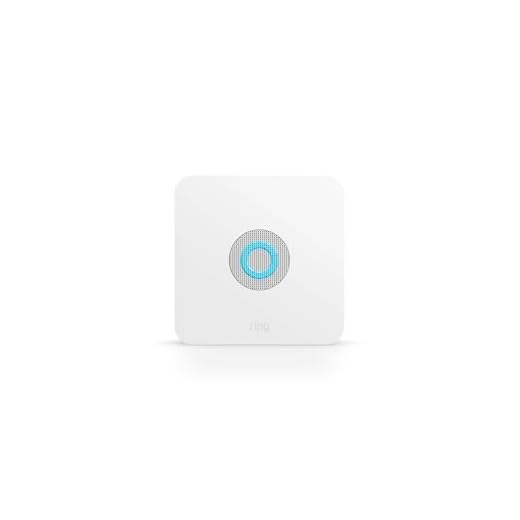
Ring Alarm System: If you have a Ring Alarm system, you can integrate your Ring camera into the system without the need for a separate hub. This allows you to manage all your Ring devices from one app.
These alternatives provide flexibility and convenience for setting up and using your Ring battery-powered security camera without a hub.
Setting Up a Ring Camera Without a Hub
If you have a Ring battery-powered security camera, you can set it up without the need for a hub. The setup process is simple and straightforward.
First, download the Ring app on your smartphone and create an account if you don’t already have one. Then, follow the in-app instructions to add a new device.
Next, insert the battery into the camera and press the setup button. The camera will enter setup mode, and you can connect it to your Wi-Fi network through the app.
Once the camera is connected to your Wi-Fi, you can customize its settings, such as motion detection zones and notifications, to suit your preferences.
With your Ring camera set up without a hub, you can enjoy the convenience of monitoring your home and receiving alerts wherever you are.
Factors to Consider When Choosing a Ring Camera
When selecting a Ring camera for your security needs, there are several factors to take into consideration:
- Power Source: Determine if you prefer a battery-powered or wired camera based on your installation preferences and convenience.
- Field of View: Consider the camera’s field of view to ensure it covers the necessary areas of your property.
- Resolution: Choose a camera with a resolution that meets your image quality requirements.
- Weather Resistance: If you plan to install the camera outdoors, ensure it is weather-resistant to withstand the elements.
- Integration: Check if the camera integrates with other smart home devices or platforms you already use.
- Storage Options: Evaluate the storage options available, such as cloud storage or local storage, to suit your needs.
- Installation Process: Consider the ease of installation and setup to ensure a smooth experience.



Can someone explain how the Ring camera connects to Wi-Fi? Is it straightforward for someone who isn't tech-savvy?
I recently set up a Ring battery-powered camera without a hub. The process was remarkably easy! I just followed the app's instructions, and within 15 minutes, it was up and running. I love how I can check on my property from my phone.
I don't think a hub is necessary, but I feel having one could really enhance the overall system. It seems like it could provide better notifications and control.