
 Carmen J. Moore

Scratched iPhone camera lens can be a frustrating issue for many smartphone users. The camera lens is a crucial component of your iPhone, as it directly impacts the quality of your photos and videos. A scratched lens can result in blurry or distorted images, making it difficult to capture those perfect moments.
But is there a way to fix a scratched iPhone camera lens? While there are some DIY methods and products available, it’s important to approach the issue with caution to avoid causing further damage to your device.
Can You Fix Scratched iPhone Camera Lens?
If the camera lens on your iPhone is scratched, you may be wondering if it can be fixed. While minor scratches can often be buffed out using a gentle abrasive, more severe scratches may require professional repair or replacement. Here are some steps you can take to try to fix a scratched iPhone camera lens:
| 1. Clean the lens: | Start by cleaning the lens with a soft, lint-free cloth to remove any dirt or debris that may be making the scratches look worse. |
| 2. Apply a scratch remover: | There are products available that are specifically designed to remove scratches from glass surfaces. Follow the manufacturer’s instructions carefully when using these products. |
| 3. Use toothpaste: | In some cases, gently rubbing a small amount of toothpaste on the lens and then wiping it off with a clean cloth can help reduce the appearance of scratches. |
| 4. Seek professional help: | If the scratches are too deep or extensive, it may be best to take your iPhone to a professional repair service to have the camera lens replaced. |
Remember that prevention is key when it comes to keeping your iPhone camera lens scratch-free. Consider using a protective case or lens cover to minimize the risk of scratches in the future.

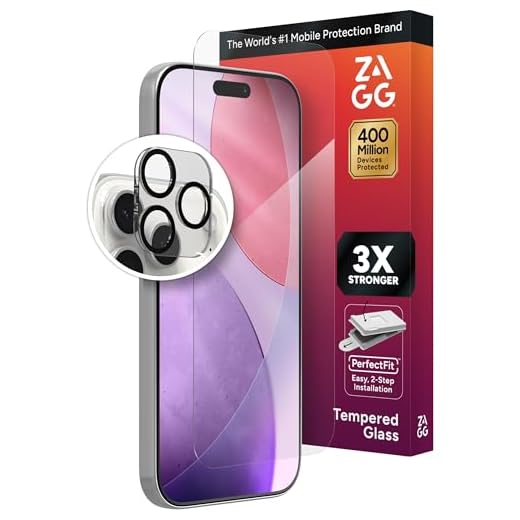
Overview of iPhone Camera Lens Damage
One of the common issues that iPhone users may encounter is damage to the camera lens. This damage can manifest in the form of scratches, cracks, or smudges on the lens surface.
Scratches on the camera lens can affect the quality of photos taken with the iPhone, leading to blurry or distorted images. Cracks in the lens can also obstruct the camera’s view and impact the overall functionality of the device.
Causes of Camera Lens Damage
- Dropping the iPhone on hard surfaces
- Accidental contact with sharp objects
- Improper cleaning techniques
It is essential to address camera lens damage promptly to ensure that the iPhone continues to capture high-quality photos and videos. Depending on the severity of the damage, it may be possible to repair or replace the camera lens to restore optimal performance.
DIY Methods to Fix Scratches on iPhone Camera Lens
If you have noticed scratches on your iPhone camera lens, you may be wondering if there is a way to fix them yourself. While it is always best to seek professional help for major damage, there are some DIY methods you can try to improve the appearance of minor scratches.
1. Toothpaste Method:
One common DIY method involves using toothpaste to buff out scratches on the camera lens. Make sure to use a non-abrasive toothpaste and a soft, lint-free cloth. Gently rub the toothpaste onto the scratched area in circular motions for a few minutes, then wipe it off with a clean cloth. Repeat the process if necessary.
2. Baking Soda Paste:
Another DIY option is to create a paste using baking soda and water. Mix the two ingredients to form a thick paste, then apply it to the scratched area of the lens. Use a soft cloth to rub the paste in gentle circular motions. Wipe off the paste with a clean, damp cloth and inspect the lens for any improvement.
Remember that these DIY methods may not completely remove deep scratches, but they can help reduce the appearance of minor ones. If the scratches are severe or affect the camera’s performance, it is best to consult a professional for repair or replacement.
Professional Repair Options for iPhone Camera Lens
If you have a scratched iPhone camera lens, it is important to seek professional repair options to ensure the best outcome. Here are some options to consider:
1. Apple Authorized Service Provider
One of the most reliable options for repairing your iPhone camera lens is to take it to an Apple Authorized Service Provider. They have the expertise and tools to properly assess and repair the damage.
2. Third-Party Repair Shops
There are many third-party repair shops that specialize in iPhone repairs, including camera lens replacements. Make sure to choose a reputable shop with good reviews to ensure quality service.
- Research online reviews and ratings to find a trustworthy repair shop.
- Ask for a quote and inquire about the warranty on the repair.
By choosing a professional repair option, you can ensure that your iPhone camera lens is fixed correctly and maintains its functionality.
Preventive Measures for iPhone Camera Lens Care
To prevent scratches on your iPhone camera lens, consider the following tips:
1. Use a protective case: Invest in a high-quality case that covers the camera lens to prevent direct contact with surfaces.
2. Avoid placing your phone in pockets or bags with sharp objects: Keys, coins, and other items can scratch the lens if they come into contact with it.
3. Clean the lens regularly: Use a soft, lint-free cloth to gently wipe the lens and remove smudges or dirt. Avoid using harsh chemicals or abrasive materials.
4. Be mindful of how you handle your phone: Avoid placing it face down on rough surfaces or exposing it to abrasive materials.
5. Consider using a screen protector: Some screen protectors also include a protective film for the camera lens, adding an extra layer of defense against scratches.


Can I really use toothpaste to fix the scratches? Does it actually work?
I had a pretty deep scratch on my iPhone 11's camera lens, and I attempted some DIY fixes. The baking soda paste did nothing for me, but cleaning it made it look slightly better. Eventually, I went to a repair shop, and they replaced it for a decent price.
Thanks for sharing your experience! It’s often best to consult a professional for deeper scratches to ensure the lens functions properly.