
 Carmen J. Moore

Have you ever had that unsettling feeling that someone might be watching you through your iPhone camera? In today’s digital age, concerns about privacy and security are at an all-time high, and the idea of being spied on through your device can be a real cause for alarm.


With the advancement of technology, hackers have found ways to remotely access and control smartphone cameras, including those on iPhones. This raises the question: Is it possible that someone could be hacking into your iPhone camera without your knowledge?
Protecting Your iPhone Camera from Hacking
With the increasing concerns about privacy and security, many iPhone users are worried about the possibility of someone hacking into their device’s camera. While Apple takes security seriously and regularly updates its software to address vulnerabilities, there are still steps you can take to protect your iPhone camera from potential hacking:
- Keep your iPhone software up to date by installing the latest updates from Apple.
- Avoid downloading apps from untrusted sources and only download apps from the official App Store.
- Disable unnecessary permissions for apps that don’t require access to your camera.
- Use strong, unique passwords for your Apple ID and other accounts linked to your iPhone.
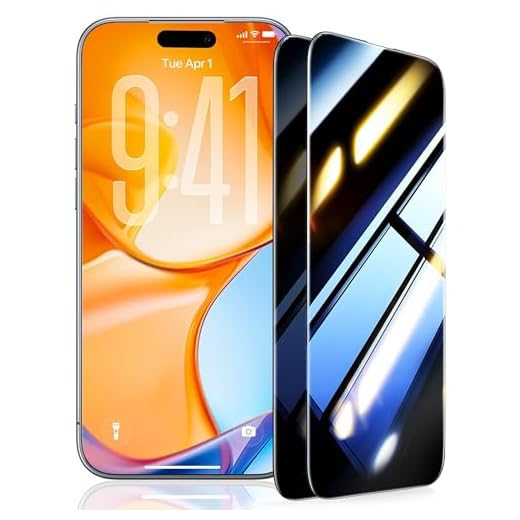
- Consider using a camera cover or a privacy screen protector to physically block the camera when not in use.
By following these tips and staying vigilant about your device’s security, you can reduce the risk of someone hacking into your iPhone camera and protect your privacy.
Signs of iPhone Camera Hacking
1. Unexplained Camera Activity: If you notice your iPhone’s camera turning on or off by itself, capturing photos or videos without your input, it could be a sign of hacking.
2. Strange Sounds or Voices: Hearing unexpected sounds or voices coming from your iPhone when the camera is active may indicate unauthorized access.
3. Overheating and Battery Drain: If your iPhone suddenly starts overheating or experiencing excessive battery drain while the camera is in use, it could be due to a hacking attempt.
4. Suspicious Apps or Permissions: Check for any unfamiliar apps that have access to your camera or microphone, as they could be used for spying purposes.
5. Unusual Data Usage: Monitor your data usage for any spikes or unusual patterns that may suggest unauthorized transmission of photos or videos from your camera.
6. Increased Pop-Up Ads or Malware: If you start seeing more pop-up ads or experiencing malware issues on your iPhone, it could be a result of camera hacking.
7. Device Settings Changes: If you notice changes in your iPhone’s settings related to the camera or microphone without your knowledge, it may be a sign of hacking.
Protecting your iPhone camera
Your iPhone camera can be a valuable tool for capturing memories, but it’s important to ensure that your privacy is protected. Here are some tips to help safeguard your iPhone camera from potential hacking:
1. Keep your software up to date
Regularly updating your iPhone’s operating system and apps can help patch any security vulnerabilities that could be exploited by hackers.
2. Use strong passwords
Make sure to use strong, unique passwords for your iPhone and any accounts linked to it. Avoid using easily guessable passwords like “1234” or “password”.
- Enable two-factor authentication for an added layer of security.
- Avoid sharing your passwords with anyone.
3. Be cautious with third-party apps
Only download apps from trusted sources like the Apple App Store to reduce the risk of downloading malicious software that could compromise your camera.
By following these tips, you can help protect your iPhone camera and ensure that your private moments remain private.
How to detect iPhone camera hacking
With the increasing concern about privacy and security, it’s important to be vigilant about potential hacks on your iPhone camera. Here are some steps you can take to detect if your iPhone camera has been compromised:
1. Check for unusual behavior
If you notice your iPhone camera activating on its own, capturing photos or videos without your consent, or behaving erratically, it could be a sign of hacking. Pay attention to any unusual behavior and investigate further.
2. Use security apps
There are security apps available that can help you detect unauthorized access to your iPhone camera. These apps can alert you to any suspicious activity and provide additional protection against hacking attempts.
| 3. Update your iOS | Regularly updating your iOS to the latest version can help protect your iPhone camera from potential vulnerabilities. Apple often releases security patches that address known issues, so make sure your device is up to date. |
| 4. Disable unnecessary permissions | Review the app permissions on your iPhone and disable camera access for apps that don’t require it. This can help prevent unauthorized access to your camera and enhance your overall privacy. |
Preventing iPhone camera hacking
Protecting your iPhone from camera hacking is essential to safeguard your privacy and security. Here are some tips to prevent unauthorized access to your iPhone camera:
1. Keep your iPhone software up to date
Regularly updating your iPhone’s software ensures that any security vulnerabilities are patched, reducing the risk of hacking.
2. Be cautious with app permissions
When installing new apps, carefully review the permissions they request, especially access to the camera. Only grant access to trusted apps.
- Check app permissions in Settings > Privacy > Camera.
- Disable camera access for apps that don’t need it.
Following these steps can help minimize the risk of unauthorized camera access on your iPhone.
Steps to secure your iPhone camera
1. Keep your iPhone’s operating system up to date to ensure you have the latest security patches.
2. Avoid downloading apps from unknown sources and only install apps from the Apple App Store.
3. Review the permissions granted to each app on your iPhone, including camera access, and revoke any unnecessary permissions.
4. Use strong, unique passwords for your Apple ID and enable two-factor authentication for an added layer of security.
5. Be cautious of phishing attempts and never click on suspicious links or provide personal information to unknown sources.
6. Cover your iPhone camera with a sticker or tape when not in use to prevent unauthorized access.
7. Regularly check for any unusual activity on your iPhone, such as unexpected camera activations, and report any suspicious behavior to Apple.
What to do if your iPhone camera is hacked
If you suspect that your iPhone camera has been hacked, it’s important to take immediate action to protect your privacy and security. Here are some steps you can take:
| 1. Turn off the camera: | Disable the camera on your iPhone to prevent any unauthorized access to it. |
| 2. Restart your iPhone: | Rebooting your device can sometimes help resolve software issues. |
| 3. Update your software: | Make sure your iPhone’s operating system and apps are up to date to patch any vulnerabilities. |
| 4. Scan for malware: | Use reputable antivirus software to scan your device for any malicious software. |
| 5. Reset your iPhone: | If you suspect a serious breach, consider resetting your iPhone to factory settings. |
| 6. Contact Apple Support: | If you’re still concerned, reach out to Apple Support for further assistance. |
Ensuring iPhone Camera Security
In today’s digital age, the security of our devices, including our iPhone cameras, is of utmost importance. Here are some tips to ensure the security of your iPhone camera:
1. Keep your iPhone software up to date
Apple regularly releases updates that include security patches to protect your device from potential vulnerabilities. Make sure to keep your iPhone software up to date to stay protected.
2. Be cautious of the apps you download
Only download apps from trusted sources, such as the Apple App Store, to minimize the risk of downloading malicious apps that may compromise your iPhone camera security.
By following these tips, you can help ensure the security of your iPhone camera and protect your privacy.


I've noticed that Android phones seem to have more reported camera hacking incidents than iPhones. Is there any data on this? It'd be interesting to see how they compare in terms of security.
I've been feeling paranoid about my iPhone lately. Are there any specific signs I should look for to know if my camera has been hacked?