
 Carmen J. Moore

Creating stunning panoramic photos with your DSLR camera can take your photography skills to the next level. Panoramic photography allows you to capture sweeping landscapes, cityscapes, and other wide-angle scenes in a single, seamless image. With the right techniques and equipment, you can create breathtaking panoramic photos that will impress your friends and followers.
But how exactly do you take panoramic photos with a DSLR camera? In this comprehensive guide, we’ll walk you through everything you need to know to master the art of panoramic photography. From choosing the right camera settings to stitching together multiple images, we’ll cover all the essential steps to help you capture stunning panoramas like a pro.

Understanding Panoramic Images
Panoramic images are wide-angle photographs that capture a wider field of view than a standard photograph. They provide a more immersive and expansive viewing experience, allowing viewers to feel like they are part of the scene.
Creating a panoramic image involves capturing multiple images of a scene and stitching them together to create a single, seamless image. This process requires careful planning and attention to detail to ensure that the final image is free of distortion and alignment issues.
Types of Panoramic Images
There are several types of panoramic images, including cylindrical panoramas, spherical panoramas, and 360-degree panoramas. Each type offers a unique perspective and level of immersion, allowing photographers to experiment with different styles and techniques.
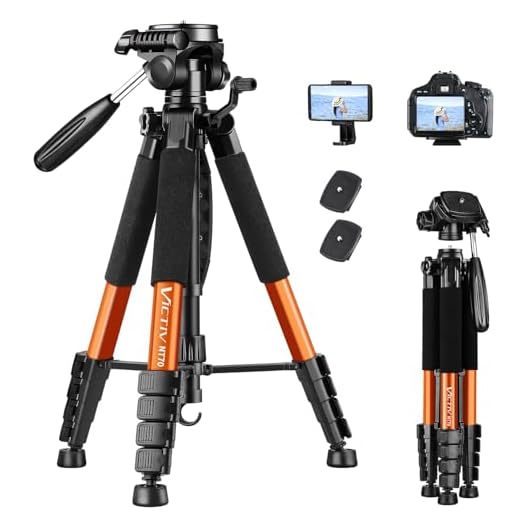
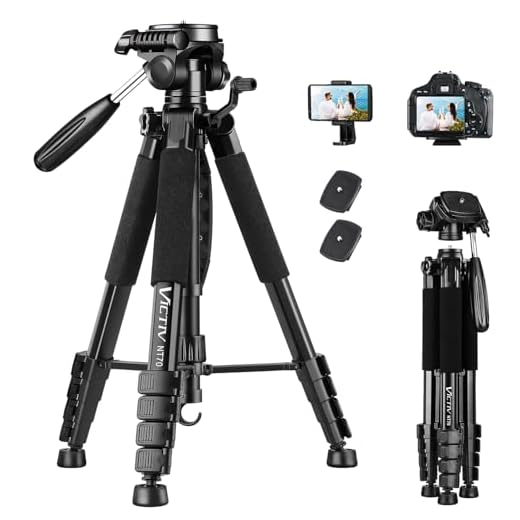
Tip: When capturing panoramic images, it’s important to use a tripod to ensure that the camera remains steady and consistent throughout the shooting process. This will help prevent blur and alignment issues when stitching the images together.
Choosing the Right DSLR Camera
When it comes to taking panoramic photos with a DSLR camera, choosing the right camera is crucial. Here are some key factors to consider when selecting a DSLR camera for panoramic photography:
| Resolution: | Look for a DSLR camera with a high resolution sensor to capture detailed panoramic images. |
| Lens Compatibility: | Ensure the DSLR camera is compatible with wide-angle lenses for capturing wide panoramic shots. |
| Stitching Software: | Check if the camera comes with or is compatible with stitching software for creating seamless panoramic images. |
| Manual Settings: | Having manual settings on the DSLR camera allows for more control over exposure and focus, essential for panoramic photography. |
| Image Stabilization: | Opt for a DSLR camera with image stabilization to reduce blur in panoramic images, especially in low-light conditions. |
Setting Up Your DSLR Camera for Panoramic Shots
Before you start taking panoramic photos with your DSLR camera, it’s important to set up your camera properly for the best results. Here are some key steps to follow:
- Use a sturdy tripod: To ensure your panoramic shots are sharp and well-aligned, it’s essential to use a tripod. This will help you keep your camera steady and level throughout the shooting process.
- Adjust your camera settings: Set your camera to manual mode to have full control over exposure settings. Make sure to set a consistent white balance and focus point for all images in the panorama.
- Choose the right lens: A wide-angle lens is ideal for capturing panoramic shots as it allows you to capture more of the scene in a single frame. Experiment with different focal lengths to find the best option for your desired composition.
- Enable gridlines: Many DSLR cameras offer gridlines in the viewfinder or on the LCD screen. Use these gridlines to align your shots and ensure a smooth transition between frames in the panorama.
- Shoot in portrait orientation: To capture more vertical information in your panoramic shots, consider shooting in portrait orientation rather than landscape. This will help you create a more immersive and detailed panorama.
Taking Panoramic Photos with Your DSLR Camera
Creating stunning panoramic photos with your DSLR camera can be a rewarding experience. Follow these steps to capture breathtaking landscapes and cityscapes:
1. Use a Tripod
Stability is key when taking panoramic photos. A sturdy tripod will ensure that your camera remains steady throughout the entire capturing process, resulting in seamless and sharp images.
2. Set your Camera Settings
Adjust your camera settings to ensure consistency across all the shots. Set your camera to manual mode to have full control over the exposure settings, such as aperture, shutter speed, and ISO. Use manual focus to keep the sharpness consistent throughout the panorama.
Pro tip: Consider using a remote shutter release or the camera’s self-timer to minimize camera shake.
By following these tips, you can capture stunning panoramic photos with your DSLR camera and showcase the beauty of wide landscapes and cityscapes.
Post-Processing Panoramic Images
Once you have captured a series of images and stitched them together to create a panoramic image, the next step is post-processing to enhance the final result. Here are some tips for post-processing panoramic images:
1. Adjust Exposure and White Balance
Make sure to adjust the exposure and white balance to ensure a consistent look across the entire panoramic image. You can use editing software like Adobe Lightroom or Photoshop to make these adjustments.
2. Merge and Blend Seamlessly
Check for any seams or blending issues in your panoramic image and use the cloning or healing tools in your editing software to blend them seamlessly. This will create a more polished and professional-looking final image.
Sharing Your Panoramic Photos Online
Once you have captured stunning panoramic photos with your DSLR camera, the next step is to share them online with the world. Here are a few tips on how to showcase your panoramic masterpieces:
1. Choose the Right Platform
Consider using popular photo-sharing platforms such as Flickr, Instagram, or 500px to showcase your panoramic photos. These platforms allow you to create albums, tag your photos, and reach a wider audience of photography enthusiasts.
2. Use Social Media
Share your panoramic photos on social media platforms like Facebook, Twitter, and Pinterest to engage with your followers and friends. Social media is a great way to get feedback, likes, and shares on your panoramic shots.
With these tips, you can easily share your panoramic photos online and receive recognition for your photography skills.
FAQ
What equipment do I need to take panoramic photos with a DSLR camera?
To take panoramic photos with a DSLR camera, you will need a DSLR camera with a wide-angle lens, a sturdy tripod to keep your camera stable, and a panoramic head or nodal slide to help minimize parallax errors. Additionally, you may need software for stitching the individual photos together into a panorama.
Can I take panoramic photos with any DSLR camera?
Yes, you can take panoramic photos with any DSLR camera as long as it has a manual mode and the ability to set exposure settings manually. However, cameras with higher resolution sensors and wide-angle lenses are typically better suited for capturing detailed panoramic images.
What is the process for taking panoramic photos with a DSLR camera?
To take panoramic photos with a DSLR camera, you should start by setting your camera to manual mode and adjusting the exposure settings. Then, mount your camera on a tripod and use a panoramic head or nodal slide to set the correct rotation point. Take a series of overlapping photos while rotating the camera smoothly. Finally, use software to stitch the individual photos together into a seamless panorama.
Are there any tips for capturing great panoramic photos with a DSLR camera?
Yes, here are some tips for capturing great panoramic photos with a DSLR camera: use a wide-angle lens to capture more of the scene, shoot in manual mode to have full control over exposure settings, ensure the horizon is level in each shot, overlap each photo by about 30-50% for better stitching, and consider using a remote shutter release or timer to minimize camera shake.





I recently tried panoramic photography at a national park, and it was amazing! I used a wide-angle lens and a sturdy tripod just like you suggested. However, I noticed some stitching issues even after overlapping the shots. I guess my camera wasn't perfectly level. Any tips on how to avoid that in the future?
Using a tripod with a leveling base can help keep your camera level. Also, enabling gridlines in your viewfinder can assist with alignment. Make sure to check and adjust the tripod before starting your sequence.
Don't forget to always check your camera's manual settings before shooting! Consistency in exposure makes a huge difference.
Can you provide examples of stitching software that works well for beginners? I’m just getting started and feeling a bit overwhelmed.
Some user-friendly options include Hugin, Adobe Lightroom, and PTGui. These programs have intuitive interfaces that make stitching easier for beginners.
I disagree about using wide-angle lenses for all panoramas. Sometimes, a standard lens captures more detail better, especially in urban settings.