
 Carmen J. Moore

Concert photography can be an exciting and challenging genre for photographers. Capturing the energy and emotion of live performances requires skill and creativity. With the advancement of digital cameras, it has become easier to take great concert photos. In this article, we will discuss some tips and techniques for photographing concerts with a digital camera.



Tip 1: Know the venue
Before the concert begins, familiarize yourself with the venue. Take note of the lighting conditions, stage setup, and any restrictions on photography. This will help you plan your shots and make adjustments to your camera settings accordingly.
Tip 2: Use the right equipment
When photographing concerts, it is important to use the right equipment. A digital SLR camera with a fast lens (such as a 50mm f/1.8) is ideal for capturing low-light situations. Consider bringing a tripod or monopod to stabilize your shots, especially in crowded or dimly lit venues.
Tips for capturing live music moments
When photographing concerts with a digital camera, it’s important to be prepared and ready to capture those unforgettable live music moments. Here are some tips to help you get the best shots:

| 1. | Check the lighting: | Concert lighting can be challenging, so be prepared to adjust your camera settings for different lighting conditions. Experiment with ISO, aperture, and shutter speed to get the best results. |
| 2. | Focus on the performers: | Try to capture the emotions and energy of the musicians on stage. Use a fast shutter speed to freeze motion and focus on the performers to create dynamic shots. |
| 3. | Use burst mode: | Take advantage of your camera’s burst mode to capture multiple shots in quick succession. This can help you capture that perfect moment when the singer hits a high note or the guitarist shreds a solo. |
| 4. | Be mindful of your surroundings: | Pay attention to the crowd, stage setup, and other elements in the frame to add context to your photos. Look for unique angles and perspectives to make your shots stand out. |
| 5. | Experiment with black and white: | Concert photography can look stunning in black and white. Try converting some of your shots to black and white to add a timeless and artistic feel to your images. |
Choosing the right camera equipment
When photographing concerts, having the right camera equipment is crucial to capturing high-quality images. Here are some key factors to consider when selecting your gear:
| Camera: | Choose a digital camera with good low-light performance and high ISO capabilities to capture clear shots in dimly lit concert venues. |
| Lens: | Opt for a fast lens with a wide aperture (such as f/2.8 or lower) to allow more light into the camera and create a shallow depth of field for artistic shots. |
| Stabilization: | Consider using a tripod or monopod to keep your camera steady during long exposure shots or when using a telephoto lens to prevent blurriness. |
| Memory cards: | Use high-capacity memory cards with fast write speeds to ensure you can capture continuous bursts of images without delay. |
| Batteries: | Bring extra batteries or a battery grip to avoid running out of power during a concert shoot, as you may not have the opportunity to recharge. |
Understanding concert lighting
Concert lighting plays a crucial role in creating the atmosphere and mood of a performance. Understanding the different types of lighting used during concerts can help you anticipate and adjust your camera settings accordingly to capture the best shots.
Types of concert lighting:
1. Front lighting: Front lighting illuminates the performers from the front, providing even lighting across the stage. This type of lighting is ideal for capturing clear and well-lit shots of the performers.
2. Backlighting: Backlighting creates a dramatic effect by lighting the performers from behind. This type of lighting can create silhouettes and add depth to your photos, but it may require adjustments to your exposure settings.
3. Color lighting: Color lighting adds vibrancy and atmosphere to the concert. Different colored lights can change the mood of the performance and create interesting visual effects in your photos.

By understanding the different types of concert lighting and how they impact your photos, you can adjust your camera settings to capture stunning images that truly reflect the energy and emotion of the performance.
Mastering camera settings for low light
When photographing concerts in low light conditions, it’s crucial to master your camera settings to capture the best possible shots. Here are some key settings to consider:
1. Use a wide aperture
A wide aperture (low f-stop number) allows more light to enter the camera, making it easier to capture clear, well-exposed photos in low light situations. Experiment with different aperture settings to find the right balance between light and depth of field.
2. Increase ISO sensitivity
Boosting the ISO sensitivity of your camera will make it more light-sensitive, allowing you to shoot in darker environments without sacrificing image quality. Keep in mind that higher ISO settings can introduce noise to your photos, so find the optimal balance for your camera.
Framing and composing dynamic concert shots
When photographing concerts, it’s essential to pay attention to framing and composition to capture dynamic and engaging shots. Here are some tips to help you frame your concert photos effectively:

1. Consider the Rule of Thirds
One of the basic principles of photography, the rule of thirds, can help you create well-balanced and visually appealing concert shots. Divide your frame into a grid of nine equal sections and place your subject along the lines or at the intersections to create a more dynamic composition.
2. Capture the Energy of the Performance
Concerts are full of energy and movement, so try to capture the essence of the performance by focusing on the musicians’ expressions, gestures, and interactions with the audience. Look for moments that convey the emotion and intensity of the music to bring your photos to life.
Editing and enhancing concert photos
Once you have captured your concert photos with your digital camera, it’s time to edit and enhance them to make them truly stand out. Here are some tips on how to edit your concert photos:
| 1. Use photo editing software: | Invest in a good photo editing software like Adobe Photoshop or Lightroom to adjust the exposure, color balance, and other settings of your concert photos. |
| 2. Crop and straighten: | Crop your photos to remove any distractions and straighten them to ensure they look professional. |
| 3. Adjust exposure and contrast: | Play around with the exposure and contrast settings to make your photos pop and bring out the details. |
| 4. Enhance colors: | Boost the vibrancy of colors in your concert photos to create a more dynamic and engaging image. |
| 5. Remove noise: | If your concert photos have noise or graininess, use noise reduction tools to clean them up and make them look sharper. |
By following these editing tips, you can take your concert photos to the next level and showcase the energy and excitement of the live music experience.
FAQ
What type of digital camera is best for photographing concerts?
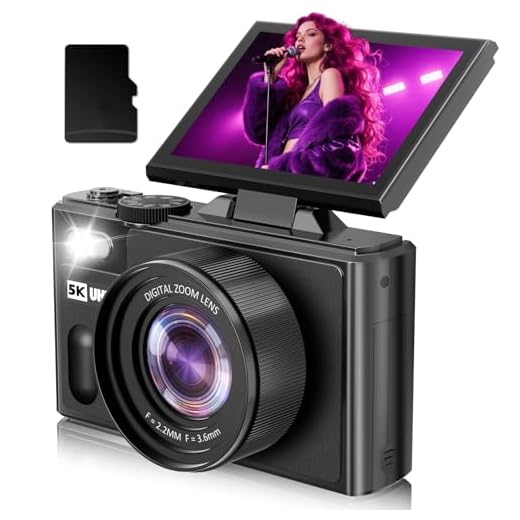
A digital camera with a fast lens and good low-light performance is ideal for photographing concerts. Look for a camera with a wide aperture (f/2.8 or wider) and a high ISO range to capture clear shots in low-light conditions.
How can I avoid blurry photos when photographing concerts with a digital camera?
To avoid blurry photos at concerts, use a fast shutter speed to freeze motion. Set your camera to a high ISO to allow for faster shutter speeds and use image stabilization if available. Also, try to anticipate the movements of the performers and focus on capturing key moments to reduce motion blur.



How does shooting in RAW compare to JPEG for concert photography? Is it worth the extra storage space?
Shooting in RAW provides more flexibility in post-processing, allowing you to recover details in highlights and shadows better than JPEG. If storage isn't an issue, it's definitely worth it for concert photography.
What type of lens do you recommend for low-light concert photography? Is a 50mm f/1.8 really sufficient, or should I consider something faster?
Using burst mode is a game changer! I captured the perfect moment with the lead singer thanks to it.
I didn’t quite understand the section about backlighting. Can someone explain how to adjust settings for that kind of lighting?