
 Carmen J. Moore

Keeping your digital camera lens cover clean is essential for capturing clear and sharp photos. Dust, fingerprints, and smudges on the lens cover can affect the quality of your images and lead to unwanted artifacts in your photos. Regularly cleaning your camera lens cover will not only improve the quality of your photos but also prolong the lifespan of your camera.
Here are some simple steps to help you clean your digital camera lens cover effectively:


1. Use a soft brush or air blower to remove any loose particles or dust from the lens cover. Avoid using your breath to blow off dust as moisture from your breath can cause smudges on the lens.
2. Gently wipe the lens cover with a microfiber cloth or lens cleaning tissue. Do not use harsh chemicals or abrasive materials as they can scratch the lens cover.
Steps to Clean Digital Camera Lens Cover
Keeping your digital camera lens cover clean is essential for capturing clear and crisp photos. Here are the steps to clean your digital camera lens cover:
- Gather Supplies: You will need a lens cleaning cloth, a lens cleaning solution, and a blower brush.
- Remove Cover: Carefully remove the lens cover from your camera.
- Blow Away Debris: Use the blower brush to gently blow away any dust or debris on the lens cover.
- Clean with Solution: Apply a small amount of lens cleaning solution to the cleaning cloth and gently wipe the lens cover in a circular motion.
- Dry and Polish: Use a dry part of the cleaning cloth to polish the lens cover until it is clear and free of smudges.
- Reattach Cover: Once the lens cover is clean and dry, carefully reattach it to your camera.
Important Tips:
- Avoid using harsh chemicals or rough materials to clean the lens cover to prevent scratches.
- Regularly clean your camera lens cover to maintain the quality of your photos.
Gather Necessary Cleaning Supplies
Before you start cleaning your digital camera lens cover, make sure you have all the necessary supplies on hand. Here’s what you’ll need:
- Microfiber cloth: This gentle cloth is perfect for removing dust and smudges from your camera lens cover without scratching it.
- Lens cleaning solution: Use a specialized cleaning solution designed for camera lenses to effectively remove dirt and grime.
- Cotton swabs: These can be used for more precise cleaning in hard-to-reach areas.
- Blower or brush: Use a blower or brush to gently remove any loose particles from the lens cover before cleaning.
Having these supplies ready will ensure that you can clean your digital camera lens cover effectively and safely.

Turn Off Camera and Remove Lens Cover
Before you start cleaning the lens cover of your digital camera, make sure to turn off the camera to prevent any accidental damage. Once the camera is turned off, carefully remove the lens cover by following the manufacturer’s instructions. Some camera models have a button or switch to release the lens cover, while others may require gently sliding the cover off.
Use Gentle Microfiber Cloth to Wipe Lens Cover
When cleaning the lens cover of your digital camera, it is important to use a gentle microfiber cloth to avoid scratching the surface. Microfiber cloths are soft and lint-free, making them ideal for cleaning delicate camera equipment.
Steps to clean the lens cover with a microfiber cloth:
| 1. | Remove any dust or debris from the lens cover by gently blowing on it or using a bulb blower. |
| 2. | Gently wipe the lens cover in a circular motion with the microfiber cloth to remove fingerprints or smudges. |
| 3. | If there are stubborn marks, lightly dampen a corner of the cloth with distilled water and repeat the wiping process. |
| 4. | Ensure the lens cover is completely dry before closing it to prevent any water damage. |
By using a gentle microfiber cloth, you can effectively clean the lens cover of your digital camera without causing any damage to the surface.
Apply Lens Cleaning Solution if Necessary
If the lens cover is still dirty after using a microfiber cloth, you may need to use a lens cleaning solution. Make sure to choose a solution specifically designed for camera lenses to avoid damaging the lens cover. Apply a small amount of the cleaning solution to a clean microfiber cloth and gently wipe the lens cover in a circular motion. Be careful not to apply too much pressure to avoid scratching the lens cover.
Clean Lens Cover Edges and Seams
When cleaning the lens cover of your digital camera, don’t forget to pay attention to the edges and seams where dust and dirt tend to accumulate. Use a clean microfiber cloth or a lens cleaning brush to gently wipe around the edges and seams of the lens cover. Be careful not to apply too much pressure to avoid damaging the delicate parts of the cover.
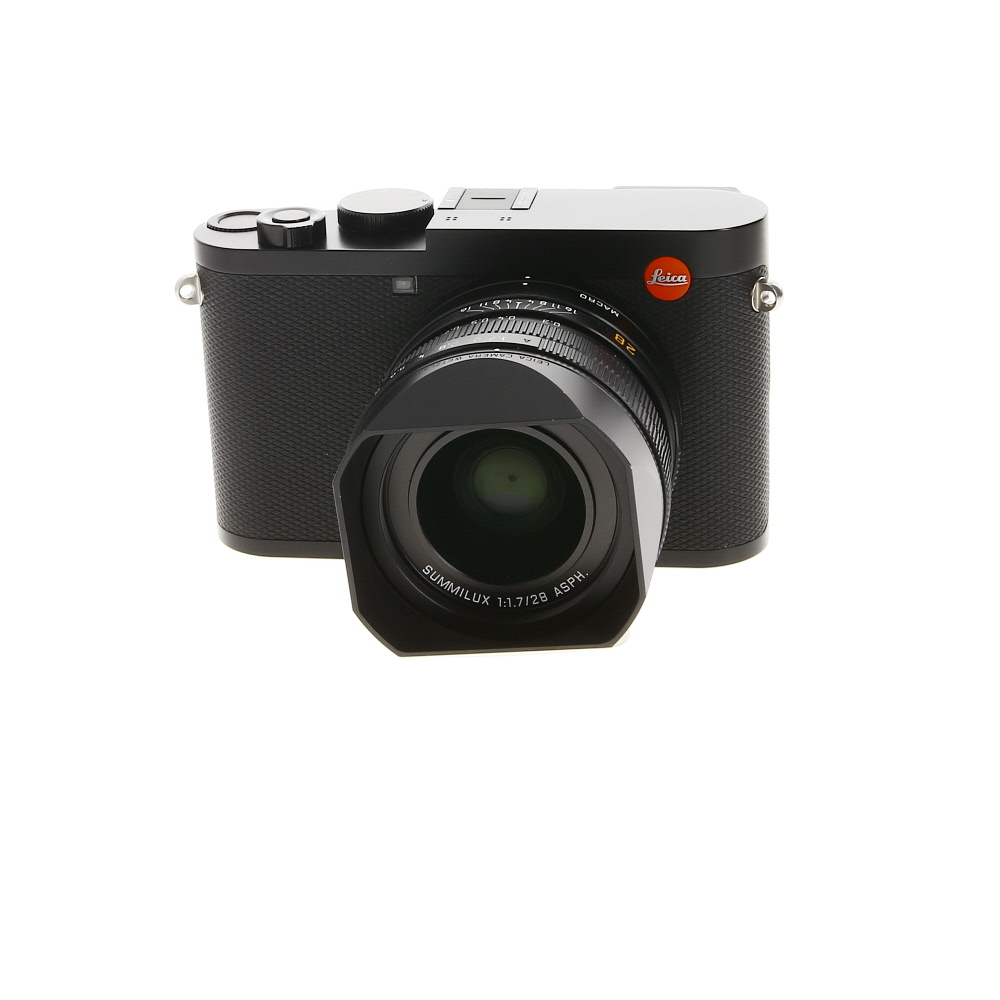
For stubborn dirt or grime in the edges and seams, you can use a small amount of lens cleaning solution applied to the cloth or brush. Make sure to use a gentle circular motion to lift the dirt without scratching the surface. After cleaning, wipe the edges and seams dry with a dry part of the cloth to remove any remaining cleaning solution.
Allow Lens Cover to Dry Completely
After cleaning the lens cover, it’s important to allow it to dry completely before reattaching it to your camera. Make sure there is no moisture left on the cover that could potentially damage your camera’s lens. To speed up the drying process, you can gently pat the cover with a clean, dry cloth or leave it in a well-ventilated area. Avoid using heat sources like hairdryers, as they can damage the cover. Once the lens cover is completely dry, you can safely reattach it to your camera.
Reattach Lens Cover and Test Camera
Once the lens cover is clean and dry, carefully reattach it to your digital camera according to the manufacturer’s instructions. Make sure it is securely in place before testing the camera.
Turn on the camera and check the lens cover to ensure it opens and closes smoothly without any obstructions. Take a test photo to see if there are any visible smudges or spots on the lens cover that may affect the quality of your images.
If everything looks good, you’re all set to start capturing clear and sharp photos with your digital camera!

FAQ
What is the best way to clean a digital camera lens cover?
The best way to clean a digital camera lens cover is to start by using a soft brush or blower to remove any dust particles. Then, use a microfiber cloth or lens cleaning tissue with a small amount of lens cleaning solution to gently wipe the cover in a circular motion. Avoid using harsh chemicals or abrasive materials that can scratch the lens cover.
Can I use water to clean my digital camera lens cover?
It is not recommended to use water to clean a digital camera lens cover as it can leave streaks or water spots on the lens cover. Instead, use a specialized lens cleaning solution specifically designed for camera lenses to effectively remove dirt and smudges without causing damage.
How often should I clean my digital camera lens cover?
It is recommended to clean your digital camera lens cover regularly to prevent dirt and smudges from affecting the quality of your photos. Depending on how frequently you use your camera, you may want to clean the lens cover every few weeks or whenever you notice dirt or fingerprints on the surface.



How often should I really be cleaning my camera lens cover? I use my camera quite a bit, so I want to keep it in great shape.
I clean mine every couple of weeks, especially if I've been outside a lot. It's amazing how quickly dust can build up!
I tried using a cotton swab for cleaning the edges of my lens cover, and it worked really well! Just had to be careful not to apply too much pressure. It removed all the stubborn dirt without scratching anything. Highly recommend it for anyone struggling with those hard-to-reach areas.