
 Carmen J. Moore
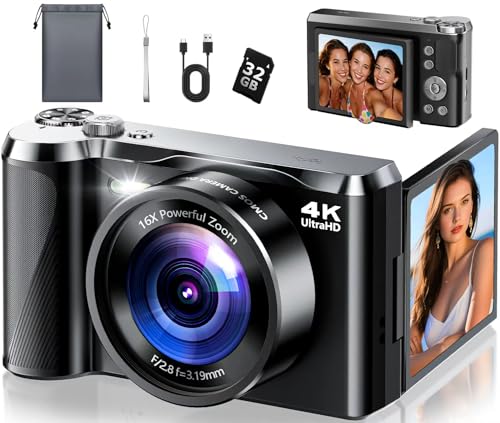
Do you have a digital camera and want to print your photos in the popular 4×6 format? Many people wonder if it’s possible to change the format of digital camera photos to fit this standard print size. The good news is that most digital cameras offer the option to change the aspect ratio of your photos, allowing you to easily adjust them for printing.


Changing the format of your digital camera photos to print in 4×6 can be a simple process, but it’s important to understand how to do it correctly to ensure the best results. In this article, we will explore how you can adjust the format of your digital camera photos to fit the 4×6 print size, as well as provide tips for getting the best quality prints.
Can I Change Digital Camera Format?
Yes, you can change the format of your digital camera to print 4×6 photos. Most digital cameras offer the option to select the aspect ratio and resolution of the images captured. To print photos in the 4×6 format, you will need to set the aspect ratio to 3:2 or 4:3, depending on the specific dimensions of your camera’s sensor. Additionally, make sure to set the resolution to the appropriate level to ensure high-quality prints. Consult your camera’s user manual for detailed instructions on changing the format settings.
Understanding Image Formats
Image formats play a crucial role in determining the quality and compatibility of digital images. Two common formats used in digital cameras are JPEG and RAW.
JPEG: This format is widely used for sharing and displaying images online due to its smaller file size. However, JPEG files are compressed, which can result in loss of image quality.
RAW: RAW format retains all the data captured by the camera sensor, allowing for more flexibility in post-processing. While RAW files are larger, they preserve the original image quality without any loss.

When printing images, it is recommended to use the RAW format or high-quality JPEG to ensure optimal print quality, especially for larger prints like 4 x 6 inches. Converting a digital camera format to print 4 x 6 inches can be done by selecting the appropriate image size and resolution settings in editing software or directly from the camera settings.
Converting Formats for Printing
When it comes to printing digital images from a camera, it’s important to ensure that the format is compatible with the desired print size. In order to print a 4×6 photo, you may need to convert the format of the digital image to match the aspect ratio and dimensions of the print.
Steps to Convert Format for Printing 4×6:
- Open the digital image in an editing software or application.
- Adjust the dimensions of the image to 4 inches by 6 inches.
- Resize and crop the image as needed to fit the 4×6 aspect ratio.
- Save the image in a high-resolution format suitable for printing.
By following these steps, you can easily convert the format of your digital image to print a high-quality 4×6 photo that will look great in physical form.
Tools for Converting Formats
There are various tools available online that can help you convert the format of your digital camera images to print 4 x 6. Some popular tools include:
1. Adobe Photoshop: This professional photo editing software allows you to easily resize and format your images for printing. You can adjust the dimensions to fit a 4 x 6 print.
2. GIMP: GIMP is a free and open-source image editor that offers similar features to Adobe Photoshop. You can use GIMP to resize and format your images for printing.
3. Online Image Converters: There are several online tools like ConvertImage, PicResize, and ResizeImage.net that allow you to upload your images and convert them to the desired format for printing.
By using these tools, you can easily convert the format of your digital camera images to print 4 x 6 without any hassle. Just make sure to follow the instructions provided by the tool to get the best results.
Printing 4 x 6 Photos
If you want to print your digital camera photos in a 4 x 6 format, it is important to ensure that the resolution and aspect ratio of the image are suitable for printing. Most digital cameras capture images in a standard aspect ratio that may not match the 4 x 6 print size. To adjust the image for printing, you can use photo editing software to crop and resize the image to fit the 4 x 6 dimensions.
When resizing the image, make sure to maintain the aspect ratio to avoid distortion. You can also adjust the resolution of the image to ensure that it will print clearly and with good quality at the 4 x 6 size. Once you have edited the image, you can then send it to a printer or print it at home on photo paper to enjoy your 4 x 6 prints.

Quality Considerations
When changing the format of a digital camera image to print a 4×6 photo, it’s important to consider the quality of the final print. Here are some key points to keep in mind:
Resolution
Ensure that the resolution of the image is high enough to maintain quality when printed at 4×6 inches. A resolution of at least 300 pixels per inch (PPI) is recommended for sharp and clear prints.
Image Compression
Be cautious when compressing the image file to reduce its size for printing. Excessive compression can result in loss of detail and image quality. Opt for minimal compression to retain the clarity of the photo.
| Print Paper | Choose high-quality photo paper for the best print results. The paper’s texture and finish can impact the overall appearance of the printed image. |
| Color Accuracy | Ensure that the color profile of the image is suitable for printing. Adjust the color settings if necessary to achieve accurate and vibrant colors in the final print. |
Final Thoughts
Changing the format of your digital camera to print 4×6 photos can be a simple and straightforward process, depending on the camera model you are using. By adjusting the settings and resolution of your camera, you can ensure that your photos are optimized for printing in this specific size.
It is important to remember that changing the format may affect the quality and resolution of your photos, so it is recommended to test and adjust the settings accordingly to achieve the best results. Additionally, some cameras may have limitations in terms of resolution and aspect ratio, so it is essential to check the specifications of your camera before making any changes.

FAQ
Can I change the digital camera format to print 4×6 photos?
Yes, you can change the digital camera format to print 4×6 photos. To do this, you need to adjust the resolution and aspect ratio settings on your camera. Make sure to set the resolution to a size that will produce a high-quality 4×6 print, such as 300 dpi. You may also need to crop the image to fit the 4×6 aspect ratio. Once you have adjusted these settings, you can transfer the photo to a computer or a printer and print it in the desired 4×6 format.
How can I change the digital camera format to ensure I can print 4×6 photos?
To change the digital camera format to ensure you can print 4×6 photos, you need to first check the resolution and aspect ratio settings on your camera. Make sure the resolution is set to a size suitable for a high-quality 4×6 print, such as 300 dpi. Adjust the aspect ratio to match the 4×6 dimensions. If the original photo does not fit the 4×6 aspect ratio, you may need to crop it accordingly. Once you have made these adjustments, you can transfer the photo to a computer or a printer and print it in the 4×6 format.


Don't forget to use high-quality photo paper! It makes a huge difference in the final image quality.
I recently printed some 4×6 photos from my Canon camera. I found that using RAW files gave me the best quality. I had to crop them a bit, but the colors were so much more vibrant than JPEGs.
I disagree with the idea that RAW is always better. For casual prints, JPEG is perfectly fine and saves space on my camera. RAW feels overkill for 4×6.
I have a Nikon DSLR and I'm not sure how to change the aspect ratio for 4×6 prints. Can anyone share the steps?
Is there a big difference in print quality between JPEG and RAW for 4×6 photos? I always use JPEG.