
 Carmen J. Moore

When it comes to digital photography, the sensor is a crucial component of a camera. It is responsible for capturing light and converting it into digital information that creates the image you see on your screen. For mirrorless cameras, which have become increasingly popular for their compact size and advanced features, knowing if the sensor is working properly is essential for achieving high-quality photos.
There are several ways to determine if the sensor in your mirrorless camera is functioning correctly. One common method is to take test shots under different lighting conditions and examine the resulting images for any abnormalities or inconsistencies. Pay attention to details such as image sharpness, color accuracy, and noise levels, as these can indicate sensor issues.
Another way to check the sensor is to inspect the camera’s settings and menu options. Most mirrorless cameras offer diagnostic tools that allow you to perform sensor cleaning, pixel mapping, and other maintenance tasks to ensure optimal sensor performance. By familiarizing yourself with these features, you can proactively monitor the sensor’s health and address any potential issues before they impact your photos.

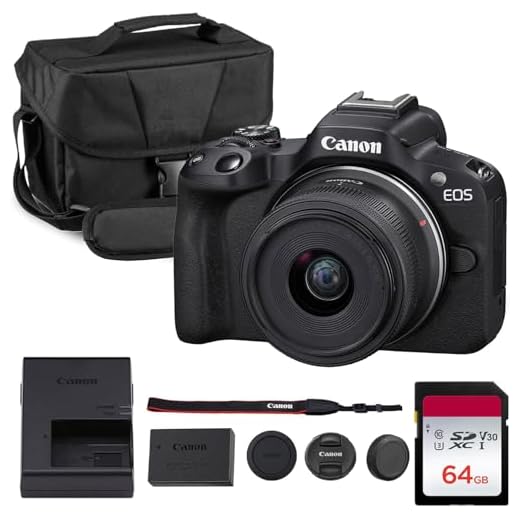

How to Determine Sensor Functionality in Mirrorless Camera
Ensuring that the sensor in your mirrorless camera is functioning properly is essential for capturing high-quality images. Here are some steps to help you determine if your sensor is working correctly:
1. Check for Dust or Debris
Inspect the sensor for any dust or debris that may affect image quality. Use a sensor cleaning kit to gently remove any particles.
2. Test for Dead Pixels
Take a test shot of a plain, evenly lit surface at a low ISO setting. Zoom in on the image to check for any dead pixels, which appear as bright or dark spots.
| Dead Pixel Test | Result |
|---|---|
| No dead pixels | Good sensor functionality |
| Dead pixels present | Potential sensor issues |
Inspecting the Sensor Surface
One way to check if the sensor of your mirrorless camera is working properly is to inspect the sensor surface. Here are some steps you can follow:
1. Clean the Surface
First, make sure the sensor surface is clean. Use a blower or a sensor cleaning kit to remove any dust or dirt particles. A dirty sensor can affect the performance of the sensor and lead to inaccurate readings.
2. Check for Physical Damage
Inspect the sensor surface carefully for any signs of physical damage, such as scratches or cracks. Physical damage can significantly impact the sensor’s functionality and image quality. If you notice any damage, it is recommended to consult a professional for further assessment.
| Signs of a Working Sensor | Signs of a Faulty Sensor |
|---|---|
| The sensor surface is clean and free of debris. | The sensor surface has visible scratches or cracks. |
| Images captured are sharp and clear. | Images captured have spots or artifacts. |
| No error messages related to the sensor are displayed. | Error messages indicating sensor issues appear frequently. |
Checking for Dead Pixels
One common issue with camera sensors is dead pixels, which can affect image quality. Dead pixels are pixels on the sensor that are stuck in one color and do not change with the rest of the image. To check for dead pixels on your mirrorless camera sensor, you can take a test shot of a plain white or black surface at a low ISO setting. Then, zoom in on the image on your camera’s LCD screen or transfer it to a computer for a closer look.
If you notice any pixels that are consistently one color and do not change, you may have dead pixels on your sensor. Some manufacturers offer tools or software to map out dead pixels, while others may require professional servicing to fix the issue.
Testing the Autofocus System
One way to check if the sensor is working in a mirrorless camera is to test the autofocus system. Here are a few steps to help you determine if the autofocus system is functioning properly:
1. Use Different Focus Points
Try selecting different focus points on your camera to see if the autofocus system responds correctly. Make sure the camera focuses accurately on the intended subject when you change the focus points.
2. Test Continuous Autofocus
Take a series of photos of a moving subject to test the continuous autofocus capability of your camera. Make sure the camera can track and focus on the subject as it moves to ensure the autofocus system is working effectively.
Examining Image Quality
When testing the sensor of your mirrorless camera, one of the most important aspects to examine is the image quality it produces. Here are some key points to consider:
- Check for sharpness: Look at the details in the images to see if they are sharp and clear.
- Assess noise levels: Pay attention to the amount of noise present in the images, especially in low-light conditions.
- Evaluate color accuracy: Make sure the colors in the images are accurate and true to life.
- Test dynamic range: See how well the sensor handles different light levels and contrasts in the scene.
- Inspect for any artifacts: Look for any unwanted artifacts or distortions that may be present in the images.
By carefully examining the image quality produced by the sensor, you can determine if it is working properly and delivering the results you expect from your mirrorless camera.
Verifying ISO Performance
One way to test the sensor on a mirrorless camera is to check its ISO performance. Here’s how you can do it:
- Set your camera to manual mode.
- Choose a well-lit scene to photograph.
- Start at the base ISO (usually 100) and take a photo.
- Gradually increase the ISO setting (200, 400, 800, etc.) and take photos at each level.
- Examine the images on a computer to see how the noise levels increase with higher ISO settings.
- If the noise is minimal and the details are preserved at higher ISOs, the sensor is likely working well.
By conducting this test, you can evaluate the sensor’s ability to handle different ISO settings and determine if it is functioning properly.
Consulting with a Professional Technician
If you are unsure about the functionality of your camera sensor, it is always a good idea to consult with a professional technician. They have the expertise and tools to properly diagnose any issues with your camera sensor.
A professional technician will be able to perform a series of tests to determine if your camera sensor is working properly. They may use specialized equipment to analyze the sensor’s performance and identify any potential problems.
Benefits of Consulting with a Professional Technician:
- Accurate diagnosis of sensor issues
- Expert advice on potential repairs or replacements
- Ensure your camera is functioning optimally


I disagree with the idea that testing the ISO performance alone is enough to judge sensor health. I think factors like color accuracy and dynamic range are just as important.
You make a valid point! While ISO performance is crucial, evaluating overall image quality, including color accuracy and dynamic range, provides a more comprehensive understanding of sensor health.
I recently checked my sensor for dead pixels. It was nerve-wracking but turned out fine! Just a bit of dust.
The article mentions testing the autofocus system. Can you explain how to do that without complicated setups?
How do I know if my mirrorless camera sensor is clean enough to take good photos? Are there specific signs I should look for?
How can I know if my mirrorless camera sensor needs cleaning? Are there specific signs I should look for in my photos?
Always remember to use a blower before using any cleaning solution on the sensor. It can save you from scratches!
The article mentions using different focus points to test the autofocus system. Can you clarify how I should select those points? Do I just switch them manually in the camera settings?
What are the common error messages that might indicate a sensor issue? I want to be prepared if something goes wrong with mine.
Common error messages can include warnings about sensor malfunctions or prompts to clean the sensor. It's important to take these seriously and troubleshoot accordingly.
I recently had issues with dead pixels on my mirrorless camera. I followed the test shot method and found a few spots. It was definitely helpful to know how to check!
Thanks for sharing your experience! Testing for dead pixels is an essential step when diagnosing sensor issues.
It's also worth noting that a good sensor cleaning kit can make a huge difference! I cleaned my sensor and the image quality improved significantly.
I think checking the sensor's ISO performance is overrated. It might not always reflect real-world shooting conditions, especially in low light.
What should I do if I find dead pixels on my sensor? Is it a DIY fix or should I send it in for repair?