
 Carmen J. Moore

Are you looking to take your photography skills to the next level? One essential technique that every DSLR camera owner should master is zooming. Knowing how to effectively zoom in and out can greatly enhance the quality of your photos, allowing you to capture details and create unique perspectives.
Zooming with a DSLR camera involves more than just adjusting the lens. It requires an understanding of focal length, depth of field, and composition. With the right knowledge and practice, you can unlock the full potential of your camera’s zoom capabilities and take your photography to new heights.


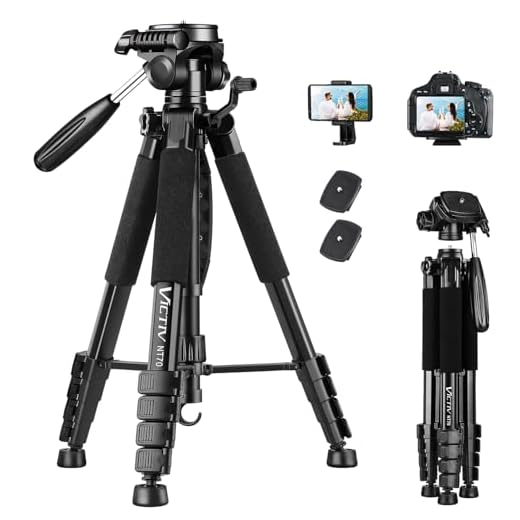
In this comprehensive guide, we will walk you through the fundamentals of zooming with a DSLR camera, from understanding the basics of focal length to mastering advanced zooming techniques. Whether you’re a beginner looking to improve your photography skills or a seasoned photographer seeking to refine your craft, this guide will help you unleash your creativity and capture stunning images.
Understanding the Zoom Feature
One of the key features of a DSLR camera is its zoom capability, which allows you to adjust the focal length of the lens to bring your subject closer or further away. The zoom feature is controlled by the zoom ring on the lens, which can be rotated to zoom in or out.
When you zoom in, the focal length increases, bringing distant objects closer and making them appear larger in the frame. This is useful for capturing details or creating a more intimate composition. On the other hand, when you zoom out, the focal length decreases, allowing you to fit more of the scene into the frame. This is ideal for capturing wide landscapes or group shots.
It’s important to note that optical zoom is a true zoom feature that adjusts the lens elements to change the focal length, while digital zoom simply crops and enlarges the image, resulting in a loss of image quality. For the best results, try to use optical zoom whenever possible.
Experiment with different zoom settings to see how they affect your composition and the final image. Understanding how to effectively use the zoom feature will help you capture a variety of shots with your DSLR camera.
Learning the Basics
Before you start zooming with your DSLR camera, it’s important to understand the basic functions and settings. Familiarize yourself with the zoom ring on your camera lens, which allows you to adjust the focal length and magnification of your shots. Additionally, learn about the various shooting modes on your camera, such as manual, aperture priority, and shutter priority, to gain more control over your zooming capabilities. Practice using the zoom function in different lighting conditions and experiment with different focal lengths to see how they affect your photos. By mastering these basics, you’ll be able to confidently zoom with your DSLR camera and capture stunning images.
Mastering Manual Zoom
Manual zoom gives you complete control over the zooming process, allowing you to adjust the focal length of your lens with precision. Here are some tips to help you master manual zoom on your DSLR camera:
1. Understanding Focal Length
Before you start using manual zoom, it’s important to understand focal length. Focal length determines the magnification and angle of view of your lens. A longer focal length will provide more magnification and a narrower angle of view, while a shorter focal length will offer less magnification and a wider angle of view.
2. Practicing Zooming Techniques
Practice adjusting the focal length of your lens manually to zoom in and out. Experiment with different focal lengths to see how they affect your composition. Remember to adjust your focus as you zoom to ensure sharp images.
Exploring Autofocus Zoom
Autofocus zoom is a feature on DSLR cameras that allows the camera to automatically adjust the focal length to keep a subject in focus as it moves closer or farther away. This feature is particularly useful when shooting moving subjects or when you need to quickly adjust the focus while shooting.
When using autofocus zoom, make sure to select the appropriate autofocus mode on your camera. Some cameras offer different autofocus modes such as single-point autofocus or continuous autofocus, so choose the mode that best suits your shooting situation.
To activate autofocus zoom, simply half-press the shutter button to let the camera focus on the subject. As the subject moves, the camera will adjust the focal length to keep the subject in focus. You can also manually adjust the zoom if needed to fine-tune the focus.
Experiment with autofocus zoom in different shooting scenarios to get a feel for how it works and how it can improve your photography. With practice, you’ll be able to master this feature and capture sharp, focused images every time.
Zooming Techniques
Zooming is an essential part of photography, allowing you to adjust the focal length of your lens to capture your subject in different ways. Here are some techniques to help you make the most of your zoom capabilities:
1. Optical Zoom: Use the physical zoom ring on your lens to adjust the focal length optically. This provides the best image quality as it magnifies the image without sacrificing resolution.
2. Digital Zoom: Some cameras offer digital zoom, which digitally enlarges the image. However, this can result in a loss of image quality as it simply magnifies the existing pixels.
3. Zoom Burst: Experiment with zoom burst technique by adjusting the zoom while taking a long exposure shot. This creates a dynamic effect where the subject appears to be moving towards or away from the camera.
4. Zoom Framing: Use zoom framing to creatively compose your shots. Start wide, zoom in to focus on your subject, and then zoom out to reveal the surroundings. This adds depth and perspective to your images.
5. Zoom Lenses: Invest in a quality zoom lens with a wide focal range to give you versatility in capturing different types of shots. A zoom lens allows you to quickly adjust your focal length without changing lenses.
By mastering these zooming techniques, you can enhance your photography skills and capture stunning images with your DSLR camera.
Zooming for Composition
Zooming is a powerful tool for composing your shots effectively. By adjusting the focal length of your lens, you can control the framing and perspective of your image. Here are some tips for using zoom to enhance your composition:
1. Framing your subject
Zooming in can help you isolate your subject and create a more focused composition. By zooming in, you can eliminate distracting elements in the background and draw attention to your main subject.
2. Creating depth
Zooming out can help you capture more of the scene and create a sense of depth in your image. This can be particularly effective in landscape photography, where you want to convey the vastness of a landscape.
| Zooming In | Zooming Out |
| Isolates subject | Captures more of the scene |
| Eliminates distractions | Creates a sense of depth |
Zooming for Depth of Field
One of the key benefits of using a DSLR camera is the ability to control the depth of field in your photos. By zooming in or out, you can adjust the focus and blur in your images to create a more professional look. When zooming in, the background tends to blur, making the subject stand out more. Conversely, when zooming out, more of the scene comes into focus, giving a wider perspective. Experiment with different zoom levels to achieve the desired depth of field for your photos.
Zooming for Creative Effects
Zooming can be used creatively to add dynamic effects to your photos. Here are a few techniques you can try:
| Zoom Burst: | Set your camera to a slow shutter speed and zoom in or out quickly while taking a photo. This creates a burst effect that can add a sense of motion to your image. |
| Zooming In: | Zooming in on your subject can help you isolate it from the background, creating a more intimate and focused composition. |
| Zooming Out: | Conversely, zooming out can show more of the surrounding environment and give a sense of context to your subject. |
| Zooming during Long Exposure: | Try zooming in or out during a long exposure to create light trails or abstract patterns in your photos. |
FAQ
How do I zoom with a DSLR camera?
To zoom with a DSLR camera, you can use the zoom ring on your lens. Rotate the zoom ring clockwise to zoom in and counterclockwise to zoom out. Some DSLR cameras also have a zoom button on the camera body or a zoom switch on the lens for electronic zooming.
Can I zoom in on distant subjects with a DSLR camera?
Yes, you can zoom in on distant subjects with a DSLR camera by using a telephoto lens. Telephoto lenses have a longer focal length, allowing you to magnify distant subjects and capture them in detail. Make sure to stabilize your camera or use a tripod when zooming in on distant subjects to reduce camera shake and ensure sharp images.





I recently tried manual zoom for the first time, and it really made a difference in my photos! Understanding focal length helped me compose shots better.
In the article, it mentions adjusting the focus as you zoom. Does that mean I should refocus every time I change the zoom level? Or is there a trick to maintaining focus?
What’s the difference between optical zoom and digital zoom? I always get confused.
I’m curious, how does the zoom burst technique compare to a regular shot? Is the effect worth the effort?
I disagree with the idea that digital zoom is always bad. Sometimes it can come in handy when you can't get physically closer to a subject.
That's a valid point! While digital zoom does compromise image quality, there are scenarios where it can be useful, especially for quick captures.
Zooming out can really help capture landscapes. It gives such a wide perspective!