
 Carmen J. Moore

A slave flash is a device that can be used with a digital camera to provide additional lighting for photography.

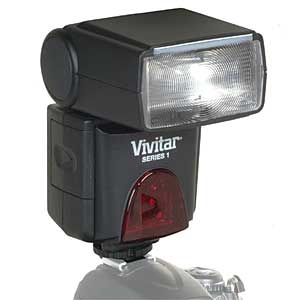

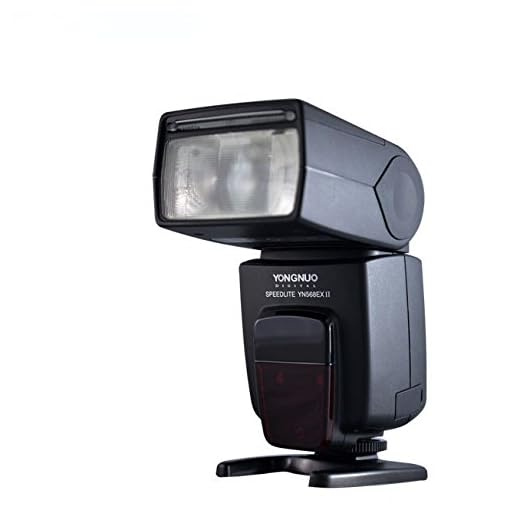
Unlike the built-in flash on a camera, a slave flash is a separate unit that can be positioned in different locations to create different lighting effects.
Slave flashes are triggered wirelessly by the camera’s built-in flash or an external trigger, allowing for creative lighting setups.
They are especially useful in low-light situations or when a photographer wants to add more light to a scene for better exposure.
Understanding Slave Flash for Digital Camera
A slave flash is an external flash unit that can be triggered wirelessly by the camera’s built-in flash or another master flash unit. It is a useful tool for photographers who want to enhance their lighting setup and create more dynamic and professional-looking images.
When using a slave flash, the camera’s built-in flash or a master flash unit emits a pre-flash signal that triggers the slave flash to fire along with the main flash. This allows for more controlled lighting and the ability to create more complex lighting setups without the need for cables or additional equipment.

Benefits of Using a Slave Flash:
- Enhanced lighting options
- Wireless operation
- Greater flexibility in creating lighting setups
Definition and Functionality of Slave Flash
A slave flash is an external flash unit that can be synchronized with the primary flash of a digital camera. It works by receiving the light signal from the camera’s built-in flash or another master flash unit and triggering its own flash to fire simultaneously. The slave flash is typically used to provide additional lighting and reduce shadows in photography, especially in low-light conditions or when shooting in a studio setting.
The functionality of a slave flash allows photographers to create more professional-looking images by controlling the direction and intensity of the light. It can be positioned off-camera to provide side or backlighting, or used in combination with the camera’s built-in flash to achieve a more balanced and natural-looking lighting effect. Slave flashes are versatile tools that offer photographers greater creative control over their lighting setups and help them achieve the desired aesthetic in their photographs.
Advantages of Using Slave Flash
1. Increased lighting: Slave flash helps to provide additional lighting to your photos, especially in low light situations or when shooting outdoors at night.
2. Improved image quality: By using a slave flash, you can reduce shadows, soften harsh lighting, and enhance the overall quality of your photographs.
3. Versatility: Slave flashes can be positioned in different locations to create various lighting effects, giving you more creative control over your photography.
Types of Slave Flash
There are several types of slave flashes available for digital cameras, each offering different features and benefits:
1. Optical Slave Flash
An optical slave flash is triggered by the light emitted by the camera’s built-in flash or another external flash. It detects the light and fires at the same time, providing additional lighting for the scene. This type of slave flash is easy to use and does not require any additional equipment.
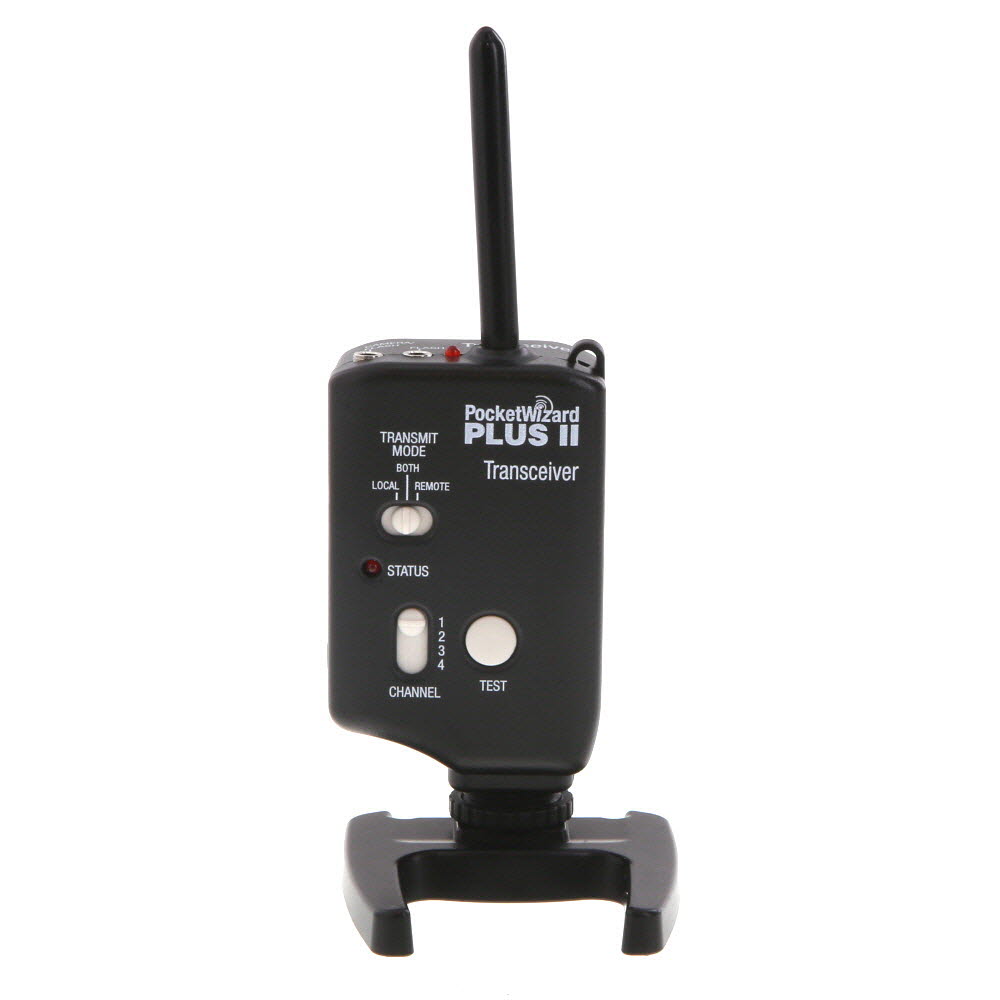
2. Radio Frequency (RF) Slave Flash
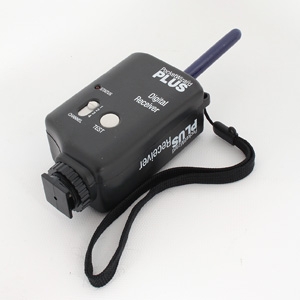
A radio frequency slave flash communicates wirelessly with the camera or a master flash unit using radio signals. This allows for greater flexibility in positioning the slave flash and eliminates line-of-sight limitations associated with optical slave flashes. RF slave flashes are ideal for off-camera lighting setups and can be triggered from greater distances.
How to Set Up a Slave Flash
Setting up a slave flash for your digital camera can greatly improve your photography by providing additional lighting options. Follow these steps to properly set up a slave flash:
- Turn off your camera and slave flash before connecting them.
- Attach the slave flash to a flash stand or tripod to position it where you need additional light.
- Turn on the slave flash and set it to “slave” mode, so it can be triggered by the camera’s built-in flash or another master flash.
- Ensure the slave flash’s sensor is facing towards the camera or the direction of the master flash.
- Adjust the settings on your camera to enable the use of an external flash and set the appropriate exposure compensation if needed.
- Take test shots to check the lighting and make adjustments as necessary.
Choosing the Right Slave Flash for Your Camera
When it comes to enhancing your photography with additional lighting, a slave flash can be a valuable tool. A slave flash is a secondary flash unit that can be triggered wirelessly by the primary flash on your camera. This allows you to control the direction and intensity of light, resulting in more creative and dynamic images.

Factors to Consider:
- Compatibility: Make sure the slave flash is compatible with your camera model. Some cameras may require specific flash units to work properly.
- Power: Consider the power output of the slave flash. Higher power flashes are useful for outdoor and long-distance shooting.
- Features: Look for additional features such as adjustable flash head, zoom capabilities, and TTL (Through-The-Lens) metering for more control over your lighting.
By choosing the right slave flash for your camera, you can take your photography to the next level and create stunning images with professional lighting effects.
Slave Flash vs. Built-in Flash
When it comes to flash photography with a digital camera, there are two main types of flashes to consider: slave flash and built-in flash. Here are the key differences between the two:
- Slave Flash: A slave flash is an external flash unit that can be triggered wirelessly by the camera’s built-in flash or another master flash unit. This allows for more creative lighting setups and the ability to control the direction and intensity of the light.
- Built-in Flash: The built-in flash is the flash unit that is integrated into the camera body. While convenient and always available, built-in flashes can sometimes produce harsh lighting and may not be as powerful or versatile as external slave flashes.
Ultimately, the choice between a slave flash and a built-in flash will depend on your specific photography needs and budget. For more advanced lighting control and flexibility, a slave flash may be the better option, while a built-in flash can be sufficient for everyday use.
Common Mistakes When Using a Slave Flash
Using a slave flash can greatly improve your photography by providing additional lighting and enhancing the overall quality of your images. However, there are several common mistakes that photographers make when using a slave flash. Here are some of the most common pitfalls to avoid:
1. Positioning the Slave Flash Incorrectly
One of the key mistakes photographers make is positioning the slave flash incorrectly. It is essential to place the slave flash at the right angle and distance from the subject to ensure that the lighting is flattering and does not create harsh shadows or overexposure.

2. Failing to Adjust the Flash Power
Another common mistake is failing to adjust the flash power according to the lighting conditions. It is important to take into account the ambient light and adjust the flash power accordingly to achieve the desired effect. Failure to do so can result in underexposed or overexposed images.
By avoiding these common mistakes and taking the time to properly set up and adjust your slave flash, you can enhance your photography and capture stunning images with better lighting and improved overall quality.
Tips for Getting the Best Results with a Slave Flash
Using a slave flash with your digital camera can significantly enhance your photography by providing additional light sources. Here are some tips to help you get the best results:
- Position the slave flash strategically to avoid harsh shadows and achieve balanced lighting.
- Experiment with different angles and distances to find the optimal placement for the slave flash.
- Adjust the power output of the slave flash to control the intensity of the light and avoid overexposure.
- Sync the slave flash with your camera’s built-in flash or the main flash unit for synchronized lighting.
- Use diffusers or modifiers to soften the light from the slave flash for a more flattering effect.
- Practice with your slave flash in various shooting scenarios to understand its capabilities and limitations.
Conclusion
By following these tips and experimenting with your slave flash, you can elevate your photography to new levels and capture stunning images with enhanced lighting.
FAQ
What is a slave flash for digital camera?
A slave flash for a digital camera is an external flash unit that can be triggered wirelessly by the camera’s built-in flash or another master flash unit. It is a helpful tool for photographers who need additional lighting in their photos and want to create more dynamic and creative lighting effects.
How does a slave flash work with a digital camera?
A slave flash works by detecting the light emitted by the camera’s built-in flash or a master flash unit. When it detects the light, it triggers the flash to fire, providing additional lighting to the scene. This allows photographers to have more control over the lighting in their photos and create more professional-looking images.


Can a slave flash be used with any digital camera?
When I first tried using a slave flash, I really struggled with positioning it. I ended up with harsh shadows in my photos. After watching some tutorials, I learned to angle the flash a bit more towards my subject. It made a huge difference! Now my images have that professional look I'm going for.
I had a similar experience! Once I adjusted the power settings based on the ambient light, my photos improved too. It’s all about those small tweaks!
Can someone explain how an optical slave flash differs from a radio frequency one?
Can someone explain what TTL metering is in relation to slave flashes? I'm a bit confused about its importance.
TTL, or Through-The-Lens metering, allows the camera to measure the light that is reflecting off the subject. This helps the flash to automatically adjust its output for optimal exposure, making it easier to get consistent results.
What is the main advantage of using a slave flash over a built-in flash?
I disagree with the idea that built-in flashes are always harsh. I think with the right settings, they can work surprisingly well for quick shots. Not everyone has the budget for a separate slave flash.
True, but I think slave flashes offer more creative options. It's all about the situation and what you want to achieve.
I’ve been debating whether to invest in a slave flash or stick with my built-in flash. I understand the flexibility of a slave flash, but how much of a difference does it really make in everyday photography? Is it worth the extra cost?
A slave flash definitely provides more creative control over your lighting, especially in challenging environments. While built-in flashes are convenient for quick shots, a slave flash can help you achieve more professional results.
I'm unsure about setting up my slave flash. Can you clarify how to ensure the sensor is properly positioned? Like, does it need to face the camera directly?
I've been using a slave flash for a few months now, and it really does help improve the quality of my photos. The lighting is so much softer compared to just using the built-in flash, especially for portraits.
I’ve been using my camera’s built-in flash for years, but I'm considering switching to a slave flash. The built-in flash is convenient, but it often gives harsh lighting. Is the slave flash really worth the investment? What should I look for in a good one?
Switching to a slave flash can provide you with much more creative control over your lighting. Look for compatibility with your camera, power output, and any additional features like TTL metering to optimize your shots.
I think built-in flashes can work just fine for casual photography. Why invest in a slave flash unless you're a pro?
That's true, but for more serious work, a slave flash can offer much better control over lighting, which makes a big difference in quality.
What are the main differences between an optical slave flash and a radio frequency slave flash? I’m trying to decide which one would be better for my photography needs.
From my experience, RF slave flashes are more versatile since they don’t require line-of-sight. This is great for outdoor shoots. But I found optical ones easier to set up for simple indoor photography.
I recently started using a slave flash for my outdoor shoots, and it's made a big difference in lighting. I can position it away from the camera and get some really creative shots!
Make sure to adjust the flash power based on your environment! It can really change the outcome of your photos.
What is the main advantage of using a slave flash over the built-in flash?
The primary advantage of a slave flash is its ability to provide more creative lighting options and control over direction and intensity, resulting in better overall image quality.
I'm curious about how to choose the right slave flash for my camera. What specific features should I look for?
I've been using a slave flash for a few months now, and it's really improved my low-light photography. I set it up off-camera, and it adds so much depth to my images!
I love how versatile slave flashes are. You can create so many different effects, especially with off-camera setups!
I recently started using a slave flash for my portrait photography, and it made a huge difference in my image quality! I used to rely solely on my camera’s built-in flash, but now I can control the lighting direction and intensity. I still make mistakes with positioning sometimes, but the results are way better overall. Highly recommend investing in one if you're serious about photography!
Thanks for sharing your experience! Positioning can indeed be tricky at first, but it sounds like you're on the right track. Experimenting with angles can lead to even better lighting effects.