
 Carmen J. Moore
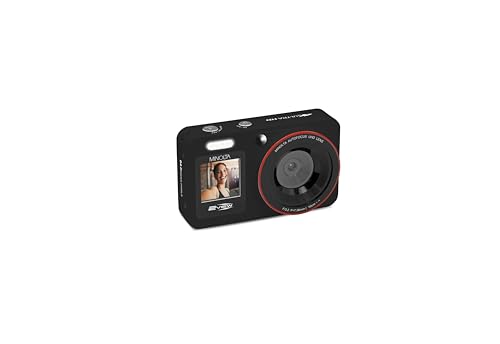
Are you ready to take your photography to the next level? Look no further than the digital view camera back, a powerful tool that offers unparalleled control and precision. Whether you’re a seasoned professional or an aspiring enthusiast, mastering the art of using a view camera back can elevate your images to new heights.
But how exactly do you use a digital view camera back? In this comprehensive guide, we’ll walk you through the ins and outs of this innovative device, from setting it up correctly to capturing stunning images with ease. Get ready to unlock the full potential of your camera and unleash your creativity like never before!
Understanding the benefits
Using a digital view camera back offers numerous benefits to photographers. One of the key advantages is the ability to capture high-resolution images with exceptional detail and clarity. The digital back allows for precise control over exposure settings, color balance, and image processing, resulting in superior image quality.

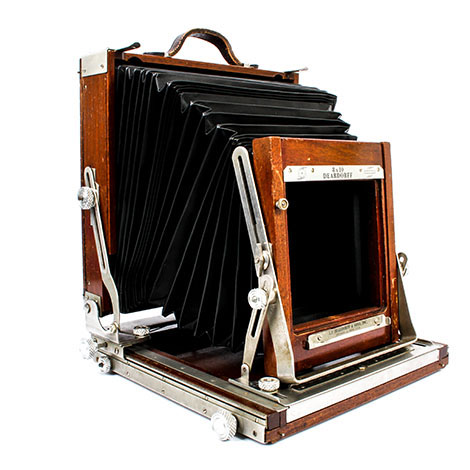

Additionally, the flexibility of a digital view camera back allows photographers to experiment with different lenses, perspectives, and compositions, expanding their creative possibilities. The ability to review images instantly on a digital display also streamlines the workflow and allows for quick adjustments on the fly.
Furthermore, the digital view camera back enables photographers to easily integrate digital imaging technology into their existing workflow, making it easier to archive, organize, and share images digitally. Overall, the benefits of using a digital view camera back are numerous and can greatly enhance the photographic process.
Choosing the right camera back
When selecting a digital view camera back, there are several factors to consider to ensure you choose the right one for your needs. Here are some key considerations:
| Resolution: | Choose a camera back with a resolution that meets your image quality requirements. Higher resolution sensors offer more detail. |
| Compatibility: | Ensure the camera back is compatible with your view camera system and lenses to avoid any compatibility issues. |
| Dynamic range: | Consider the dynamic range of the camera back to capture a wide range of tones in your images. |
| File format: | Check the file format supported by the camera back to ensure compatibility with your workflow and editing software. |
| Connectivity: | Look for camera backs with various connectivity options such as Wi-Fi or USB for easy file transfer. |
Setting up your digital view camera back
Before you start using your digital view camera back, it is important to properly set it up to ensure optimal performance and image quality. Follow these steps to get your camera back ready for shooting:
1. Attach the camera back to your camera body
Make sure to securely attach the digital view camera back to your camera body according to the manufacturer’s instructions. This will ensure a stable connection and proper communication between the back and the camera.

2. Check and adjust the settings
Once the camera back is attached, check and adjust the settings on the back’s LCD screen. Set the resolution, file format, white balance, and other shooting parameters according to your shooting requirements. Make sure to familiarize yourself with the menu system to navigate through the settings easily.
Calibrating the camera back
Calibrating the digital view camera back is essential to ensure accurate and precise image capture. Follow these steps to calibrate your camera back:
1. Set up your camera
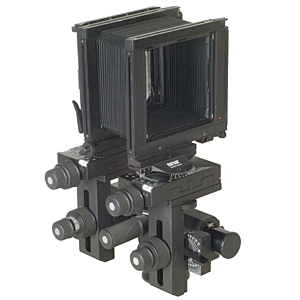
Mount the camera back onto the view camera and ensure it is securely attached. Make sure the camera is properly leveled and aligned to avoid any distortion in the captured images.
2. Adjust the settings
Access the settings menu on the camera back and navigate to the calibration options. Follow the manufacturer’s instructions to adjust the settings for optimal performance.
3. Perform test shots
Take a series of test shots using different lighting conditions and subjects to ensure the calibration is accurate. Check the image quality and make any necessary adjustments to the settings.
| Calibration | Steps |
|---|---|
| Focus calibration | Adjust the focus settings to ensure sharpness and clarity in the images. |
| Color calibration | Calibrate the color settings to achieve accurate and consistent color reproduction. |
| Exposure calibration | Adjust the exposure settings to ensure proper brightness and contrast levels in the images. |
Taking high-quality photos
When using a digital view camera back, there are several key factors to consider in order to capture high-quality photos:
- Composition: Pay attention to the framing and arrangement of elements in your shot. Experiment with different angles and perspectives to create visually appealing compositions.
- Focus: Ensure that your subject is in focus by adjusting the lens and viewfinder. Use the camera’s focusing tools to achieve sharpness and clarity in your images.
- Exposure: Set the correct exposure settings based on the lighting conditions and desired effect. Adjust the aperture, shutter speed, and ISO to achieve the right balance of light and shadow in your photos.
- White balance: Use the camera’s white balance settings to adjust the color temperature of your photos. Ensure accurate color reproduction by calibrating the white balance for different lighting situations.
- Post-processing: After capturing your photos, use editing software to enhance and refine your images. Adjust the contrast, saturation, and sharpness to achieve the desired look.
Post-processing tips
After capturing images with your digital view camera back, post-processing is an essential step to enhance the quality of your photos. Here are some tips to help you make the most of your digital images:
1. Use RAW format
When shooting with a digital view camera back, always capture images in RAW format. This will give you more flexibility in post-processing and allow you to adjust exposure, color balance, and other settings without losing image quality.
2. Adjust perspective and distortion
Since digital view cameras can introduce perspective and distortion issues, use post-processing software to correct these issues. Tools like Adobe Photoshop or Lightroom offer features to help you straighten lines and correct any distortion caused by the camera.
By following these post-processing tips, you can ensure that your images captured with a digital view camera back look their best and meet your artistic vision.

Sharing your images
Once you have captured stunning images with your digital view camera back, you’ll want to share them with the world. Here are a few ways you can do that:
1. Social media: Share your images on platforms like Instagram, Facebook, and Twitter to reach a wider audience and get feedback from fellow photographers.
2. Online portfolio: Create a portfolio on a website or photography platform to showcase your best work and attract potential clients or collaborators.
3. Print exhibitions: Consider printing your images and displaying them in art galleries or exhibitions to get exposure in the art world.
4. Photography contests: Enter your images into photography contests to gain recognition and potentially win awards or prizes.

By sharing your images through these channels, you can connect with other photographers, art enthusiasts, and potential clients, and continue to grow as a photographer.
Maintaining your camera back
Proper maintenance of your digital view camera back is essential to ensure optimal performance and longevity. Here are some tips to help you keep your camera back in top condition:
- Regularly clean the camera back with a soft, dry cloth to remove dust and dirt.
- Avoid exposing the camera back to extreme temperatures or humidity levels, as this can damage the internal components.
- Store the camera back in a protective case when not in use to prevent scratches and impact damage.
- Check the battery level regularly and replace the batteries as needed to prevent power loss during important shoots.
- Update the firmware of your camera back regularly to ensure compatibility with the latest software and features.
- If you encounter any issues with your camera back, consult the user manual or contact customer support for assistance.
Troubleshooting common issues
Here are some common issues you may encounter when using a digital view camera back and how to troubleshoot them:
- No image displayed: Check the cable connections between the camera back and the digital back. Ensure that the camera back is properly seated and powered on.
- Blurry images: Make sure the camera back is securely attached to the camera and that the lens is focused correctly. Check for any dirt or smudges on the lens that may be affecting image quality.
- Overexposed or underexposed images: Adjust the exposure settings on the camera back or the camera itself. Check the histogram on the camera back to ensure proper exposure levels.
- Slow response time: If the camera back is taking too long to process images, try clearing the cache or reducing the image resolution settings.
- Software issues: Update the firmware on the camera back and ensure that you are using compatible software for image processing.
FAQ
What is a digital view camera back?
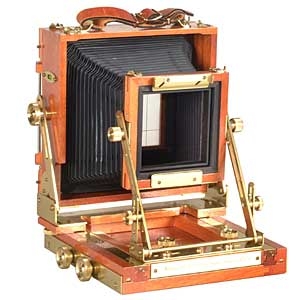
A digital view camera back is a device that can be attached to a view camera to convert it into a digital camera. It allows photographers to capture high-resolution digital images using traditional large format view cameras.
How does a digital view camera back work?
A digital view camera back replaces the traditional film back of a view camera and is equipped with a digital sensor that captures the image. The photographer composes the image on the view camera’s ground glass and then captures it digitally using the digital view camera back.
What are the advantages of using a digital view camera back?
Using a digital view camera back offers several advantages, including the ability to capture high-resolution images, precise control over focus and perspective, and the flexibility of digital post-processing. It also allows photographers to work with the familiar controls of a view camera.
How can I get started with a digital view camera back?
To get started with a digital view camera back, you will need a compatible view camera, a digital view camera back that fits your camera model, and a basic understanding of how to use a view camera. You can then attach the digital view camera back to your view camera and start capturing digital images using the camera’s controls and settings.


