
 Carmen J. Moore

Security cameras are a crucial component of any modern surveillance system, providing a sense of security and peace of mind to homeowners and business owners alike. However, one common issue that many people face with their security cameras is frequent disconnections.
There are several reasons why your security camera may be disconnecting regularly, ranging from technical issues to environmental factors. It is essential to troubleshoot the problem to ensure that your security system is functioning optimally and that you are not leaving any blind spots in your surveillance.
By understanding the potential causes of disconnections and taking proactive measures to address them, you can ensure that your security camera operates smoothly and reliably, providing you with the protection and peace of mind you need.
Common Reasons for Security Camera Disconnection
There are several common reasons why your security camera may frequently disconnect. Understanding these factors can help you troubleshoot and resolve the issue effectively.

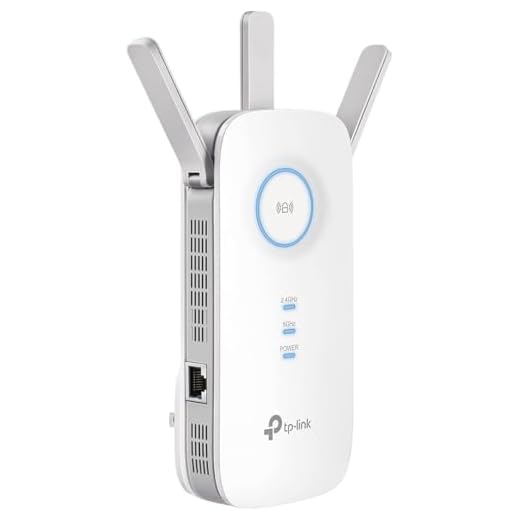

1. Power Supply Issues:
One of the primary reasons for security camera disconnection is power supply problems. Make sure the camera is properly connected to a stable power source and check for any loose connections or faulty power cables.
2. Network Connectivity Problems:
Network issues such as weak Wi-Fi signal, network congestion, or router problems can cause your security camera to disconnect frequently. Ensure that your camera is within range of a strong Wi-Fi signal and consider upgrading your network equipment if needed.
3. Camera Firmware Updates:
Outdated firmware can also lead to disconnection problems. Check for firmware updates for your camera and install them to ensure optimal performance and stability.
4. Interference:
Interference from other electronic devices or obstacles blocking the camera’s signal can cause intermittent disconnections. Try repositioning the camera or eliminating potential sources of interference to improve connectivity.
By addressing these common reasons for security camera disconnection, you can enhance the reliability and performance of your surveillance system.
Internet Connection Issues
One of the common reasons why your security camera often disconnects is due to internet connection issues. Here are some possible reasons:
- Weak Wi-Fi Signal: If your camera is far from the router or there are obstacles blocking the signal, the connection may be weak and result in frequent disconnections.
- Bandwidth Limitations: If multiple devices are using the same network and consuming a lot of bandwidth, the camera may struggle to maintain a stable connection.
- Router Problems: Issues with your router, such as outdated firmware or hardware problems, can also cause disruptions in the connection.
How to Fix Internet Connection Issues:
- Position the camera closer to the router to improve signal strength.
- Reduce the number of devices using the network simultaneously to free up bandwidth for the camera.
- Check and update your router’s firmware to ensure it is functioning properly.
Power Supply Problems
One common reason why security cameras often disconnect is due to power supply problems. If your camera is not receiving enough power or if there are fluctuations in the power supply, it can cause the camera to disconnect frequently. Make sure that the power source for your camera is stable and sufficient to support its operation.
You can also check the power cables and connections to ensure that they are secure and free from any damage. If the power supply issues persist, you may need to consider using a different power source or contacting a professional to help troubleshoot and resolve the problem.
Firmware Update Failures
One common reason why security cameras often disconnect is due to firmware update failures. Firmware is the software that runs on your camera and controls its functionality. When a firmware update fails, it can cause the camera to malfunction and disconnect from the network.
Causes of Firmware Update Failures:
1. Interruptions During Update: If the firmware update process is interrupted, whether due to a power outage or network disruption, it can result in a failed update.
2. Incorrect Firmware Version: Installing the wrong firmware version for your camera model can lead to update failures and potential disconnects.
To prevent firmware update failures, ensure a stable network connection during the update process and always verify that you are using the correct firmware version for your specific camera model.
Signal Interference Troubles
Signal interference is a common issue that can cause your security camera to frequently disconnect. This interference can be caused by various factors, such as:
1. Wireless Network Interference
Other electronic devices in your home or office, such as cordless phones, microwaves, or baby monitors, can interfere with the wireless signal of your security camera. Make sure to keep your camera away from these devices to minimize interference.
2. Physical Obstructions
Physical obstructions like walls, large furniture, or metal objects can block the wireless signal and cause disruptions in the connection. Position your camera in a clear line of sight to the router to ensure a stable connection.
| Interference Factor | Solution |
|---|---|
| Wireless Network Interference | Move the camera away from other electronic devices. |
| Physical Obstructions | Reposition the camera for a clear line of sight to the router. |
Hardware Malfunctions
One common reason for security cameras to frequently disconnect is hardware malfunctions. This can include issues with the camera itself, the power source, or the cables connecting the camera to the power supply or recording device.
Hardware malfunctions can be caused by factors such as overheating, moisture or water damage, power surges, or physical damage to the camera or cables. Inspect the camera and its components for any visible signs of damage or wear and tear.
Incorrect Camera Placement
One common reason for security cameras to frequently disconnect is improper placement. Placing the camera too far away from the router or in an area with poor Wi-Fi signal can lead to frequent disconnections. Additionally, placing the camera in direct sunlight or in an area with extreme temperatures can also cause connectivity issues.
How to Fix:
To address this issue, ensure that the camera is placed within the range of the Wi-Fi signal and away from any obstructions that may interfere with the connection. Consider using a Wi-Fi extender or access point to improve signal strength in the camera’s location. If the camera is exposed to harsh weather conditions, consider installing a protective enclosure or moving it to a more suitable location.
| Incorrect Placement | Correct Placement |
|---|---|
| Too far from router | Within Wi-Fi range |
| Direct sunlight | Shaded area |
| Extreme temperatures | Controlled environment |




I had similar issues with my security camera disconnecting. I found that it was mainly due to a weak Wi-Fi signal. I repositioned the camera closer to the router and also reduced the number of devices on the network. It made a huge difference!
Thanks for sharing your experience! Positioning the camera closer to the router is a great first step. Also, using a Wi-Fi extender can help improve connectivity.
What steps can I take to improve the Wi-Fi signal for my security camera? I'm noticing quite a few disconnections lately.