
 Carmen J. Moore

Have you ever noticed strange, floating orbs on your security camera footage? Many people have reported seeing these mysterious orbs, sparking curiosity and sometimes even fear. But what are these orbs, and why do they appear on security camera footage?
Orbs are circular or spherical shapes that can sometimes be seen in photographs or videos, often appearing as translucent or glowing balls of light. While some believe orbs are evidence of supernatural activity or ghosts, there are more rational explanations for their appearance on security camera footage.
One common explanation for orbs on security camera footage is reflection. Dust particles, insects, or moisture in the air can reflect light from the camera’s infrared LEDs, creating the appearance of orbs. These reflections are often more prominent in low-light conditions, leading to the perception of mysterious orbs.

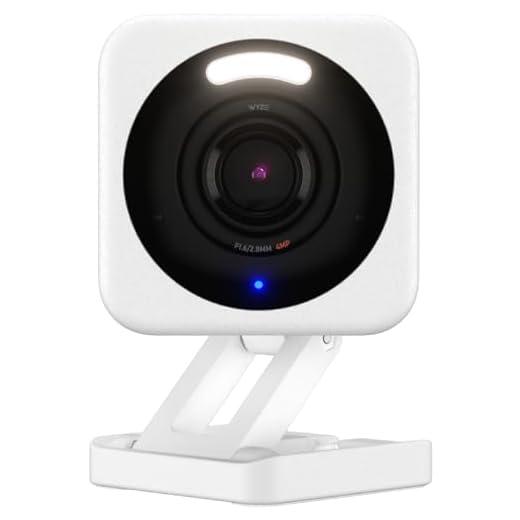
What Causes Orbs on Security Cameras?
Orbs on security cameras are often a result of reflection, refraction, or diffraction of light within the camera lens. These phenomena can create the appearance of spherical shapes floating in the captured footage.
Reflection occurs when light bounces off surfaces, such as dust particles, moisture, or insects near the camera lens, causing them to appear as orbs. Refraction is the bending of light as it passes through different mediums, leading to distorted images that may resemble orbs. Diffraction, on the other hand, occurs when light waves are obstructed by obstacles in the camera’s field of view, creating circular patterns.
Exploring the Phenomenon
Seeing orbs on your security camera can be a puzzling and intriguing experience. Many people believe that these orbs are spiritual entities or manifestations of paranormal activity. However, there are also scientific explanations for this phenomenon.
One possible explanation is dust particles or insects reflecting light in front of the camera lens, creating the appearance of orbs. Another theory suggests that moisture or humidity in the air can also cause light reflections that appear as orbs on camera footage.
Scientific Perspective
From a scientific perspective, orbs captured on security cameras are often dismissed as artifacts caused by dust, moisture, or light reflections. These explanations are rooted in principles of optics and camera technology, rather than supernatural phenomena.
Spiritual Interpretation
On the other hand, some individuals interpret orbs as spiritual energy or the presence of ghosts or spirits. They believe that these orbs are evidence of paranormal activity and may be trying to communicate with the living.
| When analyzing orbs on security camera footage, it is important to consider both scientific and spiritual perspectives. Whether you believe in the supernatural or prefer a more rational explanation, the mystery of orbs continues to fascinate and intrigue. |
Common Misconceptions Debunked
1. Dust Particles: Many people mistake dust particles floating in the air for orbs on security cameras. It is important to differentiate between actual orbs and common environmental particles.
2. Insects: Insects flying close to the camera lens can create orb-like shapes. Understanding the behavior of insects can help distinguish between orbs and insects.
3. Lens Flare: Reflections or lens flares can sometimes appear as orbs on security camera footage. Proper positioning of the camera and understanding light sources can reduce this misconception.
4. Water Droplets: Moisture or water droplets on the camera lens can also create orb-like effects. Regular maintenance and cleaning of the camera lens can prevent this misconception.
5. Pixelation and Glare: Poor camera quality, pixelation, or glare from light sources can lead to mistaken orbs. Upgrading to higher-quality cameras and adjusting settings can help eliminate this misconception.
Understanding Infrared Reflection
When you see orbs on your security camera, it could be due to infrared reflection. Infrared light is used in many security cameras to capture images in low-light conditions. Sometimes, this infrared light can bounce off objects in the environment, creating the appearance of orbs in the footage.
Causes of Infrared Reflection
Common causes of infrared reflection include dust particles, moisture in the air, insects, or even camera lens flare. These objects can reflect the infrared light emitted by the camera, leading to the formation of orbs in the video.
Preventing Infrared Reflection
To reduce the occurrence of orbs in your security camera footage, make sure to keep the camera lens clean and free of debris. Additionally, avoid pointing the camera directly at shiny surfaces or objects that can reflect infrared light. Adjusting the camera angle and using filters can also help minimize infrared reflection.
Environmental Factors at Play
There are several environmental factors that could be causing the orbs to appear on your security camera. Dust particles, insects, moisture, and reflections from shiny surfaces are common culprits. Dust particles can reflect light and appear as orbs, especially in low light conditions. Insects flying close to the camera lens can also create orb-like shapes due to their proximity to the light source. Moisture or condensation on the lens can distort the image and create orb-like effects. Additionally, reflections from shiny surfaces such as windows or mirrors can cause orbs to appear on the camera feed. Consider these environmental factors when trying to determine the cause of orb-like anomalies on your security camera footage.
Debating Paranormal Interpretations
When it comes to the presence of orbs on security camera footage, there are various interpretations that people debate. Some believe that orbs are evidence of paranormal activity, such as spirits or ghosts manifesting in the form of energy balls. Others argue that orbs are simply dust particles, insects, moisture, or reflections of light that appear distorted on camera. The debate between those who support the paranormal interpretation and those who favor the scientific explanation continues to spark discussions in the realm of paranormal investigation.
| Paranormal Interpretation | Scientific Explanation |
| Believers see orbs as spiritual energy manifestations. | Skeptics attribute orbs to natural phenomena like dust or insects. |
| Orbs are considered signs of ghostly presence. | Orbs are dismissed as artifacts caused by camera imperfections. |
Tips for Minimizing Orb Appearance
If you are experiencing orbs on your security camera and want to minimize their appearance, consider the following tips:
- Ensure your camera lens is clean and free of dust or debris that could cause reflections.
- Adjust the angle and positioning of your camera to reduce glare from light sources.
- Use infrared or low-light cameras to reduce the likelihood of capturing orbs caused by dust or insects.
- Install additional lighting to reduce the reliance on night vision, which can enhance orb visibility.
- Regularly clean the area around your camera to prevent dust and debris from accumulating.




I used to think orbs were paranormal until I did some digging. After cleaning my camera lens and adjusting its position, I noticed less distortion. It turned out that small bugs and dust were causing most of the issues. It's still mysterious, but knowing the science behind it makes it seem less spooky!
That’s interesting! I’ve also cleaned my camera lens, but I still see orbs sometimes. Do you think the weather has an impact on this? It gets really humid where I live.