
 Carmen J. Moore

Security camera footage plays a crucial role in monitoring and safeguarding our surroundings. However, have you ever wondered where all that footage is stored?
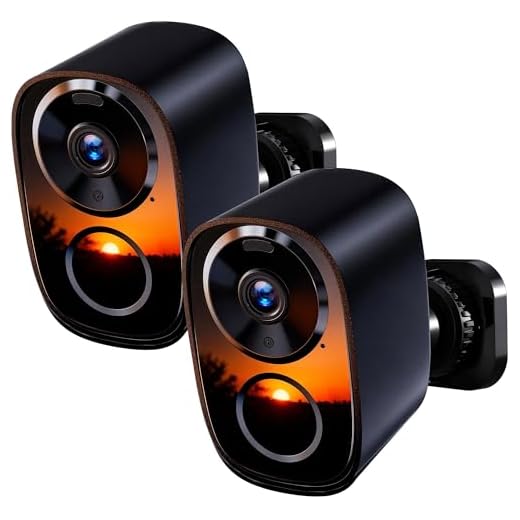


Security camera footage can be stored in a variety of locations, depending on the type of system being used and the preferences of the user. The most common storage options include on-premises storage, cloud storage, and network-attached storage (NAS).
On-premises storage involves storing the footage on a physical device, such as a digital video recorder (DVR) or a network video recorder (NVR) located on-site. This method provides greater control over the data but may be vulnerable to theft or damage.
In contrast, cloud storage allows footage to be securely stored off-site in remote servers managed by third-party providers. This option offers scalability and accessibility from anywhere with an internet connection, but may raise concerns about privacy and data security.
Network-attached storage (NAS) is another popular choice for storing security camera footage. NAS devices are connected to the local network and provide a centralized storage solution that can be accessed by multiple cameras and users.
Importance of storing security camera footage
Storing security camera footage is crucial for various reasons:
- 1. Evidence: Security camera footage serves as valuable evidence in case of theft, vandalism, or other criminal activities.
- 2. Investigation: It helps law enforcement agencies to investigate incidents and identify perpetrators.
- 3. Liability protection: Having stored footage can protect businesses and property owners from liability claims.
- 4. Monitoring: Footage storage allows for real-time monitoring and review of past events for security purposes.
- 5. Compliance: Some industries and organizations are required by law to store security camera footage for a certain period.
Types of storage for security camera footage
Security camera footage can be stored in various ways depending on the specific needs of the system. Here are some common types of storage options:
1. Local storage
Local storage refers to storing footage directly on the camera or a local network video recorder (NVR). This method is cost-effective and provides quick access to the data. However, it may have limited storage capacity and vulnerability to theft or damage.
2. Cloud storage
Cloud storage involves storing footage on remote servers accessed through the internet. This method offers scalability, accessibility from anywhere, and built-in redundancy. However, it may incur ongoing subscription fees and dependence on internet connectivity.
On-premises storage solutions
Many organizations choose to store their security camera footage on-premises, meaning that the data is stored locally within their own facilities. This can be achieved through the use of dedicated Network Video Recorders (NVRs) or Digital Video Recorders (DVRs) that are connected to the security cameras. The footage is typically stored on hard drives within these devices, providing a convenient and secure storage solution.
On-premises storage solutions offer organizations more control over their data and can be particularly appealing for those with strict security and privacy requirements. However, they may require additional investment in hardware and maintenance to ensure the reliability and security of the storage system.
Cloud-based storage options
Cloud-based storage options offer a convenient and secure way to store security camera footage. Many security camera systems provide the option to store recordings in the cloud, allowing users to access their footage from anywhere with an internet connection. Some benefits of cloud-based storage include:
- Remote access to footage
- Scalability
- Redundancy
- Automatic backups
Popular cloud storage providers:
| Provider | Description |
|---|---|
| Amazon Web Services (AWS) | Offers secure and scalable cloud storage solutions |
| Google Cloud Storage | Provides reliable storage options with global infrastructure |
| Microsoft Azure | Offers a range of cloud storage services with strong security features |
When choosing a cloud storage provider for security camera footage, it’s important to consider factors such as cost, storage capacity, security features, and integration capabilities with your existing security system.
Hybrid storage solutions for security camera footage
When it comes to storing security camera footage, hybrid storage solutions offer a flexible and efficient option. These solutions combine the benefits of both local and cloud storage, providing a balance between accessibility and data protection.
Local storage allows for quick access to footage and ensures that data is available even in the event of internet connectivity issues. On the other hand, cloud storage offers off-site backup and remote access to footage, making it easier to manage and monitor video recordings from anywhere.
By leveraging hybrid storage solutions, organizations can optimize their security camera systems by storing footage locally for immediate access and using cloud storage for long-term archiving and remote viewing. This approach not only enhances data security but also improves the overall efficiency of managing and retrieving surveillance footage.
| Benefits of hybrid storage solutions for security camera footage: |
|---|
| Combines local and cloud storage for optimal data management |
| Ensures quick access to footage and data redundancy |
| Provides off-site backup and remote access capabilities |
| Enhances data security and disaster recovery preparedness |
Considerations when choosing storage for security camera footage
When choosing a storage solution for security camera footage, there are several important considerations to keep in mind:
- Capacity: Ensure the storage solution has enough capacity to store the amount of footage you anticipate generating. Consider the number of cameras, resolution, frame rate, and retention period when calculating capacity requirements.
- Reliability: Choose a storage solution that is reliable and can withstand continuous recording and playback cycles. Look for solutions with built-in redundancy features to prevent data loss.
- Scalability: Opt for a storage solution that can scale with your needs. As your security system grows, you may need additional storage capacity. Choose a solution that allows for easy expansion.
- Retention: Determine how long you need to retain footage based on regulatory requirements or internal policies. Ensure the storage solution can accommodate your retention needs without compromising performance.
- Access: Consider how easily you can access and retrieve footage from the storage solution. Look for solutions that offer fast search capabilities and remote access options for convenient retrieval.
- Security: Ensure the storage solution provides adequate security features to protect your footage from unauthorized access or tampering. Look for encryption, access controls, and audit trails to safeguard your data.
Security measures for stored camera footage
When it comes to storing security camera footage, it is crucial to implement robust security measures to protect the data from unauthorized access and tampering. Here are some key security practices to consider:
Encryption: Utilize encryption techniques to secure the stored footage, ensuring that only authorized personnel can access the data.
Access control: Implement strict access controls to limit who can view, download, or delete the camera footage. Use strong authentication methods, such as passwords, biometrics, or multi-factor authentication.
Regular backups: Make regular backups of the camera footage to prevent data loss in case of system failure or security breaches.
Monitoring and auditing: Monitor access to the stored footage and maintain audit logs to track who has accessed the data and when.
Physical security: Ensure that the storage devices housing the camera footage are kept in secure locations, protected from theft, vandalism, or environmental hazards.
Compliance: Adhere to relevant data protection regulations and industry standards to ensure the security and privacy of the stored camera footage.
Best practices for managing and accessing security camera footage
When it comes to managing and accessing security camera footage, it is essential to follow best practices to ensure the security and integrity of the data. Here are some key guidelines to consider:
| 1. Storage Location: | Store the footage in a secure location, preferably off-site or in the cloud, to prevent tampering or theft. |
| 2. Data Retention Policy: | Establish a clear data retention policy to determine how long footage should be stored before it is deleted or archived. |
| 3. Access Control: | Restrict access to the footage to authorized personnel only, using strong authentication methods and encryption. |
| 4. Backup and Redundancy: | Regularly backup the footage and implement redundancy measures to prevent data loss in case of hardware failure. |
| 5. Audit Trails: | Maintain detailed audit trails of who accessed the footage, when, and for what purpose, to track any unauthorized access. |
| 6. Compliance: | Ensure compliance with relevant laws and regulations regarding the storage and access of security camera footage. |




I’ve used both local storage and cloud storage for my security cameras. Local storage was cheaper initially, but managing it became a hassle. Cloud storage, while costing more monthly, allows me to access footage from anywhere. It really depends on how much you're willing to invest in convenience vs. control.
Did you face any issues with internet speed affecting cloud access?
Internet speed can impact access times, especially if you're trying to stream high-resolution footage. It's a good idea to have a reliable internet connection for cloud storage to work effectively.
I don’t think on-premises storage is that risky. If you secure your equipment properly, it can be much safer than cloud storage, which is often vulnerable to hacking.
That's a fair point, but theft and hardware failure are still real risks. Cloud offers redundancy that local storage might lack.
I switched to a hybrid storage system for my cameras, and it really eases my worries about losing footage if the internet goes down.
What are the main pros and cons of using cloud storage for security camera footage? I'm considering it but worried about privacy issues.