
 Carmen J. Moore

In this digital age, technology is constantly evolving, and many of us find ourselves upgrading our cellphones every couple of years. But what do you do with your old devices once you’ve replaced them with the latest model? Instead of letting them gather dust in a drawer, why not repurpose them as security cameras!
By turning your old cellphones into security cameras, you can create a cost-effective and reliable home surveillance system. With the help of some simple apps and a stable Wi-Fi connection, you can monitor your property from anywhere in the world using your smartphone or computer. This DIY solution not only helps you save money on expensive security cameras but also gives your old devices a new lease on life.
Whether you want to keep an eye on your front door, monitor your pets while you’re away, or simply enhance the security of your home, repurposing old cellphones as security cameras is a great way to make the most of your outdated devices. In this guide, we’ll walk you through the steps to set up your old cellphone as a security camera and provide tips on how to maximize its effectiveness.


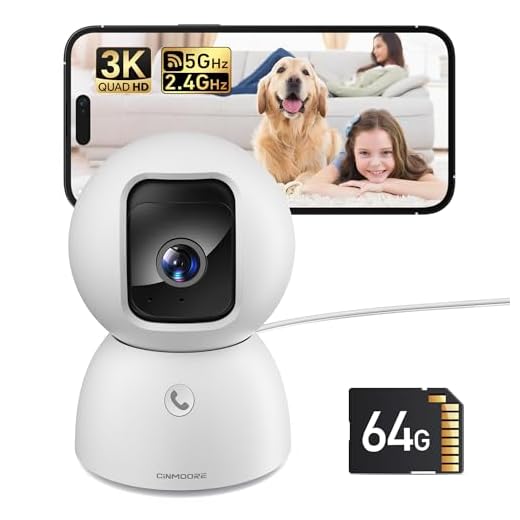
Repurpose old cellphones for security
Old cellphones can be repurposed as security cameras to enhance home or office security. Instead of letting your old devices collect dust, consider turning them into useful surveillance tools. Here is how you can repurpose your old cellphones for security:
- Download a security camera app: Choose a reliable security camera app from the app store and install it on your old cellphone.
- Set up the camera: Position your old cellphone in a strategic location where you want to monitor activity. Make sure it has a clear view of the area.
- Connect to Wi-Fi: Ensure your old cellphone is connected to a stable Wi-Fi network to enable live streaming and remote access.
- Configure settings: Adjust the camera settings, such as motion detection and notifications, to suit your security needs.
- Monitor remotely: Use your current smartphone or computer to access the live feed from your old cellphone and keep an eye on your property from anywhere.
Turn your old phone into a camera
One great way to repurpose your old phone is to turn it into a security camera. This can be a cost-effective solution for monitoring your home or office without investing in expensive surveillance systems.
Here’s how you can easily transform your old phone into a functional security camera:
| Step 1: | Download a security camera app from the app store on your old phone. |
| Step 2: | Set up the camera app and configure the settings according to your preferences. |
| Step 3: | Place your old phone in a strategic location where you want to monitor. |
| Step 4: | Connect your old phone to a power source and ensure it has a stable internet connection. |
| Step 5: | Access the live feed from your old phone’s camera through the app on your current device. |
By following these simple steps, you can give a new life to your old phone and enhance the security of your space with a DIY security camera system.
Choose the right app for monitoring
When repurposing an old cellphone as a security camera, choosing the right monitoring app is crucial for ensuring reliable surveillance. There are numerous apps available for both iOS and Android devices that can turn your old phone into a security camera. Some popular options include Alfred, Manything, Presence, and IP Webcam.
Before making a decision, consider the features offered by each app, such as motion detection, cloud storage options, live streaming capabilities, and remote access. It’s also important to check compatibility with your old phone’s operating system and the devices you plan to use for monitoring.
Set up your old phone as a security camera
If you have an old smartphone lying around, you can easily repurpose it as a security camera to keep an eye on your home or office. Here’s how you can set it up:
Step 1: Download a security camera app like Manything, Alfred, or Presence on your old phone.
Step 2: Install the same app on your current smartphone or tablet to use as a monitor.
Step 3: Connect both devices to the same Wi-Fi network.
Step 4: Set up your old phone in a strategic location with a clear view of the area you want to monitor.
Step 5: Use the app on your monitor device to view the live feed from your old phone’s camera.
Step 6: Customize settings like motion detection, alerts, and recording options for added security.
By following these steps, you can turn your old phone into a cost-effective security camera system without the need for any additional equipment.
Ensure proper placement for surveillance
When using old cellphones as security cameras, it is crucial to ensure proper placement for effective surveillance. Here are some key tips to consider:
1. Strategic locations:
Place the cellphone cameras in strategic locations around your property to maximize coverage. Consider positioning them at entry points, near valuable assets, and in areas with high foot traffic.
2. Angles and heights:
Adjust the angles and heights of the cellphone cameras to capture the best view of the area you want to monitor. Experiment with different positions to find the optimal placement for surveillance.
Access and monitor remotely
One of the major benefits of using old cellphones as security cameras is the ability to access and monitor the feed remotely. By downloading a security camera app on your old cellphone and connecting it to your home Wi-Fi network, you can view the live feed from anywhere using your current smartphone or computer.
Make sure to choose a security camera app that offers remote access features and allows you to receive real-time notifications in case of any suspicious activity. This way, you can always keep an eye on your home or office, even when you are not physically present.
Maximize security features and benefits
When repurposing old cellphones as security cameras, it’s important to maximize the security features and benefits to ensure optimal surveillance. Here are some tips to help you make the most of your setup:
| 1. | Choose a secure location for your cellphone camera to cover the desired area effectively. |
| 2. | Ensure the cellphone is connected to a stable Wi-Fi network to enable real-time monitoring and alerts. |
| 3. | Set up motion detection and notifications to receive alerts when movement is detected in the camera’s field of view. |
| 4. | Utilize cloud storage or a local microSD card to store footage for future reference and evidence. |
| 5. | Consider integrating the cellphone camera with a smart home security system for enhanced monitoring and control. |
By implementing these security features and benefits, you can effectively repurpose old cellphones as cost-effective and reliable security cameras for your home or business.



I recently set up an old iPhone as a security camera using the Manything app. At first, I was skeptical about the quality, but I was pleasantly surprised. The video feed is clear, and I can check on my house while I'm at work. I even set up motion alerts, which has helped me keep an eye on things. My only issue was finding the right spot for the camera. A few adjustments later, and it worked perfectly!
Don’t forget to keep the phone plugged in! The battery drains fast when streaming.