
 Carmen J. Moore
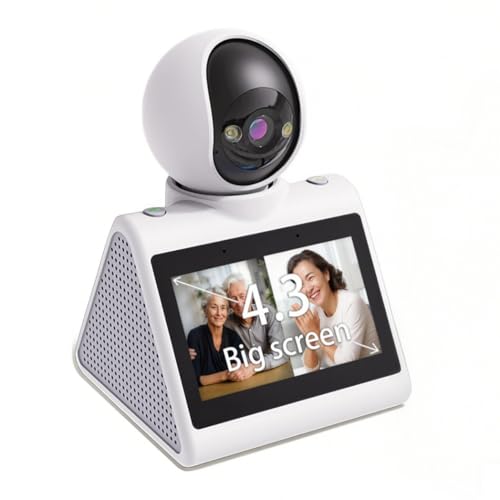
When it comes to home security, having a presence camera with two-way audio can be a game-changer. Not only does it allow you to see what’s happening in and around your home, but it also gives you the ability to communicate with visitors or potential intruders in real-time.
By leveraging the two-way audio feature on your presence camera, you can proactively deter suspicious activity, provide instructions to delivery personnel, or simply check in on your loved ones when you’re away. This added layer of communication can help you feel more connected and in control of your home’s security.
Whether you’re using a presence camera for indoor monitoring or outdoor surveillance, understanding how to effectively use the two-way audio feature is essential. In this article, we’ll explore some practical tips and best practices for utilizing two-way audio on presence cameras to enhance your overall security strategy.
Understanding 2 Way Communication
Two-way communication on a presence security camera allows you to not only see and hear what’s happening in your home or office, but also to interact with the people on the other end. This feature enables you to speak to someone on the other side of the camera, whether it’s a family member, a delivery person, or an intruder. You can give instructions, ask questions, or simply let them know that you’re watching. The ability to have a two-way conversation adds an extra layer of security and peace of mind, as you can actively participate in monitoring your space and responding to potential threats.

Benefits of 2 Way Audio
Having a security camera with 2-way audio capability offers a range of benefits for monitoring and communicating in real-time. Here are some key advantages:
| Enhanced Security: | With 2-way audio, you can listen and talk to individuals near the camera, providing an extra layer of security and control over your space. |
| Remote Communication: | You can communicate with visitors, delivery persons, or family members remotely, even when you’re not physically present at the location. |
| Monitoring Capabilities: | 2-way audio allows you to monitor activities and respond promptly to any suspicious events, helping to deter potential intruders or unwanted guests. |
| Convenience: | It offers convenience by enabling you to communicate with others without the need for additional devices or physical presence, making it easier to manage your security system. |
Setting Up 2 Way Audio
Setting up 2 way audio on your presence security camera is a great way to communicate with visitors or deter intruders. Follow these steps to enable this feature:
| 1. | Access the camera settings on your mobile app or web interface. |
| 2. | Locate the audio settings and enable the two-way audio feature. |
| 3. | Test the audio by speaking into your device and listening for the response through the camera’s speaker. |
| 4. | Adjust the microphone and speaker volume to ensure clear communication. |
| 5. | Save the settings and start using the 2 way audio feature to interact with people near your camera. |
Tips for Using 2 Way Communication
- Ensure both parties speak clearly and directly into the microphone to avoid miscommunication.
- Avoid talking over each other. Use the push-to-talk feature if available.
- Be mindful of background noise that may interfere with the conversation.
- Use the intercom feature for quick, one-way communication when needed.
- Test the audio quality regularly to ensure optimal performance.
- Respect privacy and confidentiality during conversations.
- Practice using the 2-way communication feature to become familiar with its functionality.



Does anyone know if the two-way audio feature works if I'm away from home? Like, can I still communicate with someone through the camera if I'm not on the same Wi-Fi network?
Yes, most modern presence cameras allow you to use two-way audio over mobile data or any external network, as long as you have the app installed. Just ensure your camera is connected to the internet.
Can you explain how the two-way audio feature works on different camera brands? I've seen mixed reviews about how effective it is.
I recently set up a presence camera with two-way audio at my home, and it's been really useful. I was able to talk to a delivery person without having to open the door. The clarity was decent, but I found the background noise can sometimes make it hard to understand. Anyone else faced this issue?