
 Carmen J. Moore
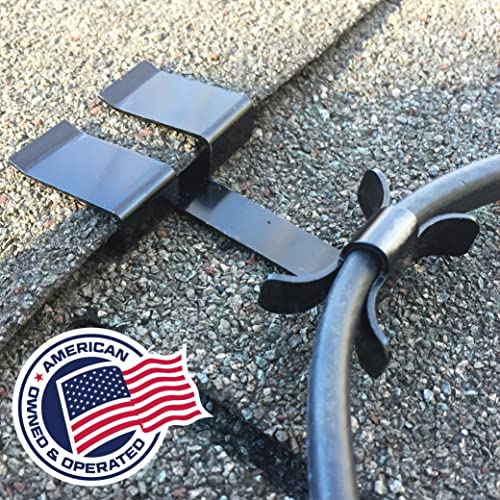
Installing security cameras in multiple buildings can be a challenging task, especially when it comes to running wires between them. Whether you are setting up a surveillance system for a residential or commercial property, ensuring the proper installation of camera wires is crucial for effective monitoring and security.
In this guide, we will discuss the key steps and considerations involved in running security camera wires between buildings, including the types of cables to use, the equipment needed, and the best practices to follow.

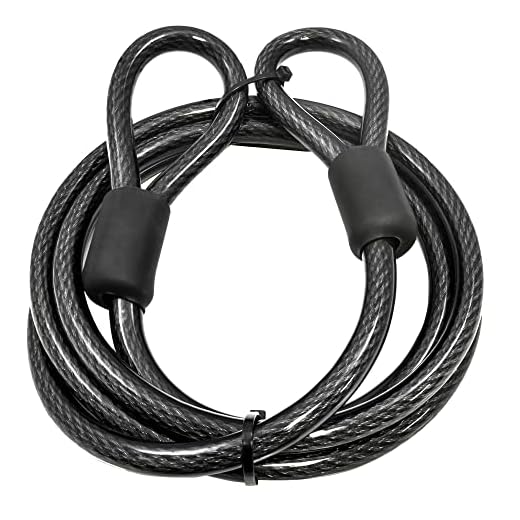

By following these guidelines, you can ensure a seamless and secure connection between your security cameras, providing you with peace of mind and enhanced protection for your property.
Guide to Running Security Camera Wires Between Buildings
When setting up security cameras between buildings, running wires efficiently and securely is crucial for a successful installation. Follow these steps to guide you through the process:
1. Plan Your Route:
Before running any wires, carefully plan the route they will take between the buildings. Consider obstacles, distances, and potential interference that may affect the signal.
2. Choose the Right Cable:
Select high-quality, weatherproof cables designed for outdoor use. Opt for cables with proper shielding to minimize interference and ensure reliable transmission.
3. Use Conduit or Protective Covers:
To protect the wires from environmental damage and vandalism, consider using conduit or protective covers. This will help extend the lifespan of the cables and prevent tampering.
4. Secure the Cables Properly:
Secure the cables along the designated route using cable clips, zip ties, or other appropriate fastening methods. Ensure the cables are taut but not overly strained to prevent damage.
5. Test the Connection:
After running the wires, test the connection between the cameras and the monitoring system to ensure proper functionality. Make any necessary adjustments before finalizing the installation.
6. Regular Maintenance:
Perform regular maintenance checks on the cables to ensure they remain in good condition. Replace any damaged cables promptly to maintain the security system’s effectiveness.
By following these steps, you can effectively run security camera wires between buildings to enhance surveillance and protect your property.
Planning the Route for Your Security Camera Wires
Before running security camera wires between buildings, it’s crucial to plan the route carefully. Here are some key steps to consider:
1. Survey the Area
Start by conducting a thorough survey of the area between the buildings. Identify any obstacles, such as trees, fences, or other structures that may obstruct the path of the wires.
2. Determine the Best Path
Based on your survey, determine the best path for running the security camera wires. Choose a route that minimizes potential interference and ensures the wires are hidden from view as much as possible.
By carefully planning the route for your security camera wires, you can ensure a smooth installation process and optimal performance for your surveillance system.
Choosing the Right Type of Security Camera Wires
When running security camera wires between buildings, it is crucial to select the appropriate type of wires to ensure reliable and secure transmission of video footage. Here are some key factors to consider when choosing security camera wires:
1. Cable Type: Opt for shielded twisted pair (STP) cables or coaxial cables for long-distance installations between buildings. These cables provide better protection against electromagnetic interference and offer superior signal quality.
2. Cable Length: Determine the required length of the cables based on the distance between the buildings. It is advisable to add extra length to accommodate any unexpected obstacles or changes in the installation route.
3. Weather Resistance: Select cables that are weatherproof and suitable for outdoor installations. Weather-resistant cables are essential to withstand harsh environmental conditions and ensure long-term durability.
4. Power Supply: Consider the power requirements of the security cameras when choosing wires. Ensure that the cables can support the necessary voltage and current for reliable operation.
5. Installation Ease: Choose wires that are easy to install and terminate, especially when running cables between buildings. Look for cables with clear labeling and color-coding to simplify the installation process.
By carefully selecting the right type of security camera wires, you can ensure a seamless and secure connection between buildings for effective surveillance and monitoring.
Gathering the Necessary Tools and Materials
Before you begin running security camera wires between buildings, you’ll need to gather the right tools and materials. Here’s what you’ll need:
Tools:
- Drill: for creating holes to run the wires through
- Wire cutters/strippers: for cutting and stripping the wires
- Tape measure: for measuring the distance between buildings
- Ladder: for reaching high places where the wires need to be installed
- Level: for ensuring the wires are installed straight and level
Materials:
- Outdoor-rated security camera cables: make sure to use cables that are suitable for outdoor use and can withstand the elements
- Waterproof connectors: to protect the connections from moisture and water damage
- Mounting hardware: for securing the wires along the path between buildings
- Cable clips or ties: to neatly secure the wires in place
Preparing the Buildings for Wire Installation
Before you begin running security camera wires between buildings, it is essential to properly prepare the buildings to ensure a smooth installation process. Here are some key steps to follow:
1. Determine the Route: Identify the best route for running the wires between the buildings, taking into account factors such as distance, obstructions, and accessibility.
2. Clear the Path: Clear any obstacles or debris along the chosen route to make it easier to run the wires and reduce the risk of damage.
3. Secure the Entry Points: Ensure that the entry points on both buildings are secure and accessible for running the wires through walls, ceilings, or floors.
4. Gather Necessary Tools: Gather all the tools and materials you will need for the wire installation, such as cables, connectors, drills, and cable management devices.
5. Plan the Wiring Layout: Create a wiring diagram or layout plan to guide the installation process and ensure that the wires are connected correctly.
6. Test the Connections: Before running the wires, test the connections between the buildings to ensure that the cameras will receive a strong and stable signal.
Running the Wires Safely and Securely
When running security camera wires between buildings, it is essential to ensure that the wires are installed safely and securely to prevent any damage or interference. Here are some tips to help you run the wires safely:
| 1. Plan the Route: | Determine the best route for running the wires, avoiding obstacles and potential hazards. |
| 2. Use Conduit: | Install conduit to protect the wires from weather elements and physical damage. |
| 3. Secure the Wires: | Use cable clips or straps to secure the wires along the route and prevent them from sagging or getting tangled. |
| 4. Grounding: | Ensure proper grounding of the wires to prevent electrical hazards and interference. |
| 5. Test the Connection: | After running the wires, test the connection to ensure proper functionality and signal strength. |
Testing and Troubleshooting the Security Camera Wires
After running the security camera wires between buildings, it is crucial to test and troubleshoot the connections to ensure proper functionality. Here are some steps to help you with this process:
1. Continuity Testing:
Use a multimeter to check for continuity along the wires. This will help you identify any breaks or faulty connections that may affect the camera feed.
2. Voltage Testing:
Check the voltage levels at different points along the wires to ensure that the power supply is consistent. Fluctuating voltage levels can cause issues with the camera’s performance.
| Issue | Possible Cause | Solution |
|---|---|---|
| No Video Signal | Loose connection or damaged wire | Check and secure connections, replace damaged wires |
| Poor Image Quality | Interference or insufficient power | Shield cables, use proper power source |
| Camera Not Responding | Power supply issue or camera malfunction | Test power source, replace camera if needed |
Securing and Concealing the Wires for a Neat Installation
Once you have run the security camera wires between the buildings, it is important to secure and conceal them properly for a neat and professional installation. Here are some tips to help you achieve this:
1. Use cable clips or staples to secure the wires along the walls or ceilings. Make sure to space them out evenly and avoid over-tightening to prevent damage to the wires.
2. Conceal the wires within conduit or raceways to protect them from the elements and potential tampering. This will also give your installation a clean and organized look.
3. If running wires outdoors, bury them underground or use weatherproof conduit to shield them from the elements and potential damage.
4. Use waterproof junction boxes to protect the connections and ensure they are secure and dry.
5. Label the wires at both ends to make future maintenance or troubleshooting easier. This will save you time and effort in the long run.
By following these tips, you can ensure that your security camera wires are secured and concealed properly for a neat and professional installation between buildings.
Maintaining and Monitoring Your Security Camera System
Once your security camera system is installed and running, it is important to regularly maintain and monitor it to ensure optimal performance and security. Here are some key tips to help you maintain and monitor your security camera system:
Regular Inspections
Perform regular inspections of your security camera system to check for any signs of damage, tampering, or malfunction. This includes checking the camera lenses, cables, and connections for any issues that may affect the system’s performance.
Software Updates
Keep your security camera system’s software up to date by installing the latest updates and patches. This will help ensure that your system is protected against security vulnerabilities and that it continues to operate smoothly.
Remote Monitoring
Set up remote monitoring capabilities for your security camera system so you can view live video feeds and receive alerts on your smartphone or computer. This allows you to keep an eye on your property even when you are not physically present.
By following these maintenance and monitoring tips, you can help ensure that your security camera system remains effective and reliable for protecting your property.



I recently ran wires between my house and garage. I followed a similar route to what’s mentioned in the article. I used outdoor-rated cables and installed them inside conduit for protection. The installation was a bit tricky around corners, but overall, it worked out well. Just a tip: double check the connections at both ends before sealing everything up to avoid having to redo it later.
Don't forget to check your local codes regarding outdoor wiring. Some areas have specific regulations about how and where you can run cables.
I'm planning to install security cameras between two buildings. How far do you think I can run the cables before experiencing signal loss?
Generally, for standard Ethernet cables, it's about 300 feet without signal loss. But the type of cable and environmental factors can also play a role.
I have to disagree with the advice on using conduit. In my experience, conduit can make installation more complicated and isn't always necessary, especially if you're using high-quality outdoor-rated cables.
When choosing cables, is it better to go with shielded twisted pair over coaxial, or does it depend on the installation?