
 Carmen J. Moore
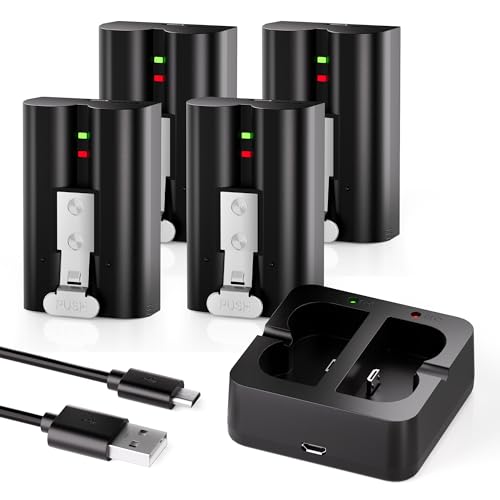
Ring security cameras are a popular choice for home surveillance, providing peace of mind and security for homeowners. However, like all devices, the batteries in these cameras will eventually need to be replaced. Knowing how to properly replace the battery in your Ring security camera is essential to ensure that your camera continues to function effectively.
In this guide, we will walk you through the step-by-step process of replacing the battery in your Ring security camera. Whether you have a Ring Stick Up Cam, Ring Spotlight Cam, or another model, the general process for replacing the battery is similar. By following these instructions, you can easily keep your Ring security camera powered and functioning optimally.
Before you begin, it’s important to make sure you have the correct replacement battery for your specific Ring security camera model. Ring offers official replacement batteries for their devices, which are designed to provide reliable power and performance. Once you have the replacement battery on hand, you can proceed with the battery replacement process.
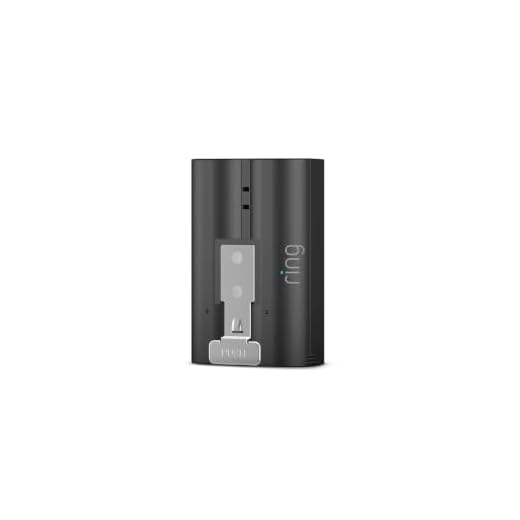

How to Replace Ring Security Camera Battery
If your Ring security camera battery is running low, you can easily replace it with a new one to ensure continuous surveillance of your property. Here’s a step-by-step guide on how to replace the battery:
Step 1: Purchase a Compatible Battery
Before replacing the battery, make sure to purchase a compatible battery for your Ring security camera model. You can find the specific battery type in the user manual or on the Ring website.
Step 2: Turn off the Camera
Before removing the old battery, turn off your Ring security camera to avoid any potential damage or data loss during the replacement process.
Step 3: Remove the Old Battery
Locate the battery compartment on your Ring security camera and carefully remove the old battery. Make sure to handle the battery with care and dispose of it properly according to local regulations.
Step 4: Insert the New Battery
Insert the new battery into the battery compartment, ensuring it is properly aligned and securely in place. Follow the instructions in the user manual for proper installation.
Step 5: Turn on the Camera
Once the new battery is installed, turn on your Ring security camera and check if it is functioning properly. You may need to sync the camera with your Ring app to resume surveillance.
Congratulations! You have successfully replaced the battery in your Ring security camera, ensuring continuous protection for your property.
Check the Battery Type
Before replacing the battery of your Ring security camera, it is important to check the type of battery it uses. Ring security cameras typically use rechargeable lithium-ion batteries. Make sure to verify the specific model and battery type of your camera to ensure you purchase the correct replacement.
Purchase a Replacement Battery
When it comes time to replace the battery in your Ring security camera, it is important to purchase a compatible replacement battery. You can typically find replacement batteries for Ring security cameras on the official Ring website or from authorized retailers. Make sure to check the model number of your camera to ensure you are purchasing the correct battery.
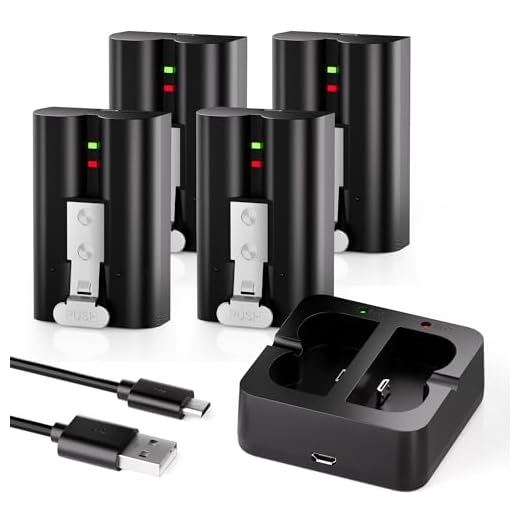
It is recommended to buy a genuine Ring replacement battery to ensure optimal performance and compatibility with your camera. While third-party batteries may be available at a lower cost, they may not provide the same level of reliability and quality as the official Ring batteries.
Before purchasing a replacement battery, consider how often you will need to replace it and whether you may benefit from purchasing multiple batteries to have on hand. This can help ensure that your Ring security camera remains powered and operational at all times.
Power Off the Camera
Before replacing the battery of your Ring security camera, it is important to power off the camera to avoid any potential hazards. Follow these steps to safely power off your camera:
- Open the Ring app on your smartphone.
- Select the camera you want to power off.
- Tap on the “Device Health” option.
- Scroll down and find the “Power Source” section.
- Toggle the switch to turn off the camera.
- Wait for the camera to completely power down before proceeding with the battery replacement.
Open the Battery Compartment
To replace the battery in your Ring security camera, you will need to open the battery compartment. Follow these steps:
- Locate the battery compartment on your Ring security camera. It is usually located on the bottom or back of the camera.
- Look for a small latch or door that covers the battery compartment.
- Slide the latch or open the door to access the battery compartment.
- Once the battery compartment is open, carefully remove the old battery from the camera.
Now that you have successfully opened the battery compartment, you can proceed to replace the battery in your Ring security camera.
Remove the Old Battery
To replace the Ring security camera battery, you first need to remove the old battery from the device. Follow these steps:
- Turn off the camera: Make sure the camera is powered off before attempting to remove the battery. This will prevent any damage or electrical shocks.
- Open the battery compartment: Locate the battery compartment on your Ring security camera. It is usually located on the back or bottom of the device. Use a screwdriver or other tool to open the compartment.
- Remove the old battery: Carefully take out the old battery from the compartment. Be gentle to avoid damaging any components.
- Dispose of the old battery properly: Since the battery is likely a lithium-ion battery, it needs to be disposed of properly. Check your local regulations for battery disposal or recycling options.
Once you have successfully removed the old battery, you can proceed with inserting the new battery into your Ring security camera.
Insert the New Battery
Once you have removed the old battery, it’s time to insert the new one. Follow these steps:
- Take the new battery out of its packaging.
- Make sure the new battery is fully charged before inserting it into the camera.
- Locate the battery compartment on your Ring security camera.
- Insert the new battery into the compartment, ensuring it is correctly aligned with the contacts.
- Close the battery compartment securely.
Once the new battery is inserted and the compartment is closed, your Ring security camera should be ready to use. Make sure to check the battery level periodically and replace it as needed to ensure your camera continues to function effectively.



The article mentions checking the battery type in the user manual. Is there a specific location in the app where I can find this info instead? Sometimes I can’t find my manual.
How long does a Ring camera battery typically last before needing replacement?
It depends on usage, but generally, a fully charged Ring camera battery lasts about 6 to 12 months, depending on activity levels and settings.
Don't forget to dispose of old batteries properly! It's important for the environment.
I replaced my Ring camera battery last week, and the process was pretty straightforward. Just make sure to turn off the camera first, otherwise, it can be a hassle.
I disagree that third-party batteries are unreliable. I’ve used them for a while without issues. They can save you money.
Can I use third-party batteries for my Ring camera, or do I have to buy the Ring ones?