
 Carmen J. Moore

Hikvision security cameras are known for their high-quality video surveillance capabilities, but sometimes the sensitivity of the cameras can be too high, leading to false alarms and unwanted notifications.
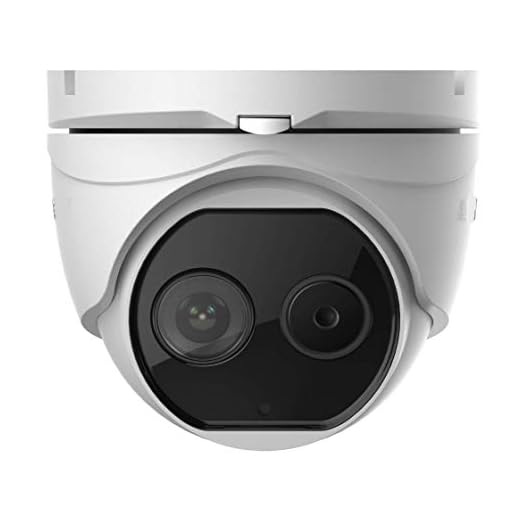


Reducing the sensitivity on your Hikvision security cameras can help minimize these issues and ensure that you only receive alerts for relevant events.
Here are some tips on how to adjust the sensitivity settings on your Hikvision cameras to optimize their performance and accuracy.
Ways to decrease sensitivity
If you want to decrease the sensitivity on your Hikvision security camera, there are a few ways to do it:
1. Adjust the sensitivity settings: Log in to the camera’s web interface and navigate to the settings menu. Look for the motion detection settings and adjust the sensitivity level to a lower value.
2. Change the detection area: You can also reduce sensitivity by changing the detection area. Exclude areas where there may be frequent movement or false alarms, such as moving trees or bushes.
3. Upgrade firmware: Check for firmware updates for your camera. Sometimes, new firmware versions come with improved sensitivity settings.
4. Use advanced analytics: If your camera supports advanced analytics, consider using features like line crossing detection or intrusion detection to reduce false alarms and increase accuracy.
Adjusting camera settings
If you want to reduce sensitivity on your Hikvision security camera, you can adjust the camera settings to achieve the desired level of sensitivity. Here are the steps to adjust the settings:
1. Log in to the camera’s web interface
To access the camera settings, you need to log in to the camera’s web interface using a web browser on a computer connected to the same network as the camera.
2. Navigate to the sensitivity settings
Once logged in, navigate to the camera settings and look for the sensitivity settings. You may find this option under the “Image” or “Video” settings depending on the camera model.
Note: It’s recommended to refer to the camera’s user manual for specific instructions on adjusting sensitivity settings.
Using external IR illuminators
One effective way to reduce sensitivity on Hikvision security cameras is to use external IR illuminators. These devices emit infrared light, which helps the camera capture clear images in low light conditions without relying solely on the built-in IR LEDs. By adding external IR illuminators, you can reduce the sensitivity of the camera’s built-in sensors, resulting in a more balanced and accurate image.
When installing external IR illuminators, position them strategically around the area you want to monitor to ensure optimal coverage. Adjust the intensity and angle of the illuminators to achieve the desired lighting conditions for your camera. By supplementing the camera’s existing IR capabilities with external illuminators, you can improve image quality and reduce sensitivity to unwanted triggers.
Avoiding direct sunlight
Direct sunlight can cause overexposure and increase sensitivity on Hikvision security cameras. To reduce sensitivity, avoid placing the camera in direct sunlight. Choose a shaded location or use a sunshade to protect the camera from direct sunlight. This will help maintain optimal performance and image quality of the camera.
Checking for interference
Another potential cause of sensitivity issues on Hikvision security cameras is interference. Interference can come from various sources, such as nearby electronic devices, power lines, or even other cameras. To check for interference, you can:
| 1. | Move the camera: | Try relocating the camera to see if the sensitivity improves in a different location. |
| 2. | Check for nearby devices: | Turn off or move electronic devices near the camera to see if it affects sensitivity. |
| 3. | Inspect power sources: | Ensure that the camera is not receiving interference from nearby power lines or sources. |
Updating firmware
One way to potentially reduce sensitivity on Hikvision security cameras is to update the firmware. Firmware updates often include improvements and bug fixes that can help optimize the camera’s performance and settings.
To update the firmware on your Hikvision camera, you will need to visit the official Hikvision website and locate the firmware download section. Make sure to download the correct firmware version for your specific camera model.
Once you have downloaded the firmware file, follow the instructions provided by Hikvision to install the update on your camera. This process may vary depending on the camera model, so be sure to carefully read and follow the instructions to ensure a successful update.
Positioning the camera correctly
Proper positioning of your Hikvision security camera can help reduce sensitivity to unwanted motion. Make sure to mount the camera at the right height and angle to avoid capturing unnecessary movement. Position the camera in a way that focuses on the areas you want to monitor while avoiding capturing areas with high foot traffic or moving objects.
Height and Angle
Mount the camera at a height where it can capture the desired field of view without being obstructed by obstacles. Ensure that the camera is angled correctly to minimize sensitivity to movements that are not relevant to your security needs.
By positioning your camera correctly, you can reduce false alarms triggered by irrelevant motion and improve the overall effectiveness of your security system.
Installing a Lens Hood
One way to reduce sensitivity on Hikvision security cameras is by installing a lens hood. A lens hood is a simple accessory that can help reduce glare and lens flare, which can cause sensitivity and reduce image quality.
Steps to install a lens hood:
- Choose a compatible lens hood for your Hikvision security camera model.
- Align the hood with the lens and twist it into place until it securely attaches.
- Make sure the hood does not obstruct the field of view of the camera.
- Adjust the hood position if needed to ensure optimal performance.
By installing a lens hood, you can improve the image quality of your Hikvision security camera and reduce sensitivity to glare and lens flare.
Cleaning the camera lens
One common cause of sensitivity issues on Hikvision security cameras is a dirty lens. A dirty lens can affect the quality of the image captured by the camera and can also lead to false alarms triggered by motion detection. To reduce sensitivity, it is important to regularly clean the camera lens.
Here are some steps to clean the camera lens:
- Turn off the camera to prevent accidental damage during cleaning.
- Use a soft, lint-free cloth or lens cleaning paper to gently wipe the lens surface in a circular motion. Avoid using harsh chemicals or abrasive materials that could scratch the lens.
- If there are stubborn stains or dirt on the lens, dampen the cloth with a small amount of lens cleaning solution and gently wipe the lens again.
- Check the lens for any remaining dirt or smudges and repeat the cleaning process if necessary.
- Once the lens is clean, turn the camera back on and adjust the sensitivity settings as needed to optimize camera performance.
Regularly cleaning the camera lens can help maintain the quality and functionality of your Hikvision security camera, reducing sensitivity issues and ensuring accurate surveillance monitoring.
Contacting technical support
If you are still experiencing sensitivity issues with your Hikvision security cameras after trying the troubleshooting steps mentioned above, it may be time to reach out to technical support for assistance. Here are some ways to contact Hikvision’s technical support:
1. Online support portal:
You can visit Hikvision’s official website and navigate to the support section to find resources such as FAQs, user manuals, and troubleshooting guides. You may also find a contact form or live chat option to get in touch with a technical support representative.
2. Phone support:
Hikvision may have a dedicated technical support phone line that you can call for immediate assistance. Be prepared to provide details about your camera model, the issue you are facing, and any troubleshooting steps you have already taken.



I find updating the firmware doesn't always help with sensitivity issues. Sometimes it just creates new problems instead.
Good article! I’m having trouble finding the sensitivity settings on my Hikvision camera. Can you explain where to look in the web interface?