
 Carmen J. Moore

Security cameras play a crucial role in safeguarding our homes and businesses, providing us with a sense of security and peace of mind. However, these devices are not immune to cyber threats and hacking attempts. With the increasing sophistication of cybercriminals, it is essential to take proactive measures to protect your security cameras from unauthorized access.
Hackers can exploit vulnerabilities in security cameras to gain access to your private footage, compromise your privacy, and even use the cameras for malicious purposes. To prevent such breaches and safeguard your security system, it is important to implement robust security measures and best practices.
From changing default passwords to keeping firmware up to date, there are several steps you can take to enhance the security of your security cameras. By following these guidelines and staying vigilant, you can minimize the risk of falling victim to hackers and ensure the safety of your property and loved ones.
How to Secure Your Security Cameras
Security cameras are an essential tool for protecting your property, but they can also be vulnerable to hackers. To ensure that your security cameras are secure, follow these tips:


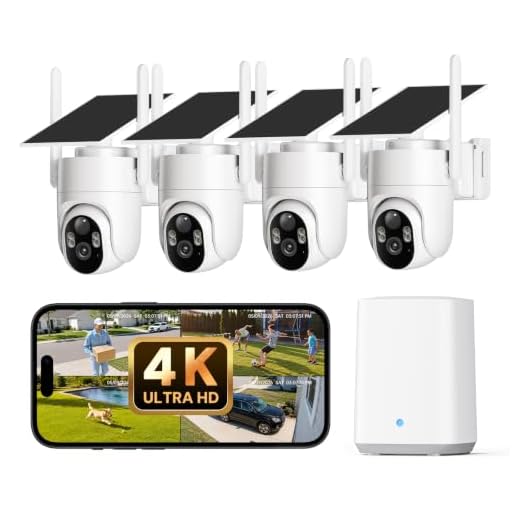
- Change default passwords: One of the easiest ways for hackers to access your security cameras is through default passwords. Make sure to change the default password to a strong, unique one.
- Update firmware regularly: Manufacturers often release firmware updates to address security vulnerabilities. Be sure to regularly update the firmware on your security cameras to stay protected.
- Use strong encryption: Enable encryption on your security cameras to prevent unauthorized access to the video feed.
- Secure your network: Ensure that your network is secure by using strong passwords, enabling firewalls, and regularly monitoring for suspicious activity.
- Limit access: Restrict access to your security cameras to only authorized users. Avoid sharing login credentials with others.
- Regularly check for suspicious activity: Monitor your security cameras for any unusual activity that could indicate a security breach.
By following these tips, you can better protect your security cameras from hackers and ensure the safety of your property.
Update Camera Firmware Regularly
One of the most important steps you can take to protect your security cameras from hackers is to regularly update the firmware on your devices. Manufacturers often release firmware updates that address security vulnerabilities and improve the overall performance of the cameras.
By keeping your camera firmware up to date, you can ensure that your devices are protected against the latest threats and that any known security issues are patched. Be sure to check the manufacturer’s website regularly for firmware updates and follow their instructions for installing them.
Updating the firmware on your security cameras is a simple but effective way to enhance the security of your surveillance system and prevent unauthorized access by hackers.
Use Strong Passwords
One of the most effective ways to protect security cameras from hackers is to use strong, unique passwords for each camera and associated accounts. Avoid using common passwords like “password” or “123456” as they are easy for hackers to guess. Instead, create complex passwords that include a mix of letters, numbers, and special characters. Consider using a password manager to generate and store strong passwords securely.
Enable Two-Factor Authentication
One of the most effective ways to protect your security cameras from hackers is to enable two-factor authentication (2FA). This adds an extra layer of security by requiring not only a password but also a second form of verification, such as a code sent to your phone or email.
By enabling 2FA, even if a hacker manages to obtain your password, they will still need the second factor to access your cameras. This significantly reduces the risk of unauthorized access to your security system.
Create a Secure Network
One of the most important steps in protecting security cameras from hackers is to create a secure network. Here are some tips to help you establish a secure network:
Change default passwords: Make sure to change the default passwords on your security cameras and network devices. Use strong, unique passwords that are hard to guess.
Update firmware: Regularly update the firmware on your security cameras and network equipment to patch any known security vulnerabilities.
Use encryption: Enable encryption on your network to protect the data transmitted between your security cameras and monitoring devices.
Set up a firewall: Install a firewall to monitor and control incoming and outgoing network traffic to prevent unauthorized access to your security cameras.
Segment your network: Create separate network segments for your security cameras and other devices to limit access and reduce the risk of a security breach.
By following these steps, you can create a more secure network environment for your security cameras and minimize the risk of hackers gaining unauthorized access.
Disable Remote Access
One effective way to protect your security cameras from hackers is to disable remote access. Remote access allows users to access the camera’s feed from anywhere in the world through the internet, making it vulnerable to hacking attempts.
By disabling remote access, you limit access to the camera’s feed to only those who are physically present at the camera location. This reduces the chances of unauthorized access and protects your camera system from potential security breaches.
Monitor Camera Activity
One of the best ways to protect your security cameras from hackers is to regularly monitor camera activity. By keeping an eye on the footage and checking for any suspicious activity, you can quickly identify any potential security breaches.
Set up alerts: Configure your cameras to send alerts to your phone or email whenever there is unusual activity detected. This way, you can respond quickly to any potential threats.
Regularly review footage: Take the time to review the footage captured by your cameras on a regular basis. Look for any unauthorized access or suspicious behavior that could indicate a security breach.
Update firmware: Make sure to regularly update the firmware of your security cameras to protect against known vulnerabilities that hackers could exploit.
Limit access: Restrict access to your security camera system to only trusted users. Use strong passwords and two-factor authentication to prevent unauthorized access.
Keep cameras secure: Physically secure your cameras to prevent tampering or unauthorized access. Install them in high and hard-to-reach locations to make it more difficult for hackers to compromise them.
Invest in Secure Cameras
One of the most effective ways to protect your security cameras from hackers is to invest in secure cameras right from the start. Look for cameras that come with built-in encryption protocols and strong password requirements. Choose reputable brands that prioritize security features in their products.
Additionally, consider cameras that offer regular firmware updates to patch any security vulnerabilities. Opt for cameras that have two-factor authentication options to add an extra layer of security. By investing in secure cameras, you can significantly reduce the risk of unauthorized access to your surveillance system.



After implementing some of these tips, I noticed a significant improvement in my security. I changed my passwords and enabled two-factor authentication a few months ago. I used to get random login attempts, but ever since I did that, the alerts have stopped. Definitely worth taking the time to secure your cameras!
Can you explain a bit more about how to set up a secure network specifically for security cameras? What steps should I focus on?
To set up a secure network for your cameras, start by changing the default passwords on your router and cameras, enable encryption (like WPA3), set up a firewall, and segment your network to isolate the security cameras from other devices. Regularly monitoring network traffic can also help identify any suspicious activity.