
 Carmen J. Moore

Security cameras are a valuable tool for keeping your home or business safe, but sometimes the sight of a monitor can be unsightly or distracting. Fortunately, there are several clever ways to hide your security camera monitor while still keeping an eye on your property.
One option is to conceal the monitor inside a piece of furniture or behind a decorative screen. You can also mount the monitor on a wall and hide it behind a piece of art or a sliding panel. Another creative idea is to disguise the monitor as a plant or other decorative object.


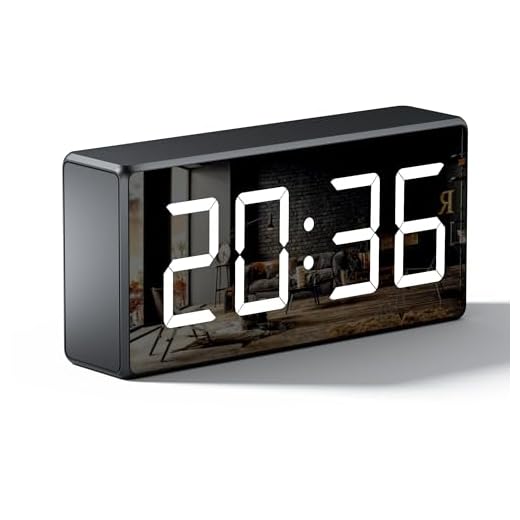
Remember to consider the viewing angles and accessibility of the monitor when choosing a hiding spot. It’s important to keep the monitor in a location where you can easily view the camera feeds while maintaining the aesthetic of your space.
Tips for Concealing Security Camera Monitors
When it comes to hiding security camera monitors, there are several clever tricks you can use to keep them out of sight while still maintaining their functionality. Here are some tips to help you conceal your security camera monitors effectively:
1. Use a Two-Way Mirror
One popular method is to mount the monitor behind a two-way mirror. This way, the monitor will only be visible when turned on, but will appear as a regular mirror when not in use. This can be a discreet and effective way to hide your security camera monitor.
2. Conceal in Furniture
You can also consider integrating the monitor into existing furniture or custom-built cabinets. By incorporating the monitor into a piece of furniture, such as a bookshelf or entertainment center, you can easily conceal it while still keeping it accessible for viewing.
- Ensure proper ventilation to prevent overheating.
- Position the monitor at eye level for optimal viewing.
- Use cable management solutions to keep wires hidden and organized.
By following these tips and getting creative with your approach, you can effectively conceal your security camera monitor while still maintaining its functionality and accessibility.
Importance of Hiding Surveillance Screens
When it comes to home security, surveillance cameras are an essential tool in monitoring your property and deterring potential intruders. However, having visible surveillance screens can sometimes have the opposite effect and alert burglars to the presence of cameras, making them easy targets for tampering or disabling.
By hiding your surveillance screens, you can maintain the element of surprise and keep potential threats unaware of your monitoring system. This can help ensure that your cameras continue to capture valuable footage without interference.
Additionally, hiding surveillance screens can also protect your privacy by preventing outsiders from seeing live feeds of your property. This can be especially important if your cameras are positioned in sensitive areas of your home.
Overall, hiding surveillance screens is a simple yet effective way to enhance the security and privacy of your property, making it a worthwhile consideration for any homeowner with a surveillance system.
Camouflage Techniques for Monitor Disguises
When it comes to hiding your security camera monitor, camouflage techniques can be very effective. Here are some ideas to help you disguise your monitor:
| 1. Use a Picture Frame: | Place your monitor inside a picture frame to make it blend in with your decor. |
| 2. Hide it Behind a Mirror: | Install your monitor behind a two-way mirror to make it look like a regular mirror. |
| 3. Incorporate it into a Bookshelf: | Build a bookshelf around your monitor to make it look like part of your shelving. |
| 4. Disguise it as a Clock: | Mount your monitor inside a clock frame to make it look like a decorative piece. |
| 5. Use a Plant Cover: | Place your monitor inside a plant cover or pot to make it look like a plant. |
Creative Ways to Conceal CCTV Displays
When it comes to hiding your security camera monitor, there are several creative solutions that can help you maintain security without sacrificing aesthetics. Here are some clever ways to conceal your CCTV displays:
1. Disguise as a Picture Frame
One popular method is to disguise your security camera monitor as a picture frame. Simply place a photo or artwork over the screen to make it blend seamlessly with your decor. This way, your CCTV display will look like a piece of art rather than a surveillance device.
2. Hide in Plain Sight
Another option is to strategically place your security camera monitor behind a two-way mirror or tinted glass. This way, the screen will be hidden from view, but you will still be able to monitor the feed without obstruction. This clever trick allows you to keep an eye on your property discreetly.
DIY Solutions for Hidden Security Camera Monitors
When it comes to concealing your security camera monitor, there are several creative DIY solutions you can consider.
1. Picture Frame Concealment: One popular method is to hide your monitor behind a two-way mirror or within a picture frame. This allows the monitor to blend in with your home décor while still providing a clear view of the camera feed.
2. Bookshelf Camouflage: Another option is to place your monitor within a bookshelf or behind books. By strategically positioning the monitor among other items, it can easily go unnoticed.
3. False Wall Outlet: You can also install a faux wall outlet with a hidden compartment to discreetly house your monitor. This clever trick makes it seem like the monitor is just another part of your electrical setup.
4. Furniture Integration: Consider integrating the monitor into a piece of furniture, such as a cabinet or entertainment center. This way, the monitor is hidden in plain sight and easily accessible when needed.
By implementing these DIY solutions, you can keep your security camera monitor out of sight while still maintaining visibility of your camera feeds.
Best Locations to Place a Disguised Monitor
1. Behind a Two-Way Mirror: Install the monitor behind a two-way mirror to blend in seamlessly with the surroundings while still being able to monitor the area effectively.
2. Inside a Plant: Place the monitor inside a potted plant or a decorative vase to camouflage it and maintain a natural look in the room.
3. Built into a Bookshelf: Incorporate the monitor into a bookshelf by disguising it as a book or integrating it into the design for discreet surveillance.
4. Hidden in a Wall Clock: Conceal the monitor within a wall clock to keep it inconspicuous and provide a functional and decorative element in the room.
5. Inside a Picture Frame: Hide the monitor behind a picture frame to maintain a low profile while still having a clear view of the monitored area.
Benefits of Concealing Video Surveillance Screens
Concealing video surveillance screens can offer several advantages for your security setup. Here are some benefits to consider:
- Enhanced Security: By hiding your security camera monitor, you can prevent potential intruders from easily identifying blind spots or camera positions, making it harder for them to evade detection.
- Discreet Monitoring: Concealing the monitor allows for discreet monitoring of your property without drawing unnecessary attention to the surveillance system, helping maintain a low profile for your security measures.
- Prevention of Tampering: Keeping the video surveillance screen out of sight can help deter tampering or vandalism attempts, as intruders may not be aware of the exact location of the monitoring equipment.
Enhancing Home Security with Hidden Monitors
One effective way to enhance your home security is by using hidden security camera monitors. These monitors can help you keep an eye on your property without drawing attention to the fact that you are monitoring the area. Here are some tips to help you hide your security camera monitor:
1. Conceal the monitor:
Place the monitor in a discreet location where it is not easily visible to outsiders. You can hide it behind a bookshelf, inside a cabinet, or even behind a two-way mirror.
2. Use a decoy:
If you have multiple monitors, consider using a decoy monitor that is easily visible to deter potential intruders. This can help trick intruders into thinking they are being watched even if the real monitor is hidden.
3. Install the monitor in inconspicuous locations:
Mount the monitor in areas where it blends in with the surroundings, such as behind a piece of art or a plant. This can help camouflage the monitor and make it less noticeable.
4. Utilize smart technology:
Consider using smart technology to remotely access your security camera feed instead of having a physical monitor. This can help eliminate the need for a visible monitor altogether.
By following these tips, you can enhance your home security while keeping your security camera monitor hidden from prying eyes.
Final Thoughts on Securing Camera Monitor Visibility
In conclusion, hiding your security camera monitor is crucial to prevent potential intruders from disabling or tampering with your surveillance system. By concealing the monitor in a discreet location, such as behind a two-way mirror or inside a locked cabinet, you can ensure that it remains secure and out of sight.
Additionally, consider using a password-protected screensaver or setting up remote viewing options to monitor your camera feeds discreetly from a smartphone or computer. Remember to regularly check the visibility of your monitor from outside to detect any potential blind spots or vulnerabilities.
Overall, taking proactive steps to hide your security camera monitor will enhance the effectiveness of your surveillance system and provide peace of mind knowing that your property is well-protected.




What’s the best way to hide a monitor if it's already mounted on the wall?
I actually used a two-way mirror for my monitor and it worked perfectly! It looks just like a regular mirror when the monitor is off.
That sounds great! Did you have to make any special adjustments for the mirror?
Do I need special cables or connectors to hide the monitor in a plant cover?
I disagree with the idea of hiding the monitor behind a clock. Most people look at wall clocks frequently, so it seems like an obvious spot.