
 Carmen J. Moore

Having a security camera system can provide peace of mind and added security for your home or business. However, if you have a slow upload speed, it can be challenging to effectively monitor your property in real-time. Slow upload speeds can lead to laggy video feeds, missed events, and unreliable footage.

Despite the limitations of slow upload speeds, there are ways to work around this issue and still have a functional security camera system. One solution is to adjust the settings on your security camera to lower the resolution or frame rate. By reducing the quality of the video feed, you can decrease the amount of bandwidth required for uploading the footage to the cloud.
Another option is to use a local storage solution, such as a microSD card or a network-attached storage (NAS) device. By storing the footage locally, you can bypass the need to upload video files to the cloud, thereby reducing the strain on your internet connection.
Tips for Improving Security Camera Upload Speed
Having a security camera with slow upload speed can be frustrating, but there are several tips you can try to improve the performance:
1. Check Your Internet Connection: Make sure your internet connection is stable and strong enough to support the upload speed required by your security camera.
2. Upgrade Your Internet Plan: Consider upgrading to a higher-speed internet plan if your current plan is not providing enough bandwidth for your security camera.
3. Position Your Router Correctly: Place your router in a central location and away from obstructions to ensure a strong and stable connection to your security camera.
4. Use a Wired Connection: If possible, connect your security camera to your router using an Ethernet cable for a more reliable and faster connection.
5. Limit Background Internet Usage: Avoid streaming videos or downloading large files while your security camera is uploading footage to reduce network congestion.
6. Update Your Camera’s Firmware: Check for firmware updates for your security camera and install them to ensure optimal performance and compatibility with your network.
By following these tips, you can potentially improve the upload speed of your security camera and enhance the overall security of your property.
Check Your Internet Connection
One of the first things to do when dealing with slow upload speeds on your security camera is to check your internet connection. Slow upload speeds could be a result of a poor or unstable internet connection, which can significantly impact the performance of your security camera.
Ensure that your internet connection is stable and strong enough to support the upload requirements of your security camera. You can perform a speed test to determine the upload speed of your connection and compare it to the recommended upload speed for your camera.
If you find that your internet connection is the issue, you may need to upgrade your plan, switch to a different provider, or consider using a wired connection for your security camera to improve upload speeds.
Upgrade to a Faster Internet Plan
If your security camera’s slow upload speed is causing issues, consider upgrading to a faster internet plan. A faster internet connection can significantly improve the performance of your security camera system, allowing for smoother live streaming and quicker upload speeds.
Before upgrading, check with your internet service provider to see what plans are available in your area. Compare the upload speeds offered by different plans and choose one that meets the requirements of your security camera system.
Benefits of Upgrading to a Faster Internet Plan:
| 1. Improved Video Quality | Upgrading to a faster internet plan can enhance the quality of the video feed from your security camera, providing clearer images and better detail. |
| 2. Faster Upload Speeds | A faster internet connection will allow your security camera to upload footage more quickly, ensuring that you don’t miss any important events or incidents. |
Optimize Camera Settings
One way to improve the performance of your security camera with slow upload speed is to optimize the camera settings. Here are some tips:
- Lower the resolution: Decreasing the resolution of the camera can reduce the file size of the video, making it easier to upload with slower speeds.
- Adjust frame rate: Lowering the frame rate of the camera can also help reduce the size of the video files, making them quicker to upload.
- Use motion detection: Enable motion detection on your camera so that it only records when there is movement, reducing the amount of data that needs to be uploaded.
- Adjust bitrate: Lowering the bitrate of the camera can help reduce the size of the video files without compromising too much on quality.
- Schedule recordings: Set up a schedule for when the camera should be recording to avoid continuous recording, which can lead to large file sizes.
Use Wired Connections
If you are experiencing slow upload speeds with your security camera, consider using wired connections instead of relying solely on Wi-Fi. Wired connections are generally more stable and reliable, providing a consistent and fast connection for your camera.
You can connect your security camera directly to your router using an Ethernet cable. This eliminates potential interference and signal loss that can occur with wireless connections. Additionally, wired connections can provide higher bandwidth, allowing for smoother video streaming and faster upload speeds.
By opting for a wired connection, you can improve the overall performance of your security camera and ensure that your footage is uploaded efficiently and without interruptions.
Position Your Router Strategically
One of the key factors affecting your upload speed is the strength of your Wi-Fi signal. To ensure a strong and stable connection, position your router strategically. Place it in a central location in your home or office, away from walls and obstructions that could interfere with the signal. Elevating the router off the ground and keeping it away from other electronic devices can also help improve signal strength.
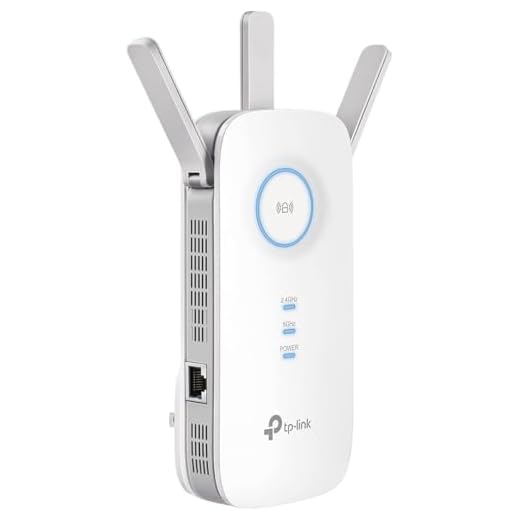
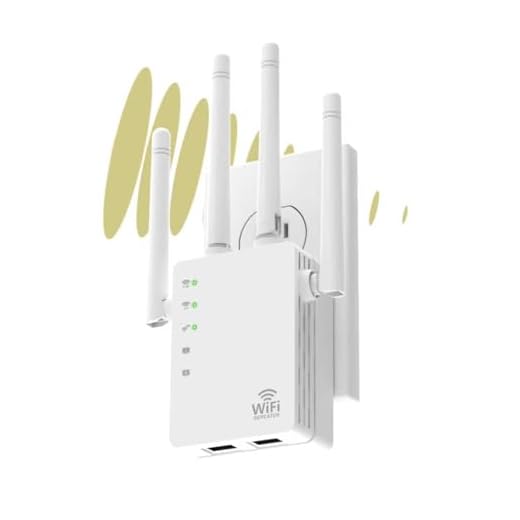
Additionally, consider investing in a Wi-Fi extender or mesh network system to extend the range of your Wi-Fi signal and ensure reliable upload speeds for your security camera.
Consider a Network Extender
If your security camera has slow upload speeds due to a weak Wi-Fi signal, consider using a network extender. A network extender can help boost your Wi-Fi signal strength and improve the overall performance of your security camera system. By placing the network extender closer to your security camera, you can ensure a stronger and more stable connection, resulting in faster upload speeds and better video quality.
Update Camera Firmware Regularly
One important step to ensure the security camera’s performance with slow upload speed is to regularly update its firmware. Manufacturers often release firmware updates to address security vulnerabilities, improve performance, and add new features.
Regularly check for firmware updates on the manufacturer’s website or through the camera’s app. Make sure to follow the instructions provided by the manufacturer to update the firmware properly.
By keeping the camera’s firmware up-to-date, you can ensure that it is operating at its best performance, which can help optimize its performance even with slow upload speeds.
Monitor and Troubleshoot Network Traffic
One of the key steps in dealing with slow upload speeds on your security camera is to monitor and troubleshoot your network traffic. By monitoring your network traffic, you can identify any bottlenecks or issues that may be causing the slow upload speed.
Use Network Monitoring Tools
There are various network monitoring tools available that can help you track the traffic on your network. These tools can provide insights into the data flow, bandwidth usage, and any potential congestion points that may be impacting the performance of your security camera.
Check for Interference
Interference from other devices or networks can also affect the upload speed of your security camera. Make sure to check for any potential sources of interference, such as other wireless devices, microwaves, or Bluetooth devices, and try to eliminate or minimize them to improve your camera’s performance.



I had similar issues with my security camera. I switched to a wired connection, and it made a huge difference in upload speeds. Wi-Fi was too inconsistent for my needs. Definitely recommend trying that if anyone is struggling with slow uploads!
What resolution settings do you recommend for a security camera with slow upload speeds? I want to balance quality and performance.
Lowering the resolution to 720p can be a good start. It reduces file size while still providing decent clarity. You can adjust further based on your upload speed.
I disagree with the suggestion to always go wired. Sometimes Wi-Fi can work just fine if you have a good router and extender. I've had great results without the hassle of wires!
Wired connections do offer stability, but it really depends on your specific environment. If Wi-Fi works for you, that's great!