
 Carmen J. Moore

Security cameras play a crucial role in monitoring and securing our surroundings. Whether they are installed in homes, businesses, or public spaces, these cameras help deter crime and provide valuable evidence in case of incidents. But how can you be sure that a security camera is recording when you need it to?
There are several indicators that can help you determine if a security camera is actively recording footage. Understanding these signs can give you peace of mind knowing that your camera is functioning properly and capturing important events. Let’s explore some common ways to tell if a security camera is recording.

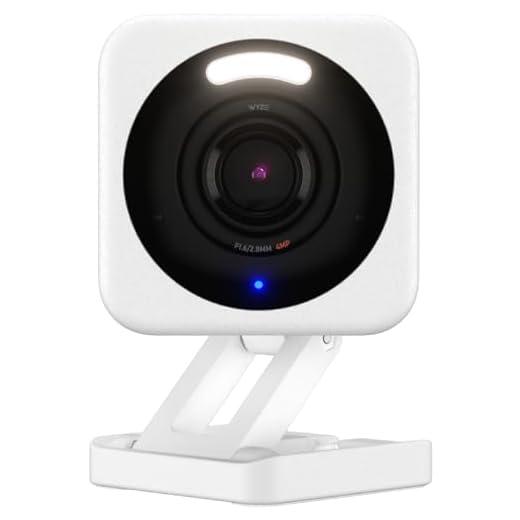
How to Check Security Camera Recording
There are a few ways to check if a security camera is recording:
1. Look for a blinking light on the camera: Many security cameras have a small LED light that blinks when the camera is recording.
2. Check the camera’s settings: Access the camera’s settings through its interface or app to see if it’s set to record.
3. Review the footage: If you have access to the camera’s footage, review it to see if it’s recording.
4. Check the storage device: Ensure that the camera’s storage device, such as an SD card or cloud storage, is functioning properly and has enough space to record.
5. Contact the manufacturer: If you’re unsure if the camera is recording, reach out to the manufacturer for assistance.
Camera Indicator Lights
Many security cameras have indicator lights that show when they are actively recording. These lights can vary depending on the camera model and settings. Common indicator lights include:
- Recording Light: Some cameras have a specific light that turns on when the camera is recording footage. This light may be red or another bright color to indicate recording status.
- Power Light: The power light on a camera may blink or change color when the camera is actively recording to indicate that it is in use.
- Network Light: If the camera is connected to a network or Wi-Fi, the network light may flicker or change when recording is in progress.
It’s important to familiarize yourself with the indicator lights on your security camera so you can easily tell when it is recording and when it is not.
Review Footage Playback
Once you have determined that a security camera is recording, the next step is to review the footage playback. Follow these steps to access and review the recorded footage:
- Locate the security camera’s recording device, such as a DVR or NVR.
- Connect a monitor or a computer to the recording device using the appropriate cables.
- Access the device’s interface or software to view the recorded footage.
- Use the playback controls to navigate through the footage, pause, rewind, or fast forward as needed.
- Look for specific events or timestamps to find the footage you are interested in.
- If needed, save or export the footage for future reference or sharing with authorities.
By following these steps, you can easily review the recorded footage captured by your security camera to ensure the safety and security of your premises.
Check Storage Capacity
One way to determine if a security camera is recording is to check its storage capacity. Most security cameras come with built-in storage options, such as a memory card or cloud storage. You can check the storage capacity of the camera to see if it has enough space to store recordings.
If the camera is set to loop recording, it will automatically overwrite the oldest recordings when the storage is full. However, if the camera is constantly recording and the storage is almost full, it may stop recording new footage. In this case, you may need to manually delete old recordings or increase the storage capacity.
Monitor Remote Access
One way to ensure that a security camera is recording is to monitor remote access to the camera system. Many modern security camera systems offer remote monitoring capabilities, allowing you to access live feeds and recorded footage from anywhere with an internet connection.
You can check the remote access logs to see if anyone has accessed the camera system and verify that recordings are being made. Additionally, you can set up alerts or notifications for any unauthorized access attempts, ensuring that your security camera system is being used properly.
| Remote Monitoring: | Check live feeds and recorded footage remotely. |
| Access Logs: | Monitor remote access logs for verification. |
| Alerts: | Set up alerts for unauthorized access attempts. |
Verify Recording Schedule
To ensure that a security camera is recording, it is crucial to verify the recording schedule. Most security cameras offer the ability to set specific times for recording, whether it be 24/7 continuous recording or scheduled recording during specific hours.
Access the camera’s settings either through the camera itself or the associated software or app. Check the recording schedule to see if it aligns with your desired recording times. Make sure the camera is set to record when you need it to capture footage.
If the camera has motion detection capabilities, ensure that this feature is enabled and properly configured. Motion detection can trigger the camera to start recording when movement is detected within its field of view, even outside of scheduled recording times.
Consult User Manual
One of the best ways to determine if a security camera is recording is to consult the user manual that comes with the camera. The user manual will typically provide detailed instructions on how to operate the camera, including how to start and stop recordings, view footage, and check the status of the camera.
Refer to the section in the user manual that covers recording functions, as it will outline the steps you need to take to ensure that the camera is actively recording. If you are unsure about any of the instructions in the user manual, you can also contact the manufacturer’s customer support for further assistance.




When you mention checking the camera settings, do you mean through a mobile app or directly on the camera? Some models don’t have an interface on the device itself.
You can typically check through both methods. Most modern cameras have a mobile app, but some also allow access directly on the device.
I've had a security camera for a year now, and honestly, the blinking light was a big help in knowing it was recording. However, I did have an issue with storage space once. I didn’t realize it was almost full until the recordings stopped. Now I check the storage regularly, as you suggested. Sometimes it’s good to set reminders for that!
I've found that accessing the app is the quickest way to check if my camera is recording. Super convenient!