
 Carmen J. Moore
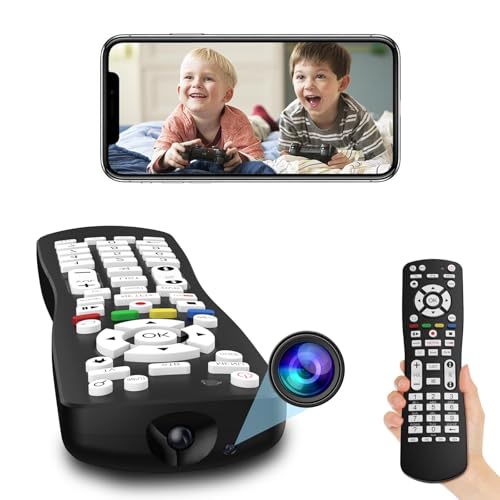
Remote access to security cameras has become increasingly popular in recent years, allowing homeowners and businesses to monitor their property from anywhere in the world. However, there are occasions when users encounter difficulties in accessing their cameras remotely, leaving them vulnerable to security risks.
One of the primary reasons why you may be unable to access your cameras remotely is due to network issues. Your cameras may not be properly connected to the internet or there could be firewall settings blocking remote access. It is essential to ensure that your network configuration is correct and that your cameras are set up to allow remote viewing.
Another common concern is the security of your remote access setup. Hackers can exploit vulnerabilities in your camera system, gaining unauthorized access to your footage and compromising your privacy. It is crucial to use strong passwords, enable encryption, and regularly update your camera firmware to protect against potential security threats.
Reasons for Unable to Access Security Cameras Remotely
There could be several reasons why you are unable to access your security cameras remotely. Here are some common issues to consider:



1. Network Connectivity Problems:
If your security cameras are not accessible remotely, it may be due to network connectivity issues. Check if your internet connection is stable and the IP address of your cameras is correctly configured.
2. Firewall or Router Settings:
Your firewall or router settings may be blocking remote access to your security cameras. Make sure that port forwarding is properly set up and that any security features on your network are not preventing access.
Network Configuration Issues
If you are unable to access your security cameras remotely, one common reason could be network configuration issues. Make sure that your cameras are properly connected to your network and that they have the correct IP addresses assigned. Check your router settings to ensure that port forwarding is correctly set up for the cameras. Additionally, ensure that there are no firewall or security settings blocking access to the cameras from outside your network. Troubleshooting network configuration issues can help resolve remote access issues with your security cameras.
Firewall Restrictions
If you are unable to access your cameras remotely, it could be due to firewall restrictions on your network. Firewalls are designed to protect your network from unauthorized access, but they can sometimes block legitimate connections to your security cameras. Check your firewall settings to ensure that the necessary ports for remote access are open. You may need to configure your firewall to allow incoming connections on specific ports, such as TCP port 80 or 554, depending on the type of camera system you are using.
Incorrect Port Forwarding
If you are unable to access your cameras remotely, one common reason could be incorrect port forwarding settings. Port forwarding allows external devices to connect to your cameras over the internet. Check the port forwarding settings on your router to ensure that the correct ports are open and forwarded to the IP address of your cameras. Make sure that the ports used by your cameras are not blocked by your router or firewall. Incorrect port forwarding settings can prevent remote access to your security cameras.
Internet Connectivity Problems
If you are unable to access your security cameras remotely, one of the common reasons could be internet connectivity issues. Make sure that your internet connection is stable and working properly. Check if your router is properly configured and if there are any network issues that could be affecting the connection to your cameras.
It is also important to ensure that your cameras are connected to the internet and that they have a strong signal. Poor Wi-Fi signal or network congestion can also cause issues with remote access to your cameras. Try restarting your router and cameras to see if that resolves the connectivity issues.
If you continue to experience problems with accessing your cameras remotely, you may need to contact your internet service provider or the manufacturer of your cameras for further assistance.
Software Compatibility Concerns
One of the common reasons why you may not be able to access your security cameras remotely is due to software compatibility issues. Make sure that the software you are using to access your cameras is compatible with the devices and operating systems you have. Check if there are any updates available for the software or firmware of your cameras to ensure compatibility with your remote access setup.
Additionally, ensure that your network settings are configured correctly to allow remote access to your cameras. Check if any firewall settings or network restrictions are blocking the connection. It is also important to use secure and encrypted connections to protect your camera feed from unauthorized access.
VPN Interference
One common reason why you may be unable to access your security cameras remotely is due to interference from your VPN (Virtual Private Network). VPNs can sometimes block or limit access to certain devices or services, including your security camera system. This can happen if your VPN is configured to restrict access to certain websites or if there are network conflicts between your VPN and your camera system. To resolve this issue, you may need to adjust the settings of your VPN or temporarily disable it while accessing your cameras remotely.
IP Address Changes
One common reason why you may not be able to access your security cameras remotely is due to changes in the IP address of the camera. Your camera is typically assigned a dynamic IP address by your router, which can change periodically. If the IP address of your camera changes, you will need to update the remote access settings in your camera’s configuration to reflect the new IP address.
If you are having trouble accessing your cameras remotely, check the IP address of your camera and make sure it matches the information in your remote access settings. You may need to set up a static IP address for your camera to prevent it from changing in the future.
Security Camera Firmware Updates
One crucial aspect of maintaining the security of your cameras is ensuring that their firmware is up to date. Firmware updates often include important security patches and bug fixes that can protect your cameras from vulnerabilities.
Regularly check the manufacturer’s website for firmware updates for your specific camera model. Install these updates promptly to ensure that your cameras are equipped with the latest security features.
Why Firmware Updates Matter
Outdated firmware can leave your cameras susceptible to hacking and unauthorized access. By keeping your firmware up to date, you can strengthen the security of your surveillance system.
Takeaway: Regularly updating your security camera firmware is an essential step in safeguarding your surveillance system against potential threats.



I had a similar issue last month. It turned out to be my router settings. I had to set up port forwarding correctly to get access again. Once I did that, everything worked fine. Just make sure you're forwarding the right ports!