
 Carmen J. Moore

DVR (Digital Video Recorder) systems are essential for monitoring and recording video footage from security cameras. These systems are designed to work seamlessly with specific software that allows users to access, control, and manage the recordings.
However, the question arises: can you install any software on a DVR system with security cameras?


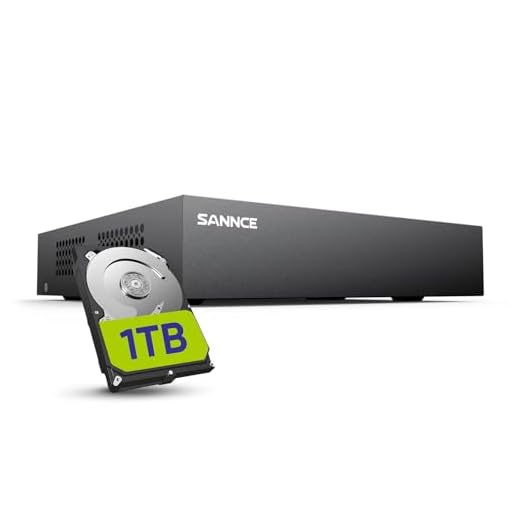
Let’s explore the possibilities and limitations of installing additional software on DVR systems and how it can impact the functionality and security of your surveillance setup.
Is it possible to install additional software on DVR systems with security cameras?
Many DVR systems with security cameras do not allow for the installation of additional software. Most DVRs come with proprietary software that is specifically designed to work with the hardware and cameras they are paired with. Attempting to install third-party software on a DVR may void the warranty and could potentially cause the system to malfunction.
However, there are some DVR systems that are more open and may allow for the installation of additional software or apps. These systems are typically more advanced and may require specific knowledge and expertise to modify or customize. It is important to check the manufacturer’s guidelines and specifications before attempting to install any additional software on a DVR system with security cameras.
Understanding the limitations of DVR systems
While DVR systems are a popular choice for security camera setups, it’s important to understand their limitations. One key limitation is the inability to install additional software on most DVRs. Unlike a computer or a server, DVRs typically have closed operating systems that do not allow users to add new software or applications.
Another limitation is the lack of flexibility in terms of customization. DVRs are designed to perform specific functions, such as recording and storing video footage from security cameras. While they excel at these tasks, they may not offer the same level of customization or advanced features that a computer-based system can provide.
Additionally, DVR systems may have limited storage capacity compared to server-based systems. This can be a concern if you have a large number of security cameras or if you need to store video footage for an extended period of time.
| Overall, while DVR systems are a reliable and cost-effective solution for many security camera installations, it’s important to be aware of their limitations. Understanding these limitations can help you make an informed decision when choosing a security camera system for your home or business. |
Potential risks of installing third-party software on DVR systems
While it may be tempting to install third-party software on DVR systems to enhance functionality or access additional features, there are several potential risks associated with this practice. Some of the risks include:
1. Security vulnerabilities:
Third-party software may not undergo the same rigorous testing and security checks as the software provided by the DVR manufacturer. This can leave the system vulnerable to cyber attacks, data breaches, and unauthorized access.
2. Compatibility issues:
Installing third-party software on a DVR system can lead to compatibility issues with the existing software and hardware components. This can result in system instability, malfunctions, and even complete system failure.
| Summary: | While third-party software may offer additional functionality, it is important to weigh the potential risks before installing it on a DVR system. Security vulnerabilities and compatibility issues can compromise the integrity and reliability of the system, putting sensitive data at risk. |
Benefits of custom software solutions for DVR systems
Custom software solutions offer numerous advantages for DVR systems, enhancing their functionality and performance. Here are some key benefits:
1. Tailored to specific needs: Custom software can be designed to meet the specific requirements of a DVR system, ensuring it aligns perfectly with the user’s needs and preferences.
2. Enhanced security: Custom software can incorporate advanced security features to protect the DVR system from cyber threats and unauthorized access, providing peace of mind to users.
3. Improved usability: Custom software can streamline the user interface and make the DVR system more intuitive and user-friendly, enhancing the overall user experience.
4. Increased efficiency: Custom software can optimize the performance of the DVR system, improving its speed, reliability, and efficiency in recording and storing video footage.
5. Scalability and flexibility: Custom software can be easily scaled and modified to accommodate future growth and changes in the DVR system, ensuring its long-term viability.
6. Integration with other systems: Custom software can be integrated with other security systems or devices, enabling seamless communication and data sharing for a more comprehensive security solution.
Overall, custom software solutions offer a range of benefits for DVR systems, making them more secure, efficient, and user-friendly.
Factors to consider before installing software on DVR systems
Before installing any software on DVR systems with security cameras, it is crucial to consider several factors to ensure optimal performance and security:
1. Compatibility: Ensure that the software you plan to install is compatible with your DVR system and security cameras. Check for system requirements and compatibility issues before proceeding.
2. Security: Evaluate the security features of the software to ensure that it does not introduce vulnerabilities or compromise the integrity of your surveillance system.
3. User Interface: Consider the user interface of the software and ensure that it is user-friendly and intuitive for easy navigation and management of your surveillance footage.
4. Functionality: Determine the specific features and functions you require from the software, such as remote access, motion detection, or video analytics, and choose a software solution that meets your needs.
5. Updates and Support: Check for regular updates and technical support options for the software to ensure that you can maintain and troubleshoot any issues that may arise.
By carefully considering these factors before installing software on your DVR system, you can ensure a seamless integration and optimal performance of your security camera system.
Security implications of adding software to DVR systems
When considering adding software to DVR systems for security cameras, it is important to understand the potential security implications that come with this decision.
1. Vulnerabilities:
Adding software to DVR systems can introduce vulnerabilities that hackers can exploit to gain unauthorized access to the system. It is crucial to ensure that the software is from a trusted source and regularly updated to patch any security flaws.
2. Data privacy:
With additional software on DVR systems, there is a risk of compromising the privacy of recorded footage. It is essential to implement strong encryption measures to protect sensitive data and ensure that only authorized personnel have access to the recordings.
- Regularly monitor and audit the software installed on DVR systems to detect any unauthorized or malicious programs.
- Implement strict access control measures to prevent unauthorized users from tampering with the software or system settings.
- Consider using dedicated security software designed specifically for DVR systems to enhance protection against cyber threats.
Best Practices for Enhancing DVR Systems with Software Solutions
When it comes to optimizing your DVR system with software solutions, there are several best practices to consider:
1. Choose Compatible Software: Ensure that the software you plan to install on your DVR system is compatible with the hardware and operating system to avoid compatibility issues.
2. Update Regularly: Keep your software up to date to benefit from the latest features, security patches, and bug fixes. Regular updates help improve system performance and protect against vulnerabilities.
3. Implement Security Software: Enhance the security of your DVR system by installing security software such as antivirus programs, firewalls, and intrusion detection systems to safeguard your data and prevent unauthorized access.
4. Utilize Remote Monitoring Software: Consider using remote monitoring software that allows you to access your DVR system remotely from any location. This can be beneficial for monitoring live feeds, reviewing recordings, and managing settings on-the-go.
5. Integrate Analytics Software: Implement analytics software to enhance the functionality of your DVR system. This software can provide valuable insights, such as motion detection, object tracking, and facial recognition, to improve security and monitoring capabilities.
6. Train Staff: Ensure that your staff is trained on how to use the software effectively to maximize its benefits. Proper training can help prevent errors, improve efficiency, and enhance overall system performance.
By following these best practices, you can enhance your DVR system with software solutions to improve security, functionality, and performance.
Challenges of integrating new software with existing DVR systems
Integrating new software with existing DVR systems can present several challenges that need to be carefully addressed to ensure smooth operation and maximum security.
Compatibility
Compatibility between the new software and the existing DVR system is crucial. The new software must be able to communicate effectively with the DVR and utilize its features without causing conflicts or errors.
Security Concerns
Security concerns are paramount when integrating new software with DVR systems. Any vulnerabilities in the new software could potentially compromise the security of the entire surveillance system, making it essential to thoroughly vet the software before implementation.
Future trends in software development for DVR systems
As technology continues to advance, the future of software development for DVR systems looks promising. Here are some key trends to watch for:
1. Artificial Intelligence (AI) integration: AI is being increasingly integrated into DVR systems to enhance video analytics, object recognition, and behavior analysis. This trend will continue to grow, enabling more intelligent and efficient surveillance systems.
2. Cloud-based solutions: Cloud-based DVR systems offer scalability, flexibility, and remote access capabilities. As internet speeds improve and cloud technology advances, we can expect to see more DVR systems utilizing cloud storage and processing.
3. Cybersecurity enhancements: With the increasing threat of cyber attacks, cybersecurity will be a top priority in software development for DVR systems. Future software will focus on encryption, authentication, and secure remote access to protect sensitive video data.
4. Integration with IoT devices: Integration with Internet of Things (IoT) devices will allow DVR systems to connect with other smart devices for enhanced automation and control. This trend will enable more comprehensive security solutions for homes and businesses.
5. User-friendly interfaces: Software developers will continue to improve user interfaces for DVR systems, making them more intuitive and easy to use. Features like mobile app integration and voice control will become more common, enhancing the overall user experience.



I've been using a custom software solution for my DVR, and it has made a huge difference. It integrates well with my existing cameras and has improved the user interface significantly. The ability to customize features like motion detection has been a game changer for my security setup.
Just a reminder that installing any software not supported by the manufacturer can void your warranty, so be careful!
I'm curious if anyone has successfully installed third-party software on their DVR systems without issues. What experiences did you have? Did it enhance functionality or cause problems?