
 Carmen J. Moore
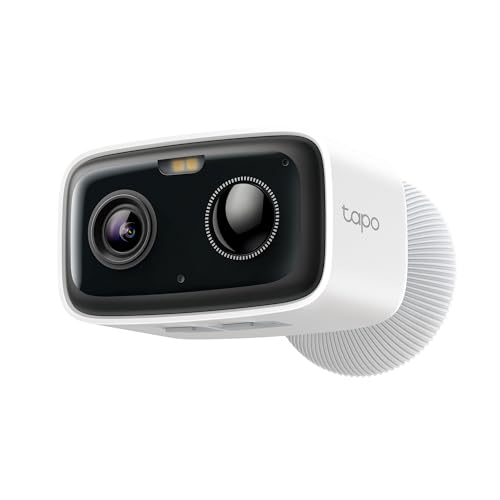
Wire-free security cameras have become increasingly popular in recent years due to their easy installation and flexibility in placement. These cameras are powered by batteries and use wireless technology to transmit video footage to a central hub or cloud storage. However, one common question that arises is whether wire-free security cameras can be used without a wifi connection.
The short answer is yes, wire-free security cameras can be used without wifi. While wifi connectivity offers many benefits such as remote viewing and real-time alerts, it is not a strict requirement for wire-free cameras to function. These cameras can still record video footage locally to a microSD card or a separate DVR without the need for an internet connection.
So, if you are looking for a security camera solution that does not rely on wifi, wire-free cameras could be a suitable option for you. Keep in mind that without wifi, you may not be able to access live footage remotely or receive alerts on your phone, but you can still have a reliable surveillance system in place to monitor your property.
Exploring the possibility
While most wire-free security cameras are designed to work with a Wi-Fi connection for remote monitoring and access to footage, there are some models that can be used without Wi-Fi. These cameras typically store footage locally on a memory card or hard drive, allowing you to access it directly from the camera itself. This can be useful in areas with limited or no Wi-Fi coverage, or if you prefer not to rely on a network connection for recording and storing footage.


Keep in mind that without Wi-Fi, you may not be able to access live video feeds remotely or receive alerts on your smartphone. However, if your main concern is recording and storing footage for later viewing, a wire-free security camera without Wi-Fi could be a viable option for your needs.
Benefits of Wireless Security Cameras
Wireless security cameras offer numerous benefits that make them a popular choice for home and business surveillance. Some of the key advantages of wireless security cameras include:
| 1. Easy Installation | Wireless cameras are easy to install without the need for complicated wiring, making them ideal for DIY setups. |
| 2. Flexibility | Wireless cameras can be placed anywhere within the range of the signal, providing flexibility in positioning for optimal coverage. |
| 3. Remote Viewing | With wireless cameras, you can typically access live footage remotely through a smartphone or computer, enhancing convenience and security monitoring. |
| 4. Expandable Systems | Wireless security camera systems are often easily expandable, allowing you to add more cameras to your setup as needed. |
| 5. Less Vulnerable to Tampering | Since wireless cameras don’t rely on physical connections, they are less vulnerable to tampering or sabotage. |
Limitations of wifi-free cameras
While wire-free security cameras offer the convenience of not requiring a wifi connection, there are some limitations to consider:
- Limited remote access: Without wifi, you may not be able to access live footage or recordings remotely from your smartphone or computer.
- No cloud storage: Wifi-free cameras often lack the ability to store footage in the cloud, which means you may need to rely on local storage options like SD cards.
- No smart home integration: Many wire-free cameras rely on wifi for smart home integration features like voice control or automation.
- Range limitations: Some wire-free cameras have limited range for transmitting data to a base station, which could impact their effectiveness in larger properties.
Alternative ways to use wire-free cameras
Wire-free security cameras are convenient and flexible, but they typically rely on a Wi-Fi connection for remote viewing and storage. However, there are alternative ways to use wire-free cameras even without Wi-Fi:
Local storage
Some wire-free cameras come with built-in storage options like SD cards or USB drives. This allows you to record and store footage locally without relying on a Wi-Fi network.
Mobile hotspot
If you don’t have access to a Wi-Fi network, you can use a mobile hotspot to connect your wire-free camera to the internet. Simply set up a mobile hotspot on your smartphone or portable hotspot device and connect the camera to it for remote access.
Using local storage for recordings
If you are using a wire-free security camera without Wi-Fi, you can still record and store footage locally. Many wire-free security cameras come with built-in storage options such as SD cards or USB drives. You can insert a compatible storage device into the camera and set it to record footage directly onto the storage device.
By using local storage, you can access the recordings without the need for an internet connection. This is a convenient option for users who want to keep their footage secure and easily accessible.
Keep in mind that you may need to periodically remove the storage device to free up space or transfer the recordings to another device for safekeeping. Additionally, make sure to check the compatibility of the storage device with your wire-free security camera before inserting it.
Setting up a dedicated network
If you want to use your wire-free security camera without Wi-Fi, you can set up a dedicated network specifically for the camera. This involves creating a separate network using a router or access point that is not connected to the internet. Here’s how you can do it:
1. Choose a router or access point
Select a router or access point that is compatible with your security camera and can create a local network. Make sure the device has the necessary ports and settings to support your camera’s connection.
2. Configure the network settings
Once you have your router or access point, configure the network settings to create a local network. You can set up a new SSID (network name) and password for the dedicated network to ensure that only your camera can connect to it.
By setting up a dedicated network for your wire-free security camera, you can use the camera without relying on a Wi-Fi connection. This can be useful in areas where internet connectivity is limited or unreliable.
Utilizing Cellular Networks
Another option for using wire-free security cameras without WiFi is to utilize cellular networks. Some wire-free security cameras come with built-in cellular connectivity, allowing them to connect to the internet through a SIM card and cellular data plan. This can be a convenient solution for remote locations or areas where WiFi is not available. However, it’s important to consider the cost of a cellular data plan and ensure that the camera is compatible with the cellular network in your area.
Considerations for off-grid locations
When using wire-free security cameras in off-grid locations without Wi-Fi, there are several important considerations to keep in mind:
1. Power source: Ensure that the camera has a reliable power source, such as rechargeable batteries or solar panels, to keep it running continuously.
2. Storage options: Consider cameras with local storage capabilities, such as SD cards, to store footage without relying on cloud services.
3. Connectivity: Look for cameras that can connect to a mobile network or use a hub to transmit data if Wi-Fi is not available.
4. Weatherproofing: Select cameras that are weatherproof and can withstand extreme conditions to ensure durability in off-grid environments.
By considering these factors, you can effectively use wire-free security cameras in off-grid locations without Wi-Fi connectivity.




I recently set up a wire-free security camera without WiFi at my cabin. It records to an SD card, which is super convenient. I just check it every few weeks to download the footage. The only downside is not being able to see live feeds remotely, but for off-grid living, it works great!
That sounds like a solid setup! Did you find any specific brands that worked better for local storage?
Can you explain how the local storage works for these wire-free cameras? Do I need to manually check the SD card often?
Local storage allows the camera to record video directly onto an SD card or USB drive. You may need to check the card periodically to clear space and transfer recordings. Some models also notify you when storage is nearly full.