
 Carmen J. Moore

Verizon Wireless routers are primarily designed for providing internet connectivity to your devices, but can they also be used for security cameras?
Many people wonder if their Verizon Wireless router can support the connection of security cameras to monitor their homes or businesses. While Verizon routers are not specifically designed for this purpose, it is possible to use them for security cameras with some additional setup and considerations.
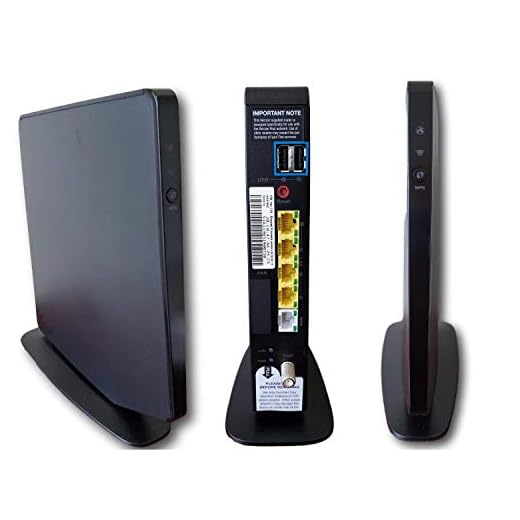

Can I Use Verizon Wireless Router for Security Cameras
Verizon wireless routers can be used for security cameras, but there are some limitations to consider. While Verizon routers typically provide reliable internet connectivity, they may not offer all the necessary features for a robust security camera system.
When using a Verizon wireless router for security cameras, ensure that the router supports port forwarding and has sufficient bandwidth to handle the data traffic from the cameras. Additionally, consider the range and signal strength of the router to ensure that it can adequately cover the area where the cameras are installed.
It is also important to secure the network connection to prevent unauthorized access to the security camera feed. Enable encryption, change default passwords, and regularly update the router firmware to enhance security.
Overall, while Verizon wireless routers can be used for security cameras, it is essential to assess the router’s capabilities and security features to ensure a reliable and secure surveillance system.
Compatibility with Security Cameras
Verizon wireless routers can be used with security cameras, but compatibility may vary depending on the specific model of the router and the security camera system. It is important to check the technical specifications of both the router and the security cameras to ensure they are compatible.
Some security cameras require specific network settings or protocols to function properly, so it is recommended to consult the user manuals or contact the manufacturers for guidance on setting up the cameras with the Verizon router.
Additionally, some security camera systems may require a dedicated network or separate subnet for optimal performance, so it is important to consider the network configuration when connecting security cameras to a Verizon wireless router.
Setting Up Verizon Router for Security Cameras
If you want to use your Verizon wireless router for security cameras, you can easily set it up to work with your cameras. Here are the steps you can follow:
1. Connect your security cameras to the Verizon router using Ethernet cables.
2. Log in to your Verizon router’s settings page by entering the router’s IP address in your web browser.
3. Navigate to the port forwarding section of the router settings and forward the necessary ports for your security cameras.
4. Assign a static IP address to your security cameras to ensure they always have the same address on the network.
5. Configure the security camera software to connect to the Verizon router using the forwarded ports and static IP addresses.
By following these steps, you can effectively use your Verizon router for your security cameras and ensure they are connected securely to your network.
Benefits of Using Verizon Router
Verizon routers offer a range of benefits that make them an excellent choice for security cameras:
| 1. Secure Connection | Verizon routers provide a secure connection for your security cameras, ensuring that your footage is protected from unauthorized access. |
| 2. Reliable Performance | Verizon routers are known for their reliable performance, ensuring that your security cameras have a stable connection for continuous monitoring. |
| 3. Easy Setup | Setting up security cameras with a Verizon router is straightforward and user-friendly, making it easier for you to install and configure your surveillance system. |
| 4. Remote Access | With a Verizon router, you can access your security camera footage remotely, allowing you to monitor your property from anywhere using your smartphone or computer. |
Security Features for Camera Integration
When using your Verizon wireless router for security cameras, it’s important to consider the security features that can help protect your system from unauthorized access and potential threats.
Encryption
Make sure your router supports encryption protocols such as WPA2 or WPA3 to secure the data transmitted between your cameras and the router. This will help prevent eavesdropping and unauthorized access to your camera feeds.
Firewall
Enable the firewall on your router to block incoming and outgoing traffic that could compromise the security of your cameras. Configure the firewall settings to restrict access to your camera system to trusted devices only.
By implementing these security features, you can enhance the protection of your security camera system when using a Verizon wireless router.
Remote Monitoring with Verizon Router
If you have a Verizon Wireless router, you can use it for remote monitoring of security cameras. By setting up port forwarding on your router, you can access your cameras from anywhere using a smartphone, tablet, or computer.
To enable remote monitoring, log in to your router’s settings and locate the port forwarding section. Enter the port number used by your security camera system and the local IP address of the camera. Save the settings and ensure that the ports are open for external access.
Benefits of Using Verizon Router for Remote Monitoring:
- Secure access to your security cameras from anywhere
- Convenient monitoring through a smartphone or computer
- Ability to check on your property or loved ones remotely



I'm considering using my Verizon router for a few security cameras, but how do I know if my specific router model will support them? Are there certain features I should look for?
Great question! Check your router's specifications for features like port forwarding support and bandwidth capacity. It's also helpful to refer to the user manual of your cameras to see if there are specific compatibility requirements.
I don't completely agree that Verizon routers are the best choice for security cameras. I've heard some people say that dedicated security camera systems work better for handling multiple cameras, especially in larger homes.
I set up my security cameras with my Verizon router about six months ago. The process was pretty straightforward, but I did have to fiddle with the port forwarding settings a bit to get everything working. Once set up, the camera feeds are stable, and I've had no issues accessing them remotely. Just make sure to keep your firmware updated to avoid security vulnerabilities.