
 Carmen J. Moore

Have you ever experienced the frustrating situation of finding fog inside your iPhone camera lens? This annoying issue can affect the quality of your photos and videos, making them appear blurry or hazy. However, there are several simple and effective methods you can use to remove the fog and restore clear vision to your iPhone camera.
First and foremost, it is important to identify the root cause of the fog inside your iPhone camera. In many cases, the fog is caused by a sudden temperature change, such as moving from a cold environment to a warm one. The temperature difference can create condensation inside the camera lens, leading to the formation of fog. Additionally, exposure to moisture or humidity can also result in foggy camera lens.
To address the issue of fog inside your iPhone camera, you can try the following solutions:
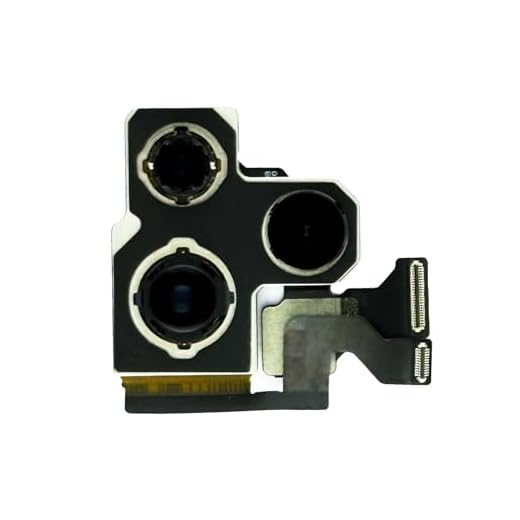
Identifying the Fog Problem
Fog inside the iPhone camera lens can be a frustrating issue that affects the quality of your photos and videos. It can occur due to various reasons such as sudden temperature changes, humidity, or water damage. To identify if your iPhone camera lens is foggy, look for the following signs:
- Blurry or hazy images: If your photos appear unclear or distorted, there may be fog inside the camera lens.
- Condensation inside the lens: If you notice water droplets or mist inside the lens, it indicates a foggy camera.
- Difficulty focusing: If the camera struggles to focus properly, it could be due to fog obstructing the lens.
By recognizing these signs, you can take the necessary steps to remove the fog and restore your iPhone camera’s functionality.
Causes of Fog Inside iPhone Camera
There are several reasons why fog can form inside your iPhone camera lens. Here are some common causes:
- Temperature changes: Sudden shifts in temperature can cause condensation to form inside the camera lens, leading to foggy images.
- Humidity: High humidity levels can also contribute to fog inside the camera lens, especially in warm and humid environments.
- Water damage: If your iPhone has been exposed to water or moisture, it can lead to fog inside the camera lens.
Methods for Removing Fog Inside iPhone Camera
If you find that there is fog inside your iPhone camera, there are several methods you can try to remove it:
- Use Silica Gel Packets: Place your iPhone in a sealed bag with silica gel packets. The silica gel will help absorb the moisture and reduce the fog inside the camera.
- Rice Method: Place your iPhone in a sealed bag with uncooked rice. The rice will absorb the moisture and help clear the fog inside the camera.
- Use a Hair Dryer: Gently blow warm air into the camera lens using a hair dryer on the lowest setting. Be careful not to overheat the device.
- Let it Air Dry: Leave your iPhone in a dry, warm place with good air circulation to allow the fog to naturally dissipate.
If these methods do not work, it may be best to consult a professional technician to avoid causing any damage to your iPhone camera.
Preventive Measures to Avoid Fog Inside iPhone Camera
Fog inside the iPhone camera can be a frustrating issue that affects the quality of your photos and videos. To prevent fog from forming inside your iPhone camera, consider implementing the following preventive measures:
1. Avoid Sudden Temperature Changes
Rapid temperature changes can cause condensation to form inside your iPhone camera lens, leading to foggy images. To avoid this, try to avoid exposing your iPhone to extreme temperature changes, such as moving from a cold environment to a warm one quickly.
2. Keep Your iPhone Dry
Moisture can also contribute to fog forming inside your iPhone camera. Make sure to keep your iPhone dry and avoid using it in humid environments or near water sources. If your iPhone does get wet, be sure to dry it thoroughly before using the camera.
| Preventive Measure | Description |
| Avoid Sudden Temperature Changes | Rapid temperature changes can cause condensation to form inside your iPhone camera lens, leading to foggy images. |
| Keep Your iPhone Dry | Moisture can contribute to fog forming inside your iPhone camera. Keep your iPhone dry and avoid using it in humid environments or near water sources. |


What are some signs that my iPhone camera has fog inside it?
I had this issue last summer during a trip. My camera was foggy after stepping out of an air-conditioned room. It took a few hours in a dry place to clear up, but I didn’t know about the silica gel method then!
I’m a bit confused about the rice method. Does it really work, or could it cause more issues like dust getting in? I want to try it, but I’m worried about damaging my phone.
I disagree about using a hair dryer. It seems risky to blow hot air into the camera; it might cause more damage than it helps. Better to let it air dry, I think.
Good tips! I always keep silica gel packets around for stuff like this. They really help with moisture issues.